
Files
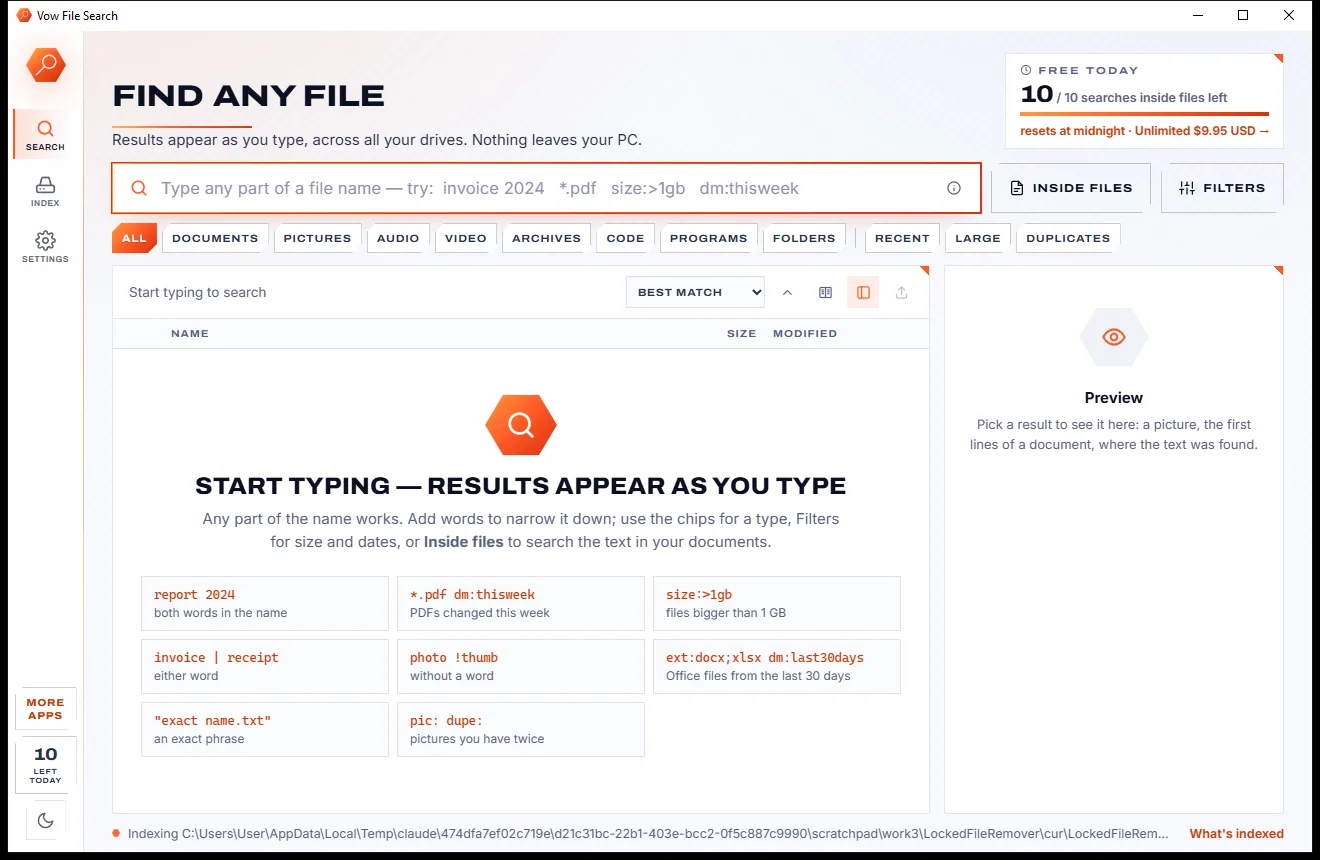
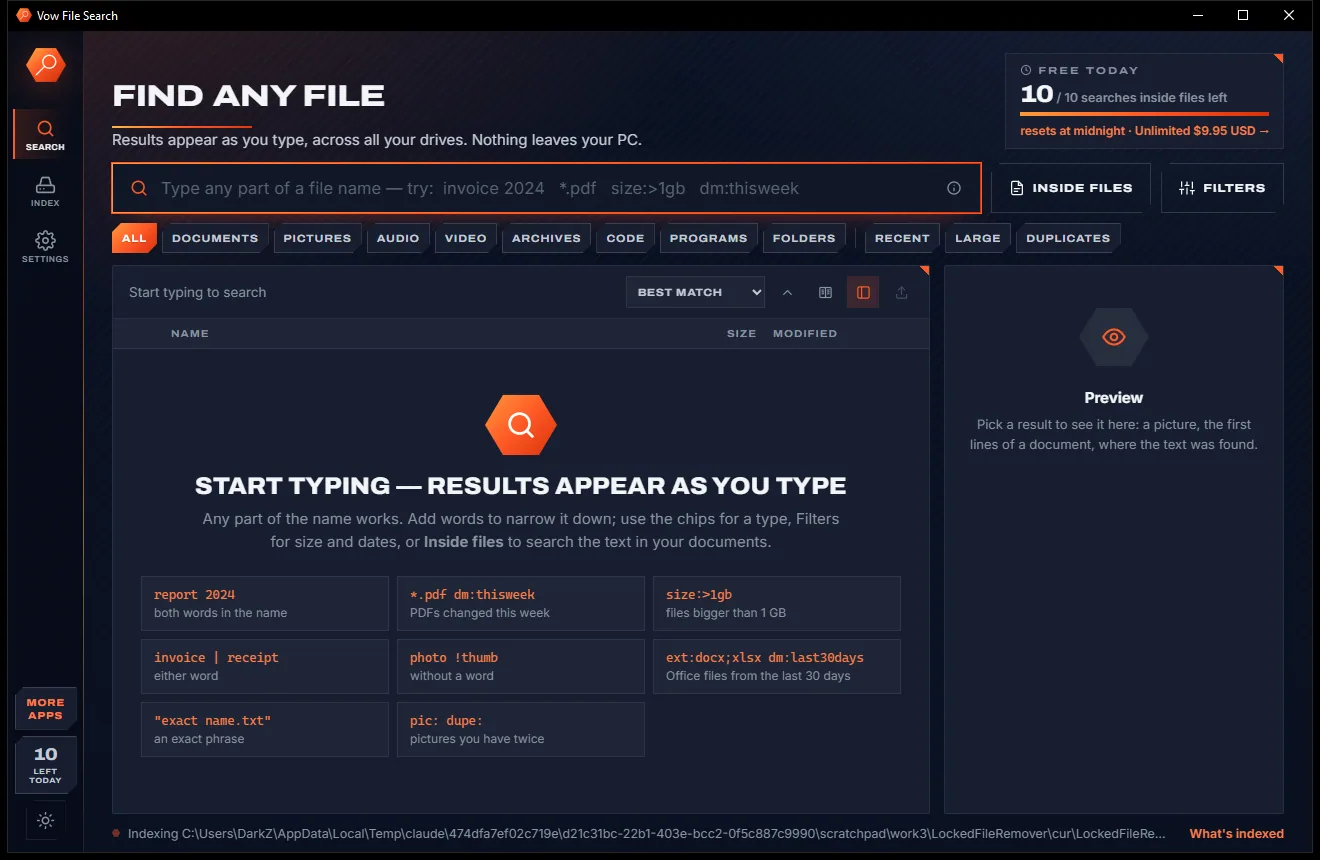
Vow File Search
Find any file as you type, across every drive
- Free: Unlimited file name search on every drive, 10 searches inside files a day
- $4.95 once: Unlimited searches inside files, network drives and NAS shares

Backup & folder sync for Windows
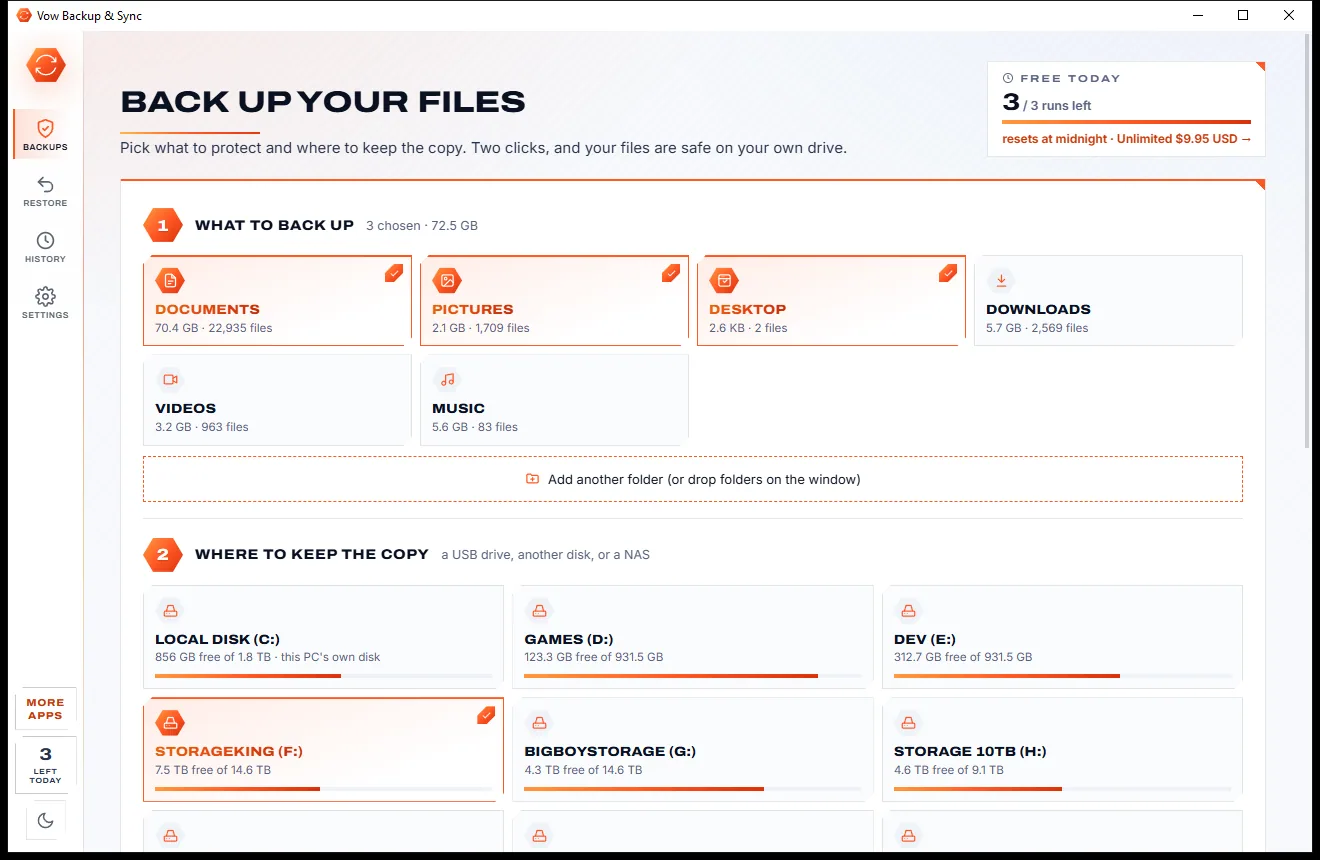
Pick Documents, Pictures and Desktop, pick a drive, press Back up now. Vow Backup & Sync copies only what changed, previews every run in plain words, keeps old versions and stops before a surprise deletion. No cloud, no account, no subscription.
The problem
Most people only find out their backup stopped working, or never covered the right folders, when a drive dies.
Point a mirror job at the wrong or an empty folder and it wipes the copy to match. Many sync tools never ask first.
Backups packed into proprietary archives can only be opened by the app that made them, if it still runs.
Silent failures and no "last good backup" date: you only find out something is wrong when you go to restore.
Monthly or yearly plans for a job every PC has always needed, renewing whether you restore anything or not.
Dozens of tabs, compare modes and filters before the first copy, and no clue which settings are the safe ones.
Online backup means uploading your whole life to someone else's servers, then waiting days for a big restore.
Vow Backup & Sync fixes all of it.
How it works
Your first backup is two clicks away, and every run after that copies only what changed.
Documents, Pictures and Desktop are ticked for you with their sizes, and the external drive with the most room is pre-selected. Drop any other folder on the window.
Preview tells you in plain words what will happen: new, changed, moved and deleted files, with a list you can filter, before anything is copied.
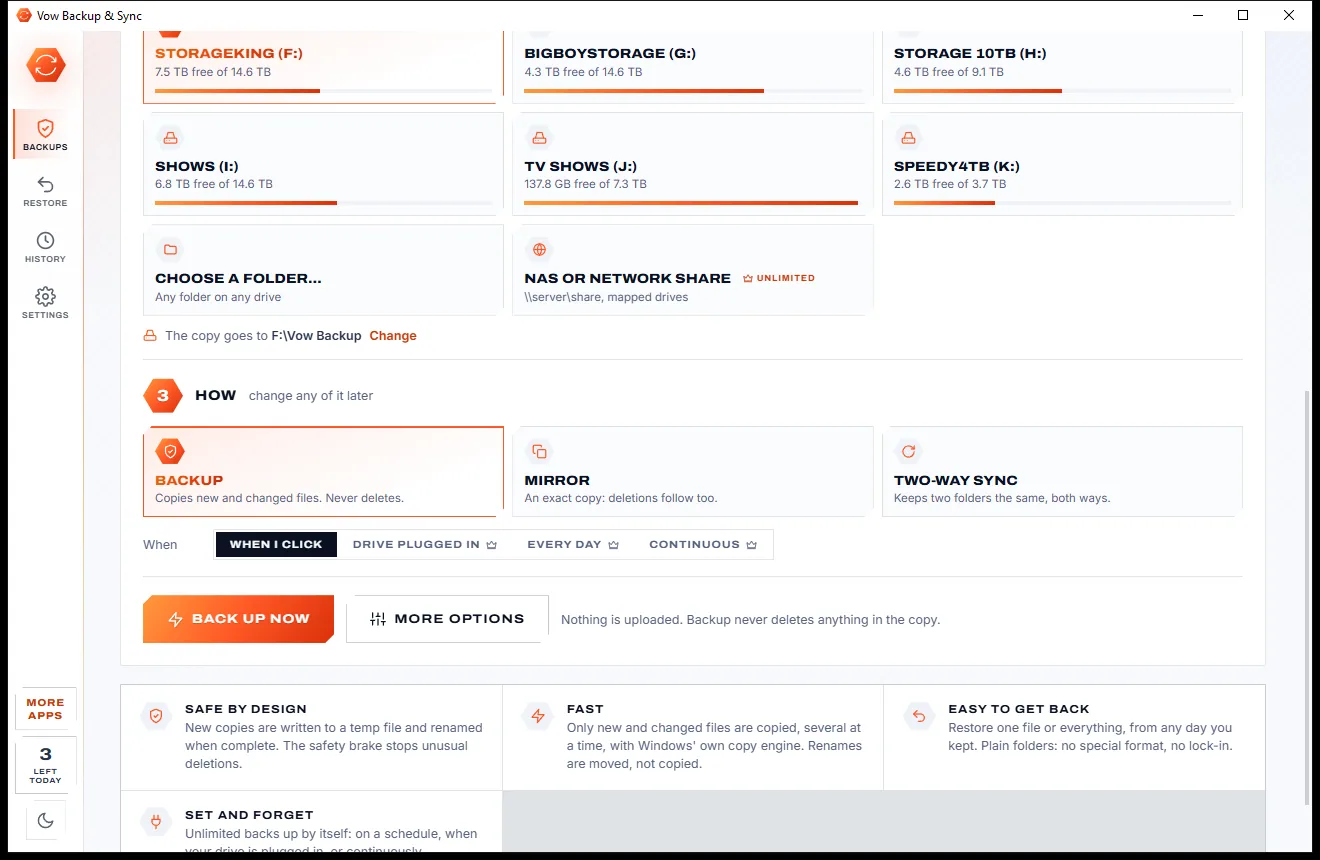
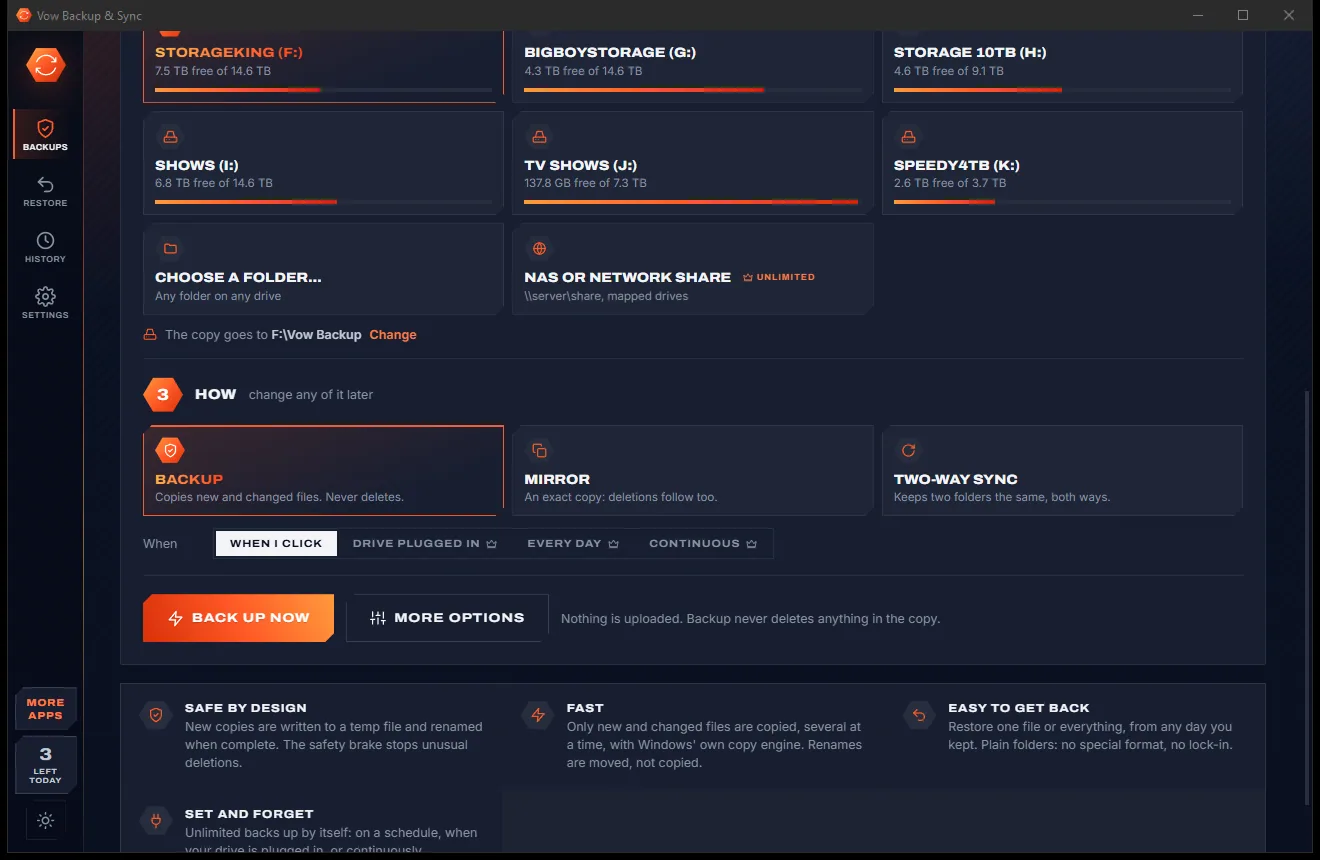
Press Back up now. Only new and changed files are copied, and each job card shows its health, the last run and the space left on the drive.
Features
Backup, mirror and two-way sync for home users, small offices and anyone with an external drive in a drawer.
Every backup is an ordinary folder you can open and copy without this app, on any PC. No proprietary archive.
A growing backup that never deletes, an exact mirror, or two folders kept in step with deletions and conflicts handled.
"2 new, 2 changed, 1 moved, 3 to delete": see exactly what a run would do, with a filterable list, before it runs.
A run that would delete an unusual share of files, or everything because a source is suddenly empty, stops and asks.
Replaced and deleted files are kept by date, so you can browse the backup as it was before any run (Unlimited).
USB drives are recognised by their volume serial, so the job still finds them when Windows hands out a new letter.
Run when the drive is plugged in, every few minutes or hours, daily, weekly or continuously as files change (Unlimited).
Parallel copies, rename and move detection, files in use read safely, and every copy written to a temp file first.
A byte-for-byte read-back confirms the copy matches your files, and every run can verify as it goes.
Back up to a \\server\share path or a mapped drive with a saved, encrypted sign-in (Unlimited).
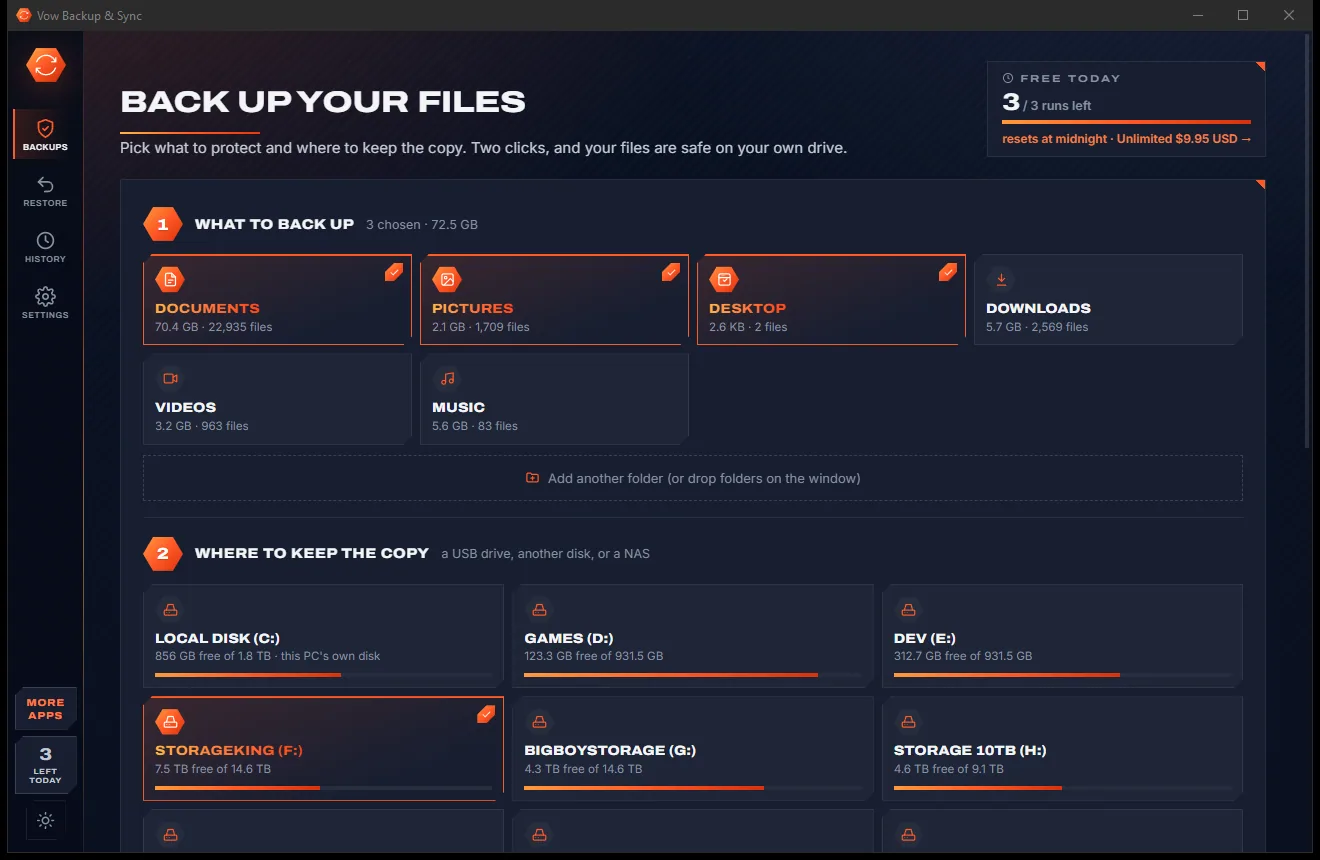
Light & dark theme
Backup & Sync comes with a crisp light theme and a calm dark theme. Switch with one click, or let it follow your Windows setting by itself. It remembers your choice.
Screenshots
Real screenshots of the real app, in both of its themes: 6 light, 6 dark. Click any picture to see it full size.
Light theme
Dark theme
Who it's for
A copy of every photo, tax return and school project on a drive you can grab and go.
Client work mirrored to a NAS every hour, with old versions kept if a file gets overwritten.
Back up by itself the moment you plug your USB drive in at your desk.
Keep a project folder in two-way sync with a NAS share or a second disk, conflicts kept safely.
Big shoots copied fast, checked byte for byte, without re-copying folders you only renamed.
The health banner shows at a glance when your last good backup ran, so a dead drive is just an inconvenience.
Compare
What you get with the usual backup and sync apps, side by side.
| Feature | Vow Backup & Sync | Typical backup & sync apps |
|---|---|---|
| Price | Free every day, or $9.95 once | Paid editions or yearly subscriptions |
| Backup format | Plain files and folders | Often a proprietary archive |
| Plain-language preview of a run | Yes, with a filterable list | Rarely |
| Brake on mass deletions | Yes: it stops and asks | Rare |
| Last good backup at a glance | On every job card | Often buried in a log |
| Built-in scheduler and plug-in trigger | Yes (Unlimited) | Some need Task Scheduler |
| Survives drive-letter changes | Yes, by volume serial | Not always |
| Your files uploaded | Never: your own drives only | Yes, for online backup services |
| Ads, upsells, bundled extras | None | Common in free editions |
"Typical" describes what we found across the most-downloaded alternatives when we built Backup & Sync. Your mileage with any one of them may vary; ours won't.
Pricing
That is not a typo. Software this powerful usually means a monthly subscription; Backup & Sync is $9.95, once, for life: it's almost a giveaway. Use it free for as long as you like, and unlock Unlimited only if you need more.
1 job, 3 runs a day, with preview, check and restore always free.
Almost a giveaway. Less than a takeaway lunch for software this powerful: no subscription, no renewals, yours for life on 2 PCs.
Any number of jobs, automatic backups, version history, NAS.
Payments by Stripe: we never see or store your card. Questions? Ask a real person.
Clean software
Most "free" Windows downloads pay for themselves with ads, bundled extras or your data. Vow Backup & Sync doesn't need to: it's paid for honestly, once, by the people who find it useful.
Download Backup & Sync freeStep-by-step guide
A full first backup in a few minutes, then one click, or none, every time after.
Step 1: get it freeDownload it from this page and run the installer. It needs no administrator rights and no account, and nothing you back up ever leaves your own drives.
Connect an external USB drive, or use a second disk. The quick start shows each drive's free space and picks the external drive with the most room.
Documents, Pictures and Desktop are ticked with their sizes. Tick Downloads, Videos or Music too, or drop any other folder on the window. More options opens the full editor.
The first run copies everything; later runs copy only new and changed files. Live progress shows the files, the speed and the current file, with Pause and Stop.
Open Restore, browse or search the backup, tick files or folders and send them back to where they came from or to another folder. For files already there, choose Replace, Keep both or Skip.
Technical details
FAQ
Yes. One backup or sync job, run by hand up to 3 times a day, is free for as long as you like. Runs that find nothing to copy don't count, and Preview, Check and Restore are always free. Unlimited, a one-time $9.95 USD payment, adds any number of jobs and runs, automatic backups, version history and NAS destinations.
Yes. Backups are ordinary files in ordinary folders on your drive, so you can open them in File Explorer or copy them anywhere. A small hidden .trusty folder records where each folder came from, so the app on another PC can restore it too.
Not without asking. If a run would delete more than a set share of the files, or everything because a source is suddenly empty, it stops and asks. A missing source never deletes anything, and Preview lists every deletion beforehand.
No. Your files are copied only to the drives and network shares you choose. There is no cloud, no account and no upload.
With Unlimited, yes: when the drive is plugged in, every few minutes or hours, daily, weekly, or continuously as files change, with missed runs caught up. It works from the notification area and starts with Windows only while an automatic job exists.
It has the same three job types and every common trigger built in, where FreeFileSync needs Task Scheduler for timed runs. It adds a plain-language preview, a safety brake against surprise mirror deletions, a health dashboard, drive-letter-proof destinations, a point-in-time restore browser on plain folders and a two-click first backup, for $9.95 once with no subscription.
Files that are open with shared access are copied normally. Files another program locks exclusively, such as an Outlook PST while Outlook runs, are listed in the run's details and copied on the next run once they are free.
Yes. It is made and published by XTO Pty Ltd, an Australian company. There are no ads, no bundled software and no account, it needs no administrator rights, and it uninstalls cleanly from Windows Settings without touching the backups on your drives.
The Vow collection
Same design, same promises, a tiny one-time price. Learn one and you already know them all.
Find any file as you type, across every drive
Open every archive, and fix the ones that won't open
See what's filling your drive, then win the space back safely
Set-and-forget backups to your own drives, in plain folders. Free to use every day, $9.95 once if you ever want Unlimited.