
Productivity
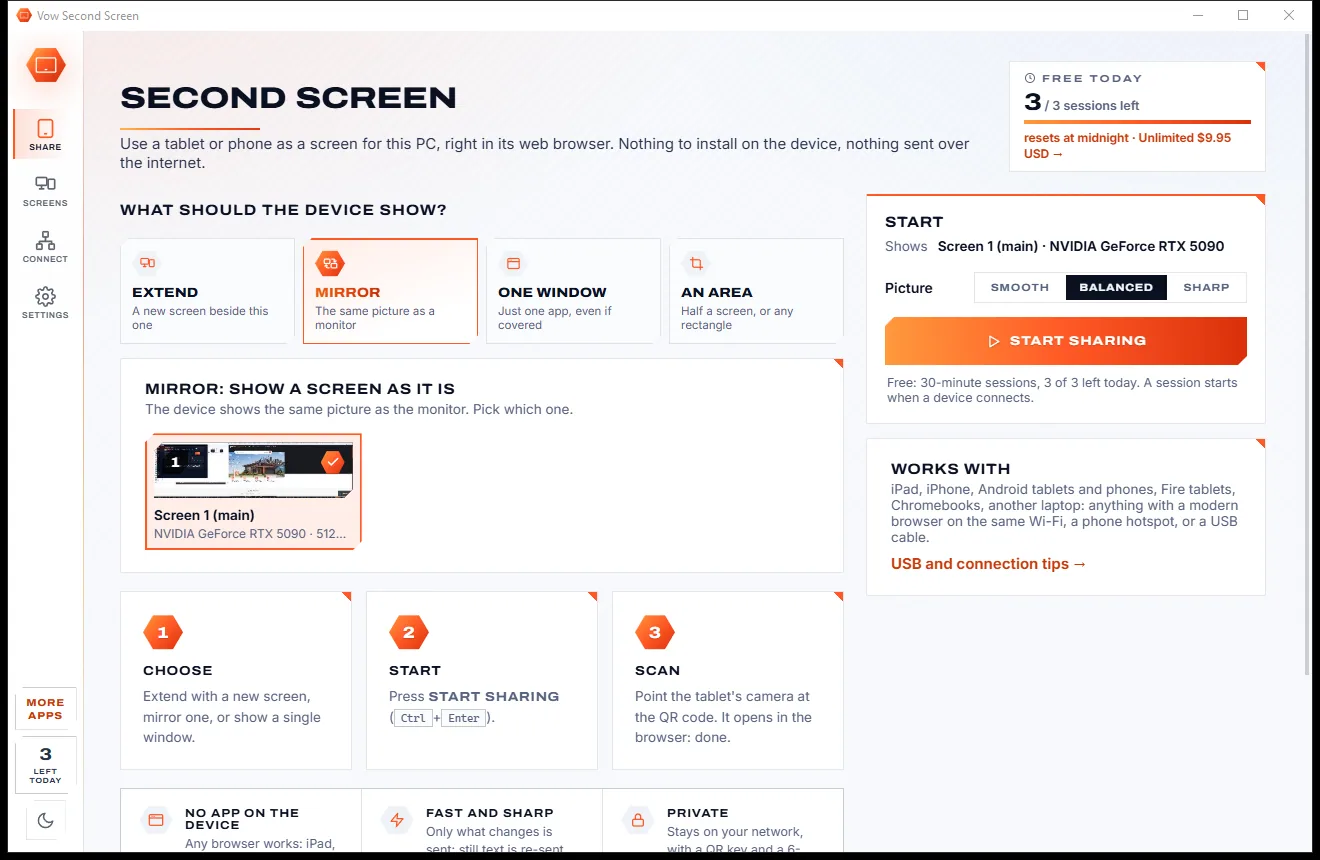
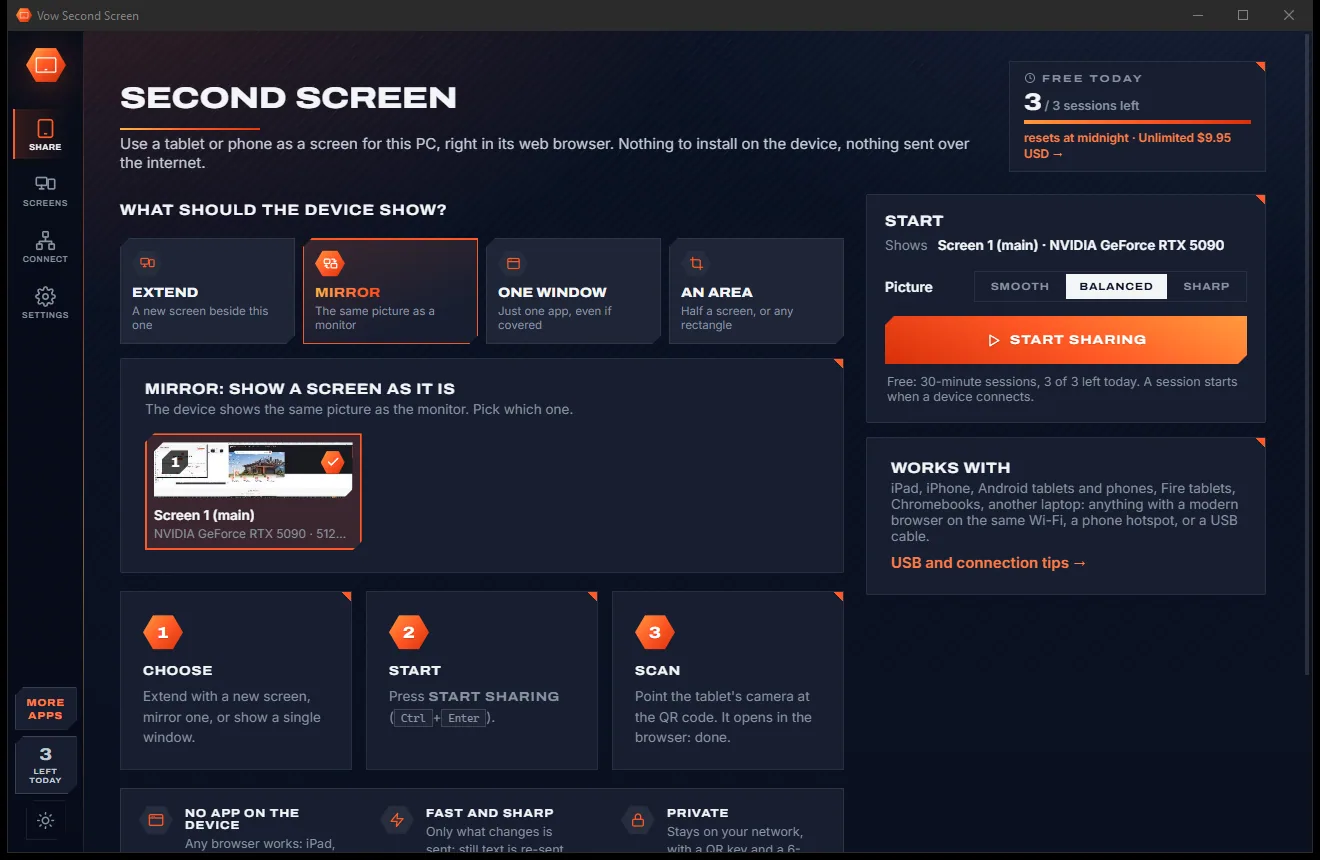
Vow Second Screen
Turn a tablet or phone into a second screen for your PC, in its browser
- Free: 3 sessions a day of 30 minutes, HD picture, view only, one device
- $4.95 once: Any length, up to 4K, touch, pen and keyboard, up to 6 devices

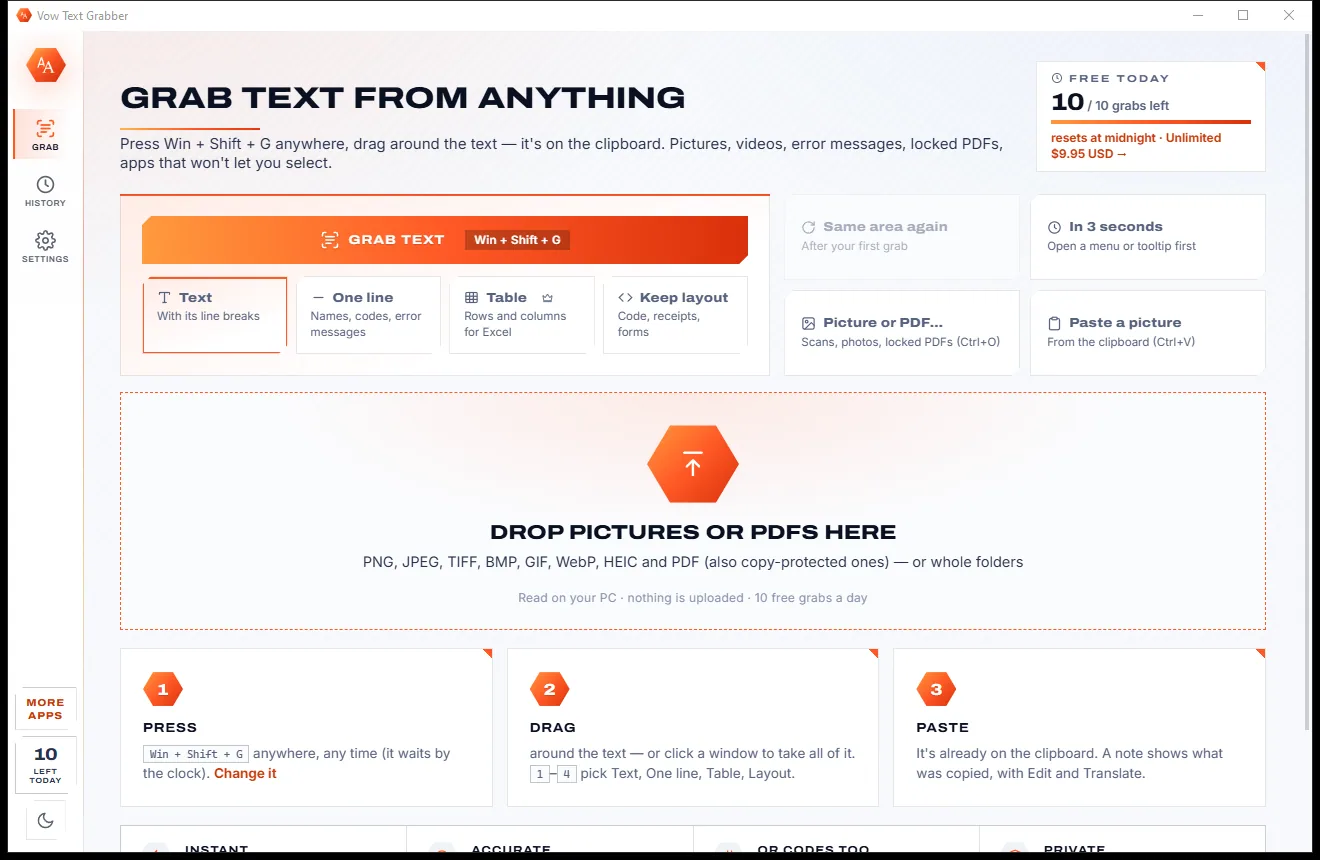
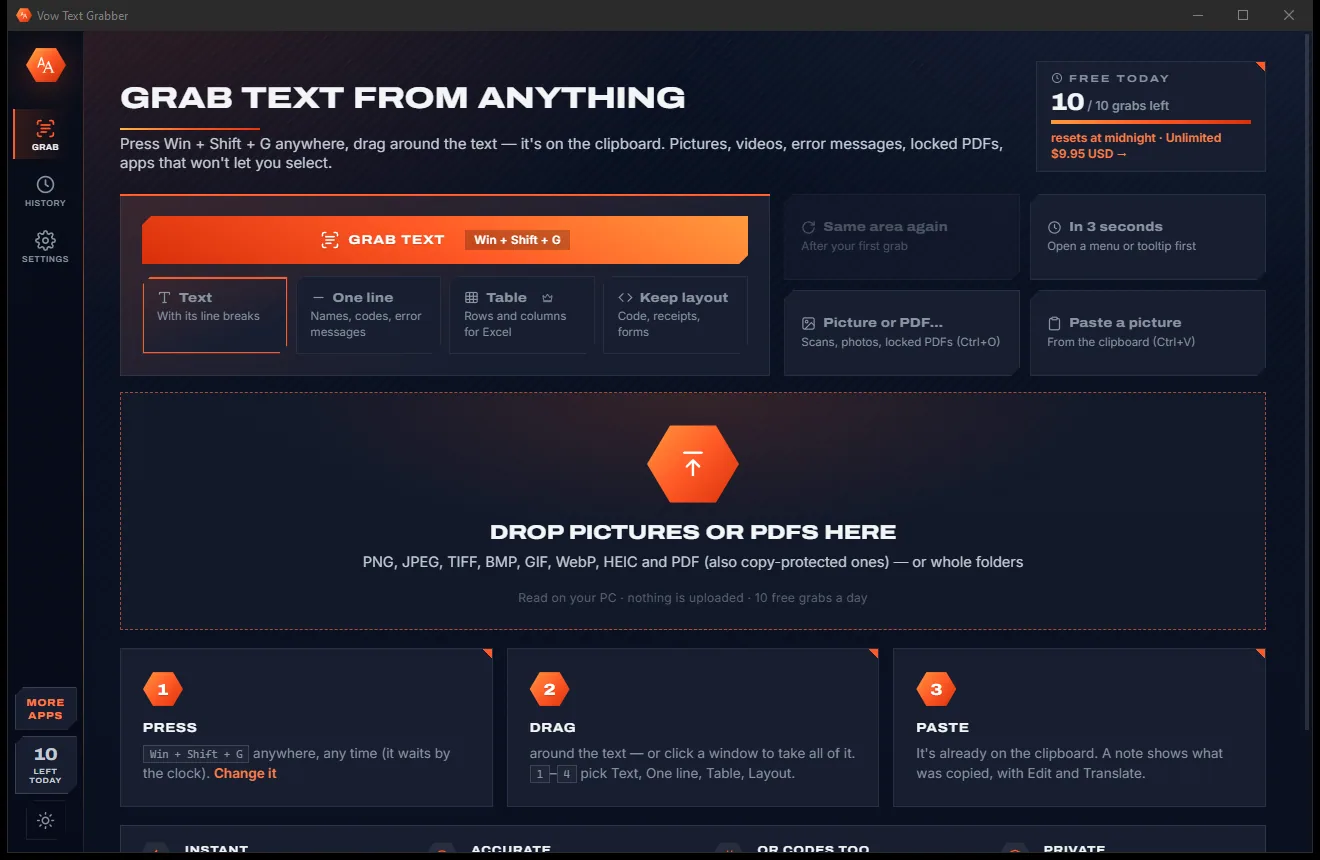
Screen OCR & text grabber for Windows
Pictures, paused videos, error dialogs, scanned or locked PDFs, apps that won't let you select: press Win + Shift + G, drag around the text and it is already on the clipboard. Tables come out as rows and columns. Nobody has to retype anything again.
The problem
Error codes in a dialog, figures in a screenshot, a line in a video: the words are right there, and Windows won't let you copy them.
Copying an error code, a tracking number or a paragraph from a screenshot letter by letter, and getting one character wrong.
Locked PDFs, dialogs, images and some apps simply won't let you select their text.
Online image-to-text sites want your screenshot on their server, with ads around the result.
Most tools read a table as one long line of numbers that has to be rebuilt in Excel by hand.
Take a screenshot, save it, open a website, upload it, copy the result: five steps for one line of text.
Tiny interface text, dark mode and light-on-dark subtitles trip up basic text recognition.
Vow Text Grabber fixes all of it.
How it works
One shortcut from anywhere, a box around the text, and it is on the clipboard before you let go.
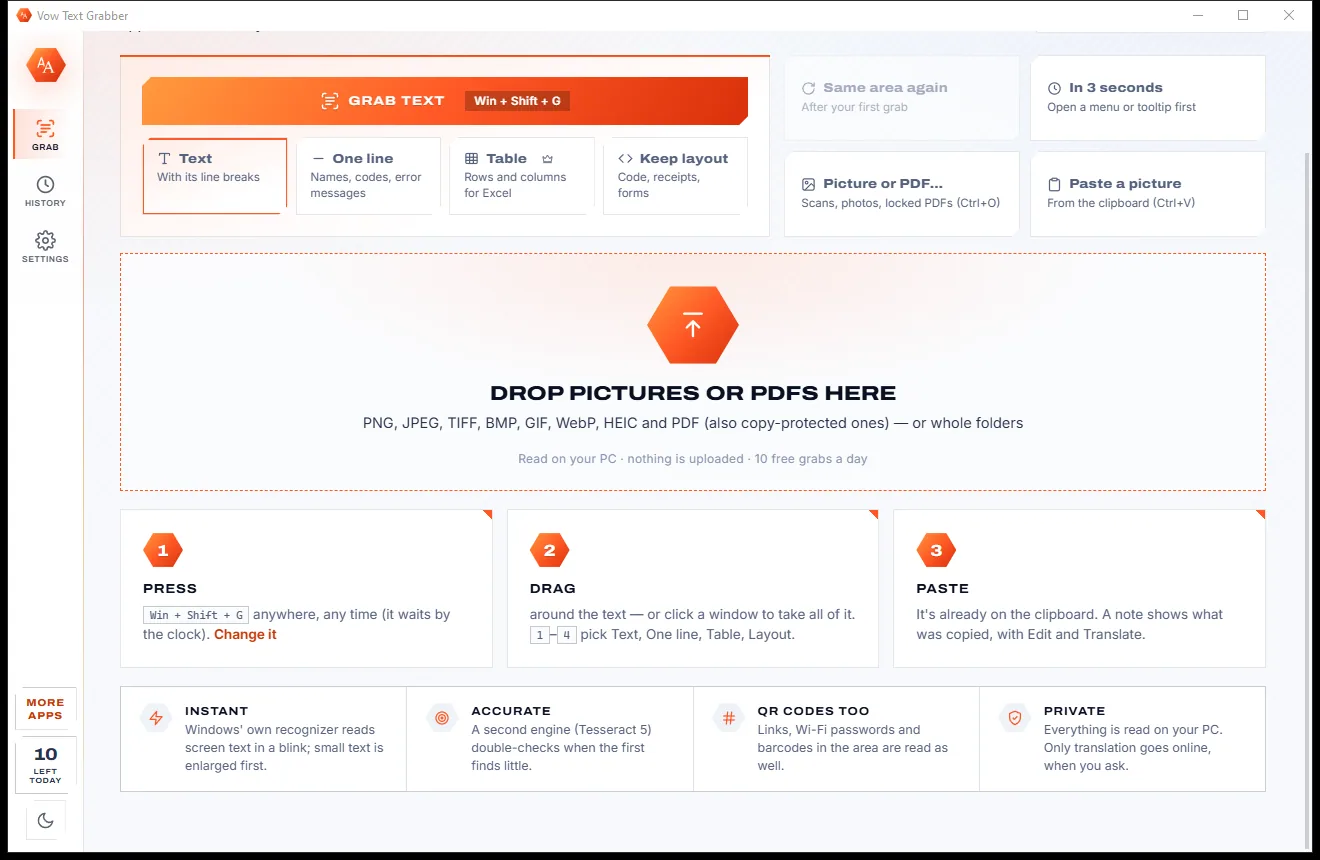
Win + Shift + G from anywhere, even with the window closed, or Grab text in the app. The screen freezes so videos stay still.
Draw a box, click a window to take all of it, or press Ctrl+A for the whole screen. Keys 1 to 4 pick Text, One line, Table or Keep layout.
It is already on the clipboard, with a small note saying what was copied. Edit, tidy, translate or save it in the app if you like.
Features
For office workers, support staff, students and anyone who has ever retyped something off the screen.
Region, window or whole screen, on a frozen screen with a magnifier, across several monitors with different scaling.
Tables are read row by row, wrapped cells joined and empty cells kept, ready to paste into Excel, Word or Sheets.
Windows' own OCR reads instantly, and Tesseract 5 re-reads anything it missed. Small text is enlarged first for accuracy.
Grab the last area again without picking, for video subtitles, counters or a chat window, or use a delayed grab for menus.
Every QR code, Data Matrix and barcode in the area is read too. Links open, Wi-Fi codes show the network and password.
Join lines, tidy spaces, change case, keep only emails, links or numbers, and hide private details like card numbers.
Your Windows languages automatically, or any of 126 languages, up to three at once, with translation into 47 languages.
Drop pictures, scanned PDFs or copy-protected PDFs, or paste a screenshot, and read the text out of them.
Search past grabs, copy them again, pin the ones you need and export them all as one text file.
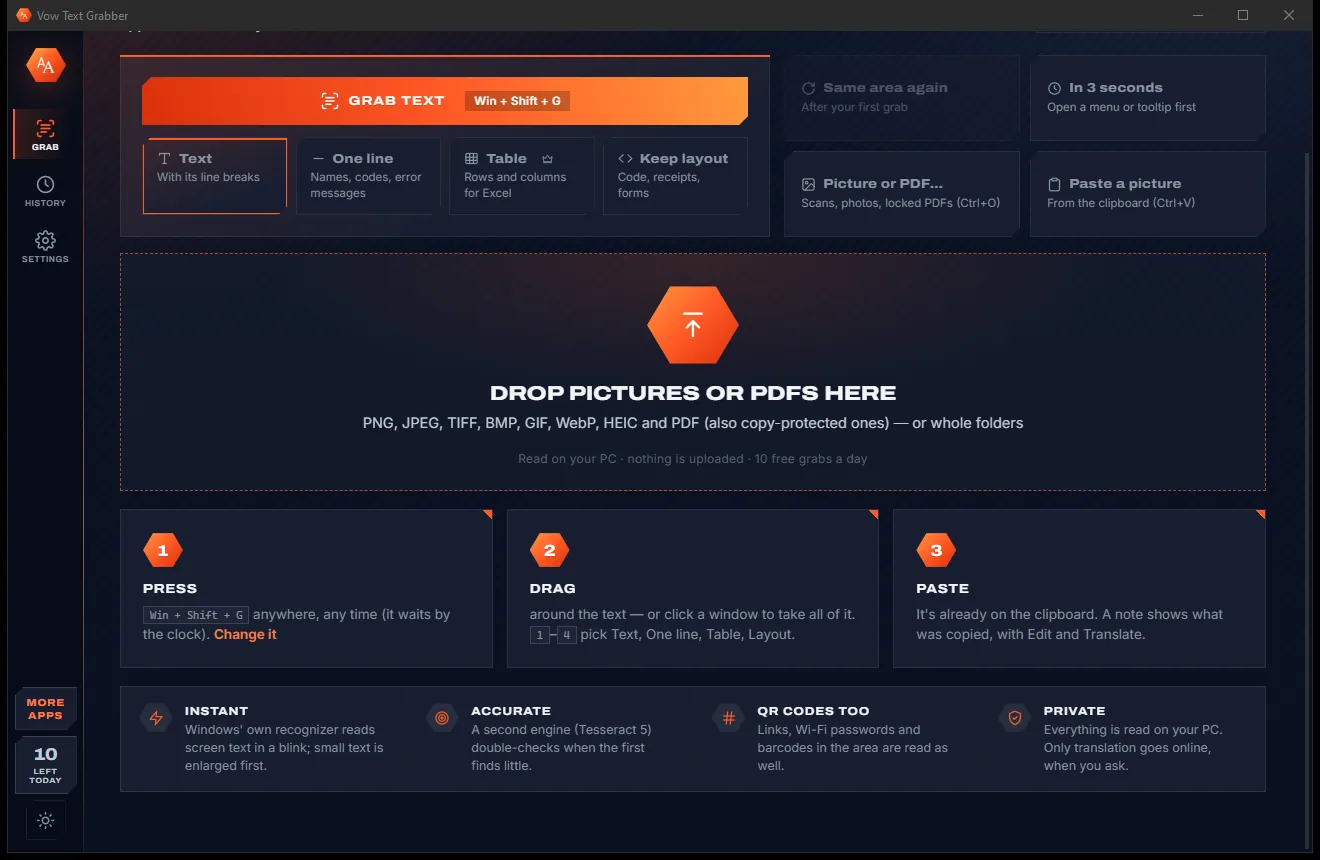
Switch between a bright paper look and a dark carbon look with one click in the sidebar, or let it follow Windows.
Light & dark theme
Text Grabber comes with a crisp light theme and a calm dark theme. Switch with one click, or let it follow your Windows setting by itself. It remembers your choice.
Screenshots
Real screenshots of the real app, in both of its themes: 5 light, 5 dark. Click any picture to see it full size.
Light theme
Dark theme
Who it's for
Copy error codes, file paths and messages from dialogs straight into a ticket or a search.
Lift figures and tables from screenshots, slides and reports into Excel without retyping.
Copy quotes from lecture videos, slides and locked PDFs into your notes.
Grab on-screen text and subtitles from a paused video, then translate them.
Copy code from screenshots and video tutorials with its indentation kept.
Read text in another language off the screen and translate it in one step.
Compare
What you get from retyping, typical online image-to-text sites and basic snipping tools, side by side.
| Feature | Vow Text Grabber | Retyping, online OCR sites & basic snipping tools |
|---|---|---|
| Steps to copy text from the screen | Shortcut, drag, paste | Screenshot, save, upload, copy |
| Your screenshot is uploaded | Never: read on your PC | Yes, for online OCR sites |
| Tables as rows and columns | Yes, for Excel and Word | Rarely |
| Second engine re-reads missed text | Yes, Tesseract fills the gaps | Rarely |
| QR codes and barcodes | Read in the same grab | Usually a separate app |
| Same area again for videos | Yes, without picking | Rarely |
| Price | Free every day, or $4.95 once | Free with ads, or a subscription |
| Ads and bundled extras | None | Common on free sites and downloads |
"Typical" describes what we found across the most-downloaded alternatives when we built Text Grabber. Your mileage with any one of them may vary; ours won't.
Pricing
That is not a typo. Software this powerful usually means a monthly subscription; Text Grabber is $4.95, once, for life: it's almost a giveaway. Use it free for as long as you like, and unlock Unlimited only if you need more.
10 grabs a day, QR codes, history and every text tool.
Almost a giveaway. Less than a coffee for software this powerful: no subscription, no renewals, yours for life on 2 PCs.
Unlimited grabs, real table copy, 120+ languages, full translation.
Payments by Stripe: we never see or store your card. Questions? Ask a real person.
Clean software
Most "free" Windows downloads pay for themselves with ads, bundled extras or your data. Vow Text Grabber doesn't need to: it's paid for honestly, once, by the people who find it useful.
Download Text Grabber freeStep-by-step guide
From a picture, a video or an error message to editable text in about three seconds.
Step 1: get it freeDownload it from this page and run the installer. It needs no administrator rights and no account, and the text engines and 12 languages are already inside.
Press the shortcut from any app, or use Grab text from the screen in the Start menu. The screen freezes and dims so you can pick the text. Any other shortcut can be set in Settings.
Draw a box over the text, click a window to take all of it, or press Ctrl+A for the whole screen. Press 3 first if it is a table, or 2 for one line such as an error code.
The text is already on the clipboard. Press Ctrl+V in your email, document or spreadsheet. A small note by the area shows what was copied, with Edit and Translate buttons.
Open the app to join lines, change case, keep only the numbers or emails, read it again with another engine, translate it, or save it as a file.
Technical details
FAQ
Yes. You get 10 grabs every day for free, in your Windows languages, with QR codes, history, read aloud and every text tool, and no watermarks. A grab that finds no text costs nothing. Unlimited, a one-time $4.95 USD payment, removes the daily limit and adds real table copy, 126 languages and full translation.
No. Every grab is read on your own PC. Only translation sends text online, and only when you press Translate; the app tells you so.
Yes. The screen freezes while you pick, so a playing video stays still, and it reads the pixels, so it works on PDFs, dialogs and apps that don't allow selecting. It can also open copy-protected PDFs directly.
Yes. Table mode reads row by row and shows the result as a grid. With Unlimited it is copied as real rows and columns that paste into Excel, Word and Sheets, or saved as CSV, Markdown or HTML. The free version copies tables as aligned text.
Automatically, the languages installed in Windows plus English. With Unlimited, any of 126 languages, up to three at once; 12 are built in and the rest download on demand.
Yes. Win + Shift + G is the default, and you can record any other shortcut in Settings. If another app already uses one, Vow tells you.
Yes. Any QR code, Data Matrix, Aztec, PDF417 or 1-D barcode in the grabbed area is read. Links can be opened and Wi-Fi codes show the network name and copy the password.
Yes. It is made and published by XTO Pty Ltd, an Australian company. There are no ads, no bundled software and no account, it needs no administrator rights, and it uninstalls cleanly from Windows Settings.
The Vow collection
Same design, same promises, a tiny one-time price. Learn one and you already know them all.
Turn a tablet or phone into a second screen for your PC, in its browser

Preview, organise and identify every font on your PC, offline

Professional invoices and quotes on Windows, without a subscription
Copy text out of anything on your screen with one shortcut. Free to use every day, $4.95 once if you ever want Unlimited.