
Vow Metadata Remover icon
Vow Metadata Remover Windows 10 & 11 · v1.0.0 · Free to use

EXIF & metadata remover for Windows

Your photos say where they were taken. Remove it before you share.

Photos, documents and videos carry hidden GPS positions, names, camera serial numbers and comment authors. Vow Metadata Remover shows you all of it, removes it in one click without re-encoding a single pixel, and reads every clean file again to prove it's gone. Nothing is uploaded.

  • No ads
  • No malware
  • No account
  • Light & dark theme
  • See everything in any file, clean 10 photos a day
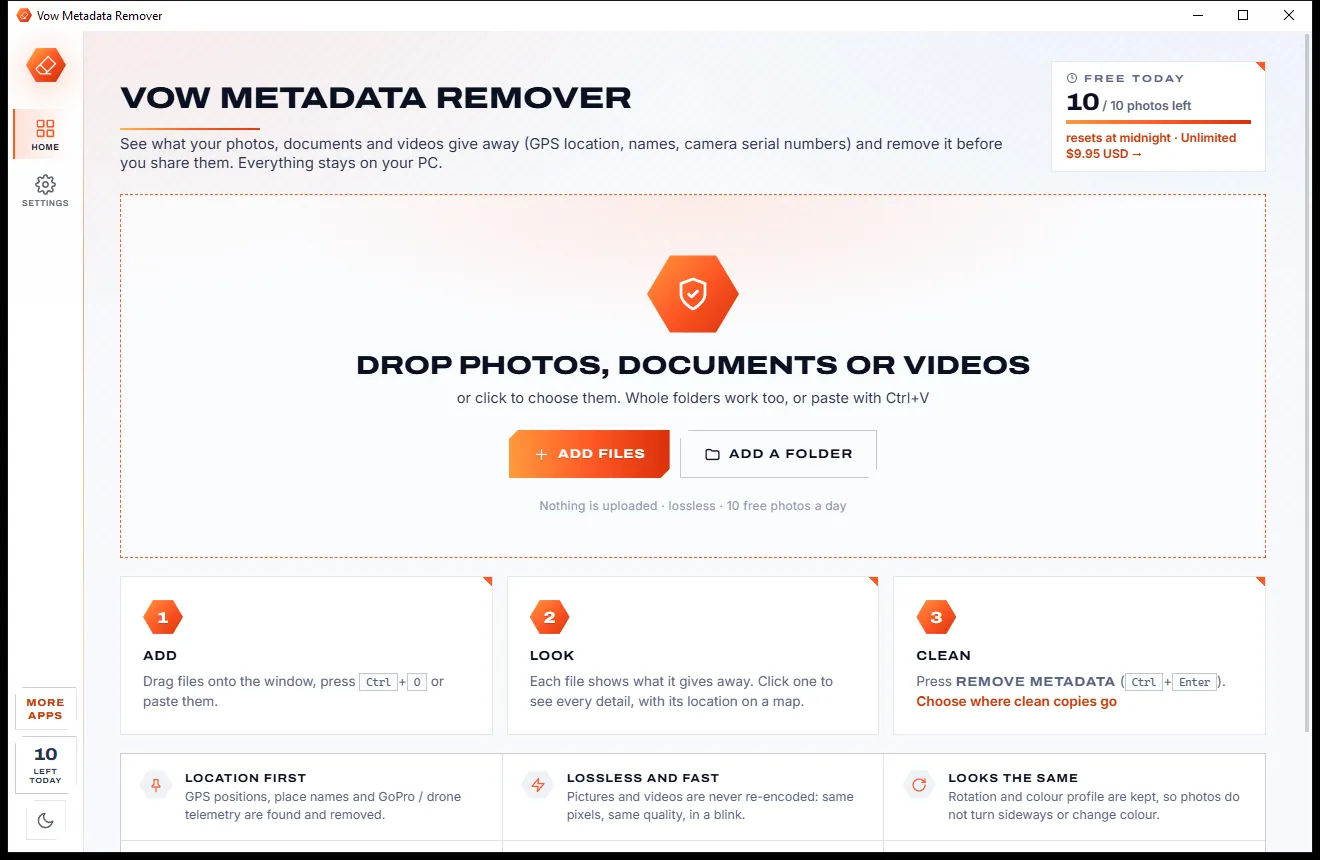
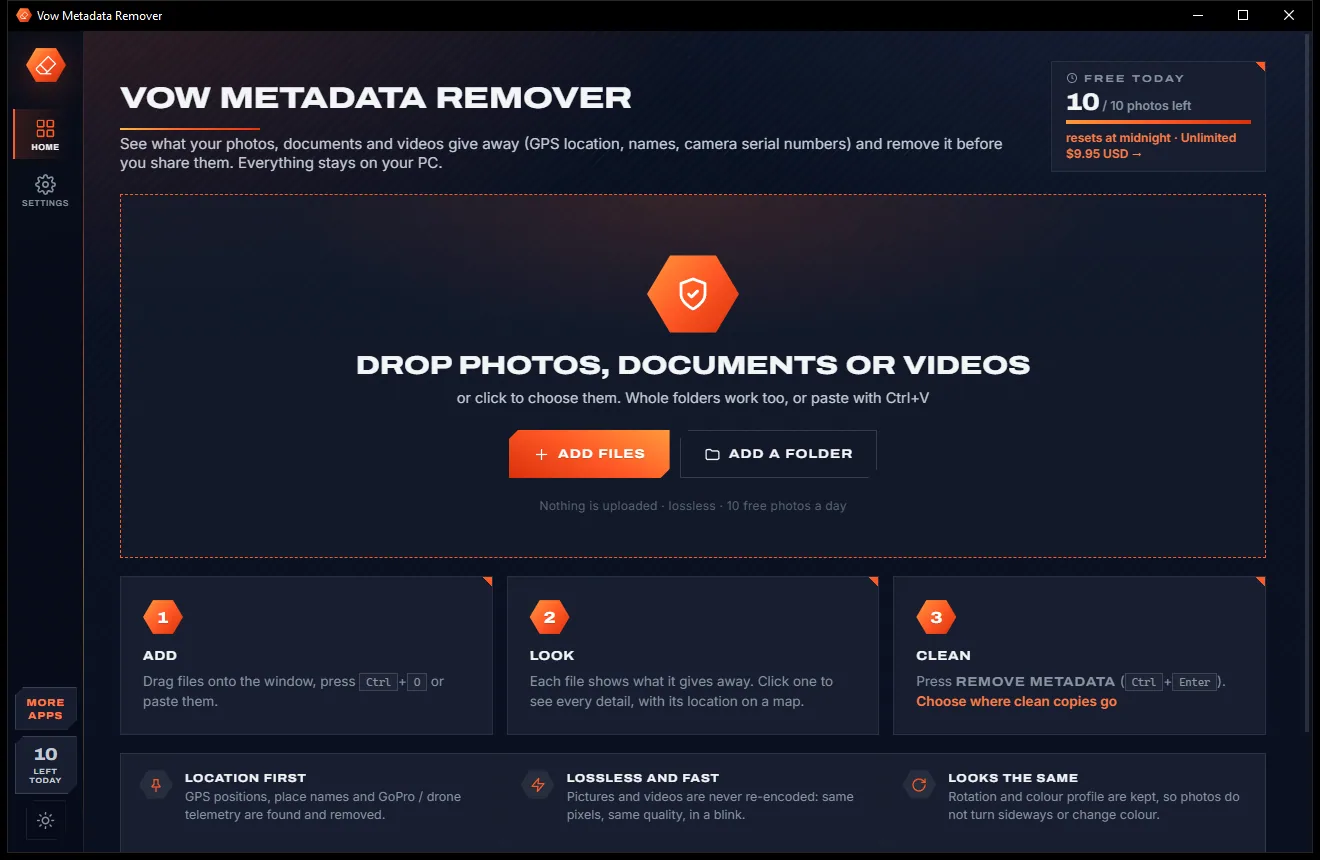
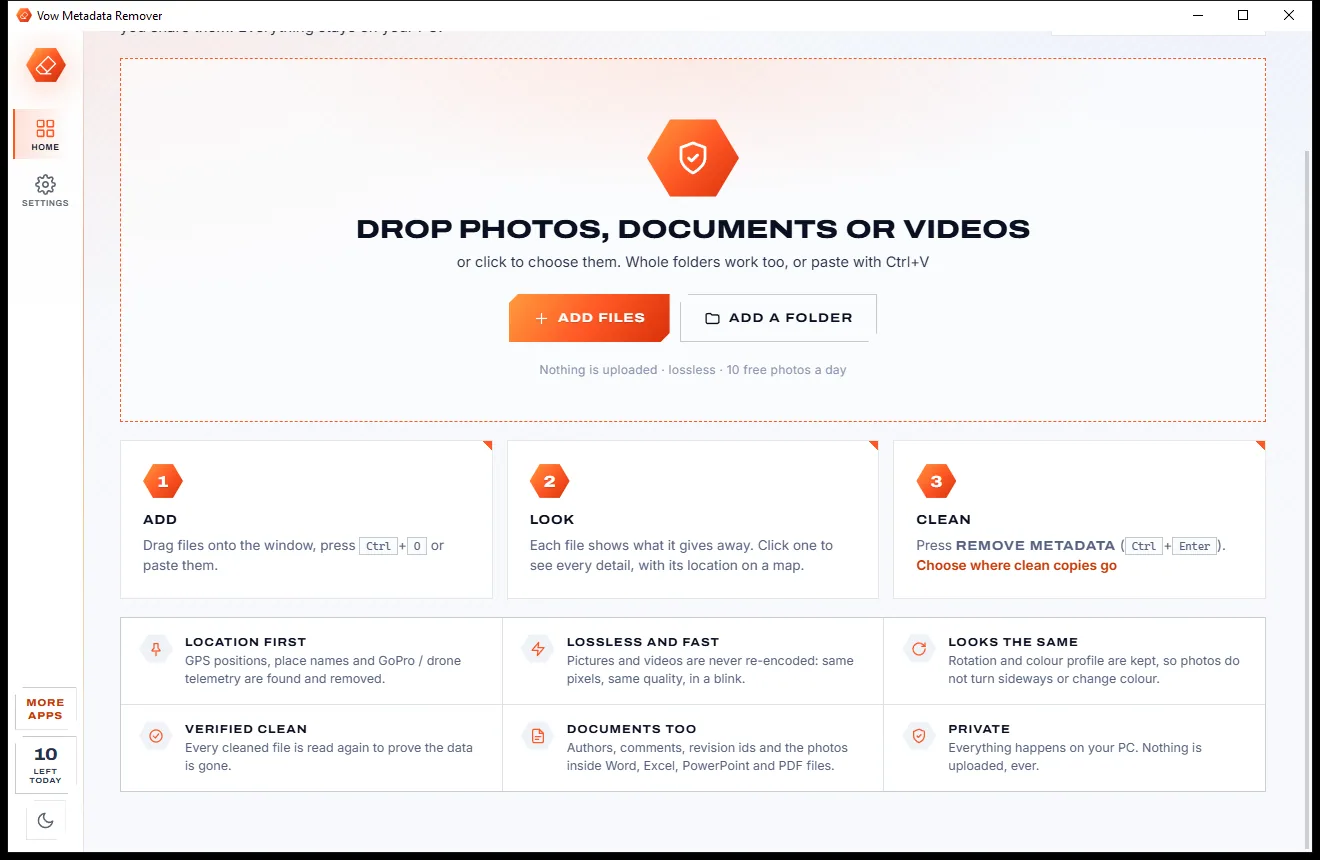
The home page of Vow Metadata Remover with a drop area for photos, documents or videos and a three-step Add, Look, Clean guide, light themeThe home page of Vow Metadata Remover with a drop area for photos, documents or videos and a three-step Add, Look, Clean guide, dark theme
Light & dark theme Zero ads, zero junk
Drop photos, documents or videos to see what they give away
No ads. Ever.No pop-ups, no banners, no "offers".
No malware or bundlewareThe installer installs one thing: this app.
No account, no uploadIt works on your PC, and your files stay there.
Free daily limits, just $4.95 unlimitedNo subscription. No trial that runs out.

The problem

Every file you share says more than you think

A holiday photo can carry the GPS position of where it was taken. A Word file carries your name, your company and who commented on what.

Your location, in the picture

Phones can write the GPS position into each photo. Share the original and anyone can find the place on a map.

Upload it to clean it?

Online EXIF removers want your private photos and documents on their servers first.

Photos that turn sideways

Crude removers strip the rotation tag too, or recompress the picture and shift its colours.

Documents keep your name

Author, company, last saved by, comment authors and the photos pasted inside all travel with the file.

Old versions inside PDFs

Some tools only append new properties to a PDF, so the earlier ones can still be recovered.

No way to check

Many removers hand back a file and a promise, with no before-and-after to show what actually went.

Vow Metadata Remover fixes all of it.

How it works

Add. Look. Clean.

See exactly what a file gives away, then remove it in one click, with the result checked.

  1. 01

    Add your files

    Drag in photos, documents, videos or whole folders, press Ctrl+O or paste with Ctrl+V. Files are recognised by their content, not their name.

    The home page of Vow Metadata Remover with a drop area for photos, documents or videos and a three-step Add, Look, Clean guide, light themeThe home page of Vow Metadata Remover with a drop area for photos, documents or videos and a three-step Add, Look, Clean guide, dark theme
    Drop photos, documents or videos to see what they give away
  2. 02

    Look at what they give away

    Each file shows red Location and Names pills and amber Device, Dates and History. Click one to see every item, with its GPS on a map.

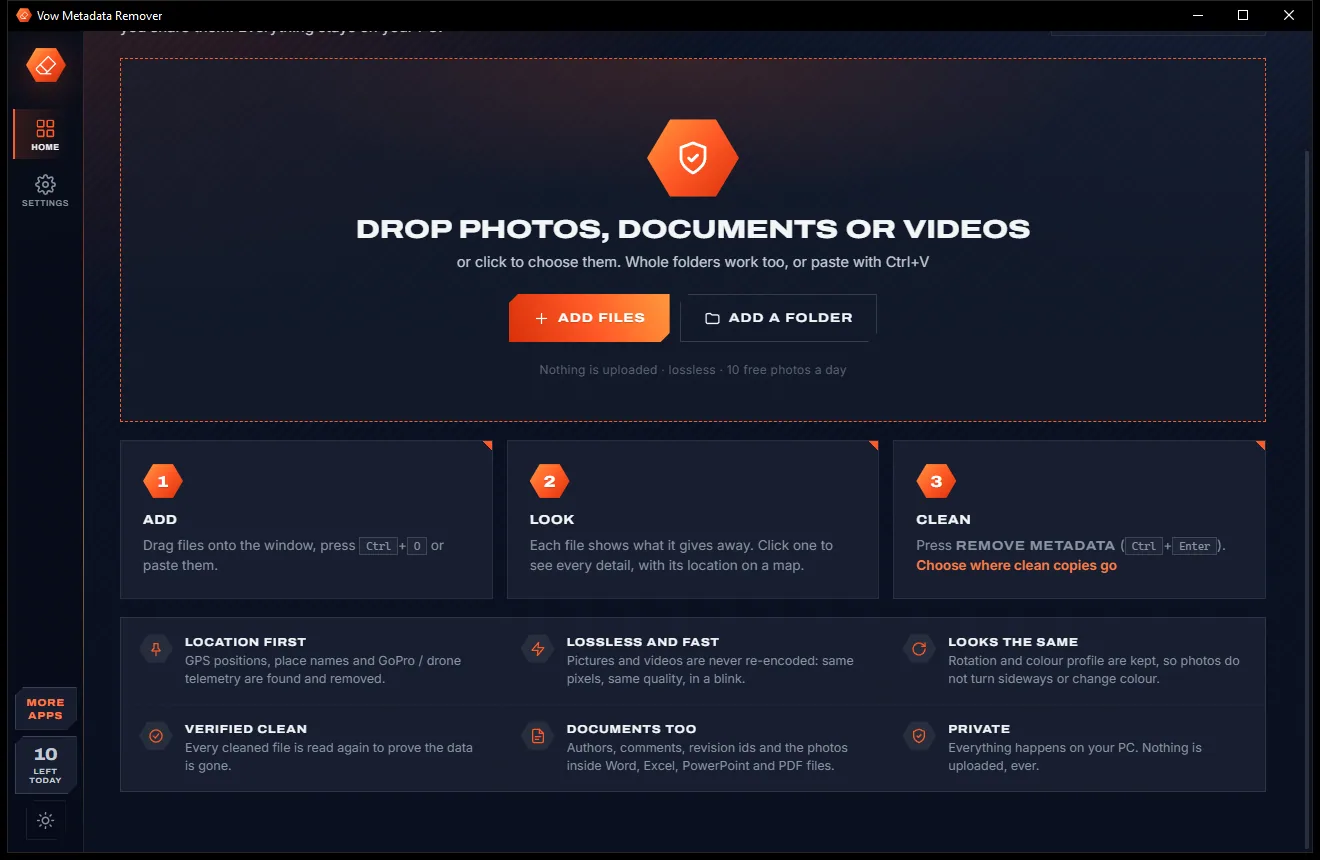
    The lower part of the home page with the drop area, a three-step guide and features such as location first and verified clean, light themeThe lower part of the home page with the drop area, a three-step guide and features such as location first and verified clean, dark theme
    ...with the Add, Look and Clean steps and the feature list
  3. 03

    Remove it, checked

    Press Remove metadata. Clean copies are saved beside the originals, and each one is read again to prove the data is gone.

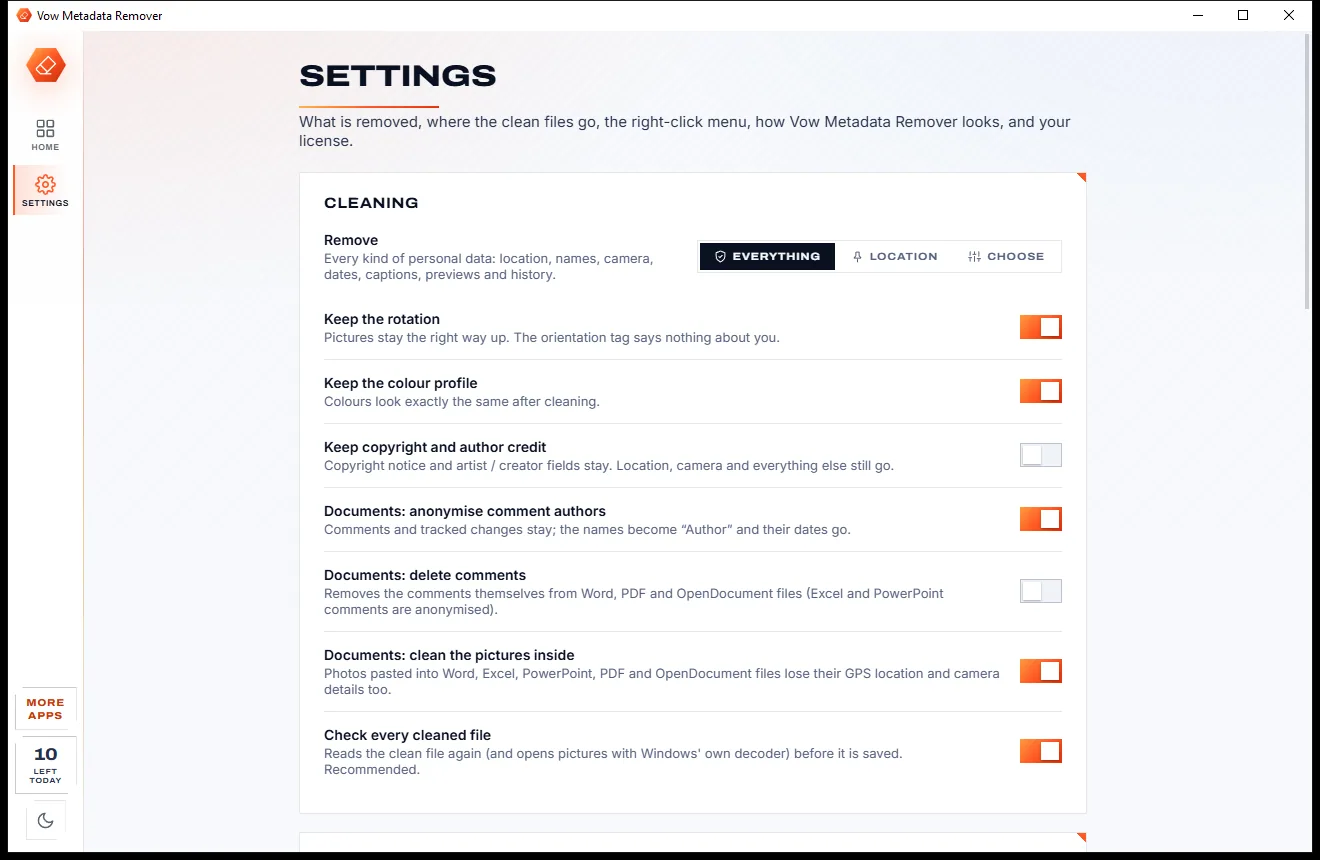
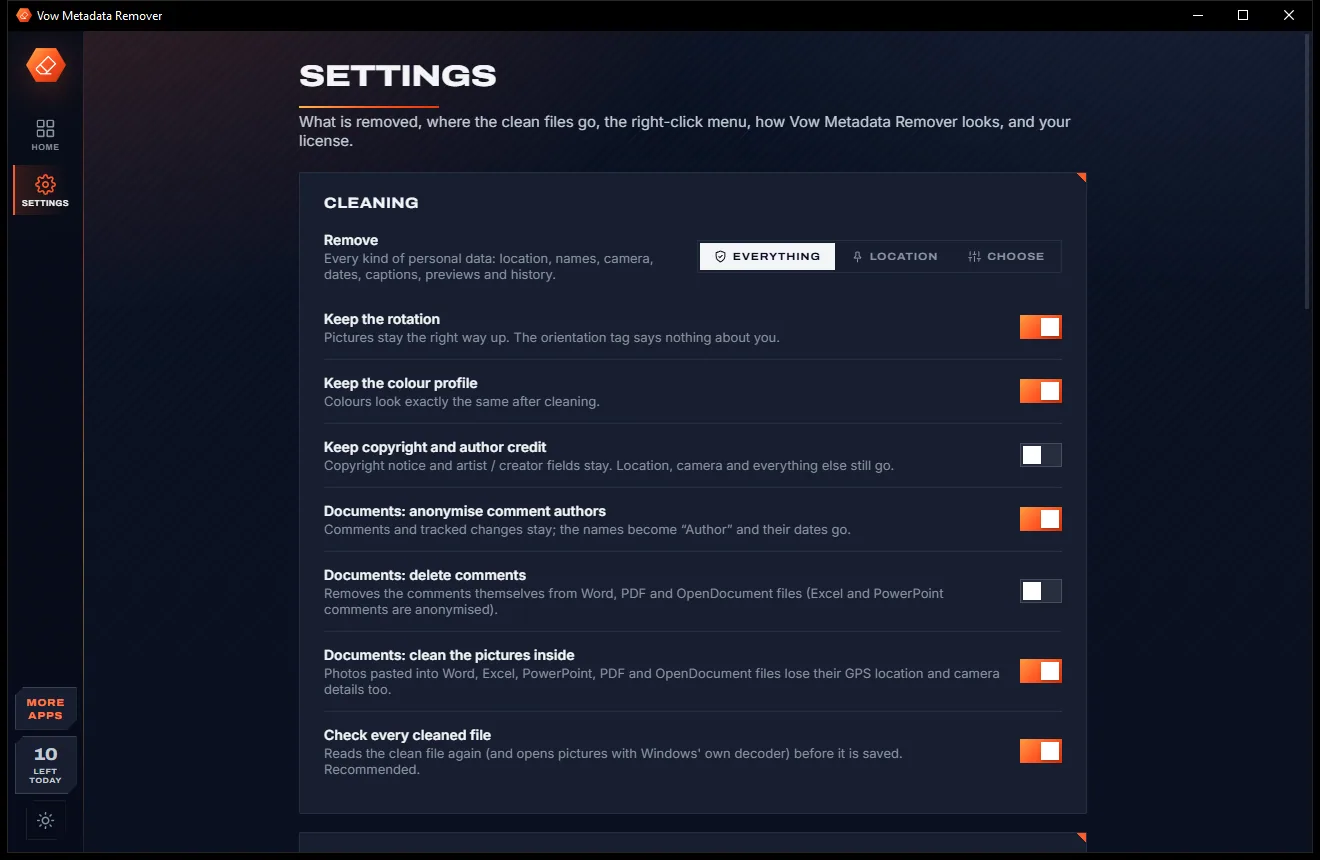
    The Settings page with cleaning options: remove everything, location or a custom choice, keep rotation and color profile, and document options, light themeThe Settings page with cleaning options: remove everything, location or a custom choice, keep rotation and color profile, and document options, dark theme
    Choose what is removed and where clean copies are saved

Features

Thorough, lossless and checked

For anyone posting photos, sending documents or selling things online.

Location first

GPS positions and place names, plus GoPro, Google CAMM, Sony and DJI GPS telemetry tracks in videos, found and removed.

Lossless, every time

Pictures, video and audio are never decoded or re-encoded: same pixels, same quality, same speed.

Looks exactly the same

The rotation and colour profile are kept by default, so photos don't turn sideways or change colour.

Word, Excel and PowerPoint

Author, company, editing time, comment and tracked-change authors, the preview picture and the GPS of photos inside.

PDFs without a past

The PDF is rewritten as one revision, so earlier versions of its properties go too, along with XMP and annotation authors.

Videos and music

MP4, MOV, AVI, MP3, FLAC, WAV and M4A: creation dates, make, model, author and tags, removed in place.

Verified before saving

Every clean file is inspected again and pictures are decoded with Windows' own codecs; a file that fails is never saved.

See everything first

Every item grouped into categories with risk colours and the GPS position on a map. Export the report as TXT, CSV or JSON.

All, Location or Choose

Remove every personal detail, only GPS and place names, or the categories you pick, and keep copyright credit if you like.

Batches and whole folders

Clean any number of files and folders in one go, or right-click files in Explorer and choose Remove metadata (Vow).

Light & dark theme

Easy on the eyes, day or night.

Metadata Remover comes with a crisp light theme and a calm dark theme. Switch with one click, or let it follow your Windows setting by itself. It remembers your choice.

  • LightClear and bright for daytime and busy offices
  • DarkGentle on tired eyes late at night
  • Follow WindowsChanges by itself when your PC does
The home page of Vow Metadata Remover with a drop area for photos, documents or videos and a three-step Add, Look, Clean guide, light theme
Light
The home page of Vow Metadata Remover with a drop area for photos, documents or videos and a three-step Add, Look, Clean guide, dark theme
Dark

Screenshots

See Vow Metadata Remover in action

Real screenshots of the real app, in both of its themes: 4 light, 4 dark. Click any picture to see it full size.

Who it's for

Before you hit send

Selling things online

Post photos of what you're selling without the GPS position of your home inside them.

Sharing with groups and forums

Clean holiday and family photos before they go to people you don't know.

Sending documents

Strip author names, company details and comment authors from Word, Excel, PowerPoint and PDF files.

Journalists and their sources

Remove camera serial numbers, dates and locations that could point back to a photographer.

Drone and action-cam footage

Remove GPS telemetry tracks from GoPro, DJI and other videos before you post them.

Anyone who values privacy

See exactly what each file reveals, then decide what to share.

Compare

Vow Metadata Remover vs the usual ways to strip metadata

Online EXIF removers, basic strippers and built-in options, compared.

Feature Vow Metadata Remover Typical EXIF removers & built-in tools
Your files are uploaded Never: 100% on your PC Yes, for online removers
Re-encodes pictures Never: lossless Some recompress
Keeps rotation and colours Yes, by default Often stripped too
Shows before and after Yes, every file verified Rarely
Cleans photos inside documents Yes Rarely
Removes earlier PDF versions Rewritten as one revision Some only append changes
GPS telemetry in videos GoPro, CAMM, Sony, DJI tracks zeroed Rarely handled
Batches, folders and Explorer menu Yes, with Unlimited Often missing
Ads and watermarks None Common on free tools

"Typical" describes what we found across the most-downloaded alternatives when we built Metadata Remover. Your mileage with any one of them may vary; ours won't.

Pricing

Free every day. Just $4.95 once for the lot.

That is not a typo. Software this powerful usually means a monthly subscription; Metadata Remover is $4.95, once, for life: it's almost a giveaway. Use it free for as long as you like, and unlock Unlimited only if you need more.

Free
$0forever

See everything in any file, clean 10 photos a day.

  • See everything inside any supported file
  • Clean photos one at a time, 10 a day
  • Resets at midnight; failed files given back
  • Every cleaning mode and keep option
  • Lossless, verified, no watermarks
  • Reports as TXT, CSV or JSON
Download free
Best valueUnlimited
$4.95USD, once. Yours for life.

Almost a giveaway. Less than a coffee for software this powerful: no subscription, no renewals, yours for life on 2 PCs.

Batches and folders, documents, video, music, right-click menu.

  • Any number of files and whole folders
  • Word, Excel, PowerPoint, PDF and OpenDocument
  • Videos (MP4, MOV, AVI) and music (MP3, FLAC, WAV)
  • "Remove metadata" on Explorer's right-click menu
  • One payment, yours for life on 2 PCs
  • Every future update included
Get it, then unlock in the app

How unlocking works

  1. 1
    Use it free first Install Vow Metadata Remover and use it on your own files. No card, no account, no time limit.
  2. 2
    Click "Unlimited" in the app Pay $4.95 USD once by card, securely through Stripe in your browser.
  3. 3
    It unlocks itself Within seconds, for life, on up to 2 of your PCs. Your license key is emailed to you, and every future update is included.

Payments by Stripe: we never see or store your card. Questions? Ask a real person.

Clean software

Safe to install. Nothing else comes with it.

Most "free" Windows downloads pay for themselves with ads, bundled extras or your data. Vow Metadata Remover doesn't need to: it's paid for honestly, once, by the people who find it useful.

Download Metadata Remover free
  • No ads, toolbars or "offers"The installer installs one thing: Vow Metadata Remover. No pre-ticked boxes to watch out for.
  • No administrator rights neededIt installs just for you, in your own user folder, and leaves the rest of Windows alone.
  • Nothing running in the backgroundNo startup programs, no tray nags, no services. When you close it, it's closed.
  • Everything includedAll it needs is inside the installer, so you never have to fetch a "required component" from somewhere else.
  • Uninstalls cleanlyOne click in Windows Settings > Apps. Your own files are never touched.
  • A real company behind itMade, published and supported by XTO Pty Ltd, an Australian company, with real people answering every message.

Step-by-step guide

How to remove metadata and GPS location from photos on Windows

Strip location, names and camera details from a photo in under a minute, without uploading it anywhere.

Step 1: get it free
  1. Install Vow Metadata Remover free

    Download it from this page and run the installer. It needs no administrator rights and no account, and nothing you add is ever uploaded.

  2. Drop your photo on the window

    Drag the photo in or press Ctrl+O. Red pills show Location and Names; amber pills show Device, Dates and History.

  3. Check what it gives away

    Click the file to see every item by category. If it records a GPS position, Show on a map opens the exact place.

  4. Choose All or Location

    All removes every personal detail; Location removes only GPS and place names. Under Advanced, keep the rotation, colour profile or copyright credit.

  5. Press Remove metadata

    Press the button or Ctrl+Enter. A clean copy is saved next to the original as name_clean.jpg and read again to check, with What changed, Before and After in the details.

Technical details

Metadata Remover at a glance

Works on
Windows 10 (1809+) and Windows 11, 64-bit
Photos
JPEG, PNG, WebP, GIF, TIFF, DNG, HEIC, AVIF
Documents
Word, Excel, PowerPoint, PDF, OpenDocument (Unlimited)
Video & audio
MP4, MOV, M4V, 3GP, AVI · MP3, FLAC, WAV, M4A (Unlimited)
Method
Lossless: nothing re-encoded, every file verified
Internet
Not needed: works fully offline
Install
Per-user, no administrator rights, no account
Languages
English
Theme
Light, dark or follow Windows: one click to switch
Version
1.0.0, released 7 November 2026
Publisher
XTO Pty Ltd (Australia)

FAQ

Questions about Metadata Remover

Is Vow Metadata Remover free?

Yes. You can see everything inside any supported file for free, and clean photos one at a time, 10 a day, with every cleaning mode, verification and no watermarks. The count resets at midnight. Unlimited, a one-time $4.95 USD payment, adds batches and whole folders, documents, videos and music, and the Explorer right-click menu.

Does it upload my files?

No. Everything happens on your PC, nothing is uploaded and nothing is downloaded at run time. The app works offline.

Will my photos lose quality?

No. Pictures, video and audio are never decoded or re-encoded, so you keep the same pixels and the same quality. The rotation and colour profile are kept by default, so photos don't turn sideways or change colour.

What exactly does it remove from photos?

Exif (GPS, camera make, model and serial numbers, lens, owner, dates, maker notes, thumbnail), XMP, IPTC, Photoshop resources, comments, C2PA Content Credentials and hidden data after the end of a JPEG, such as motion-photo video and depth maps.

Can it clean Word, Excel and PDF files?

Yes, with Unlimited. It removes the author, company, dates and other properties, the preview picture, comment and tracked-change authors (anonymised to "Author") and the GPS from photos inside. PDFs are rewritten as one revision, so earlier versions of their properties are gone too.

Are my original files changed?

Not by default. Clean copies are saved beside the originals as name_clean.jpg, or in a folder you choose. If you pick Replace, the old versions go to the Recycle Bin. A clean file that fails the check is never saved, and the original stays untouched.

Which files can't it clean?

Old Office 97-2003 .doc, .xls and .ppt files (save them as .docx first), camera raw files other than DNG, password-protected documents and BigTIFF. The app shows the reason for each.

Is it safe to install?

Yes. It is made and published by XTO Pty Ltd, an Australian company. There are no ads and no bundled software, it installs per user without administrator rights, and it uninstalls cleanly from Windows Settings, removing its right-click menu entries.

The Vow collection

More apps you'll never have to go looking for

Same design, same promises, a tiny one-time price. Learn one and you already know them all.

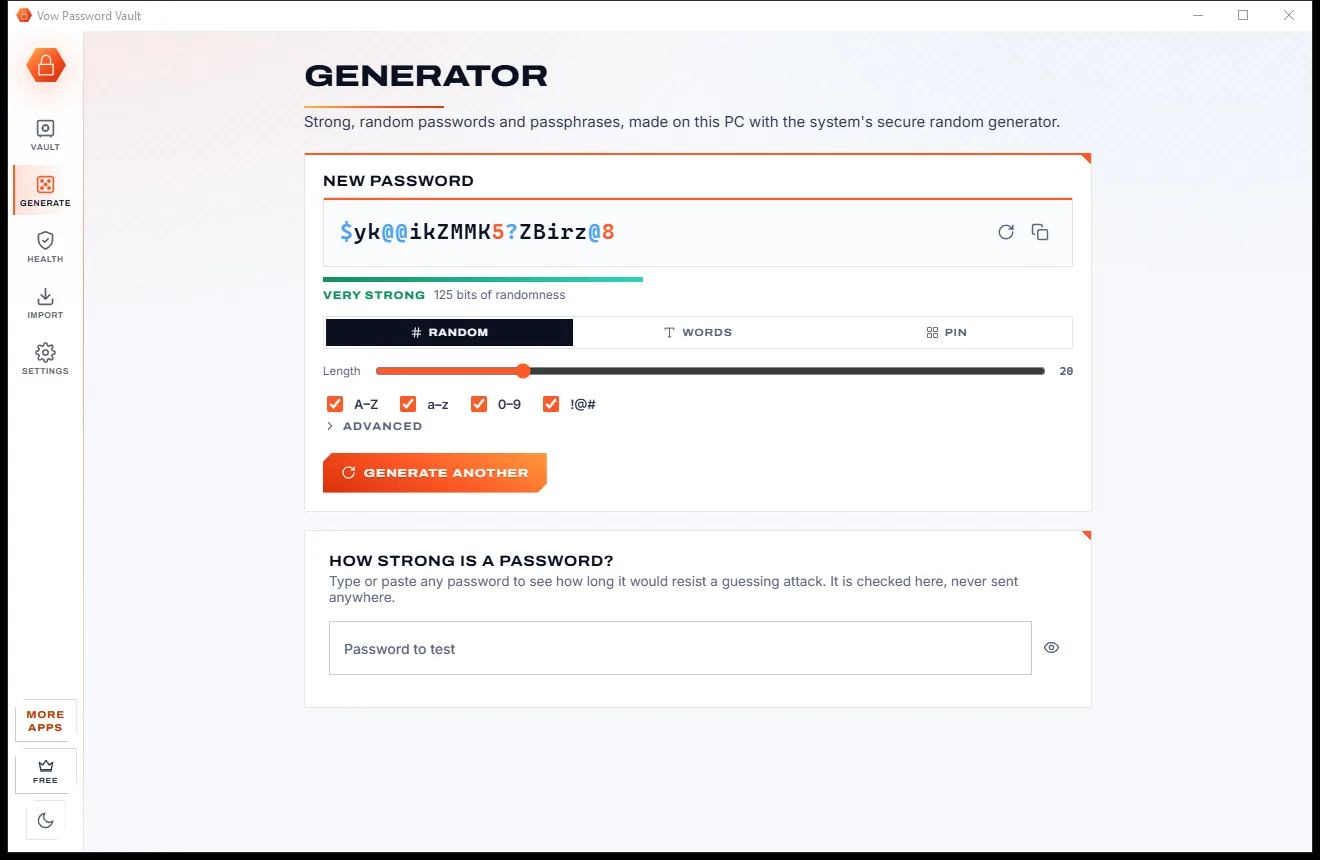
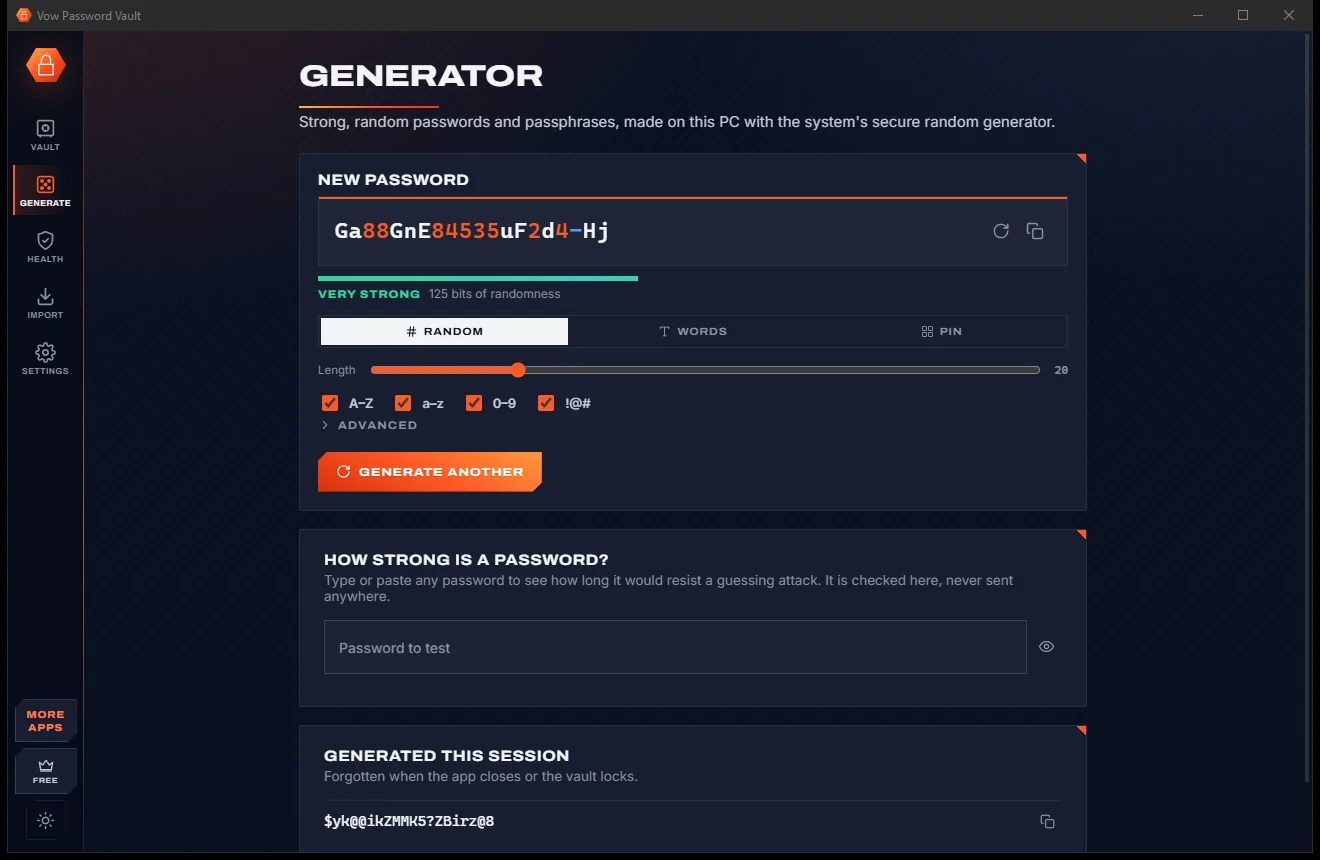
Your passwords in one encrypted file on your PC: no account, no cloud

  • Free: Up to 25 items, every security feature, 10 breach checks a day
  • $9.95 once: Unlimited items, auto-type, automatic encrypted backups, unlimited breach checks
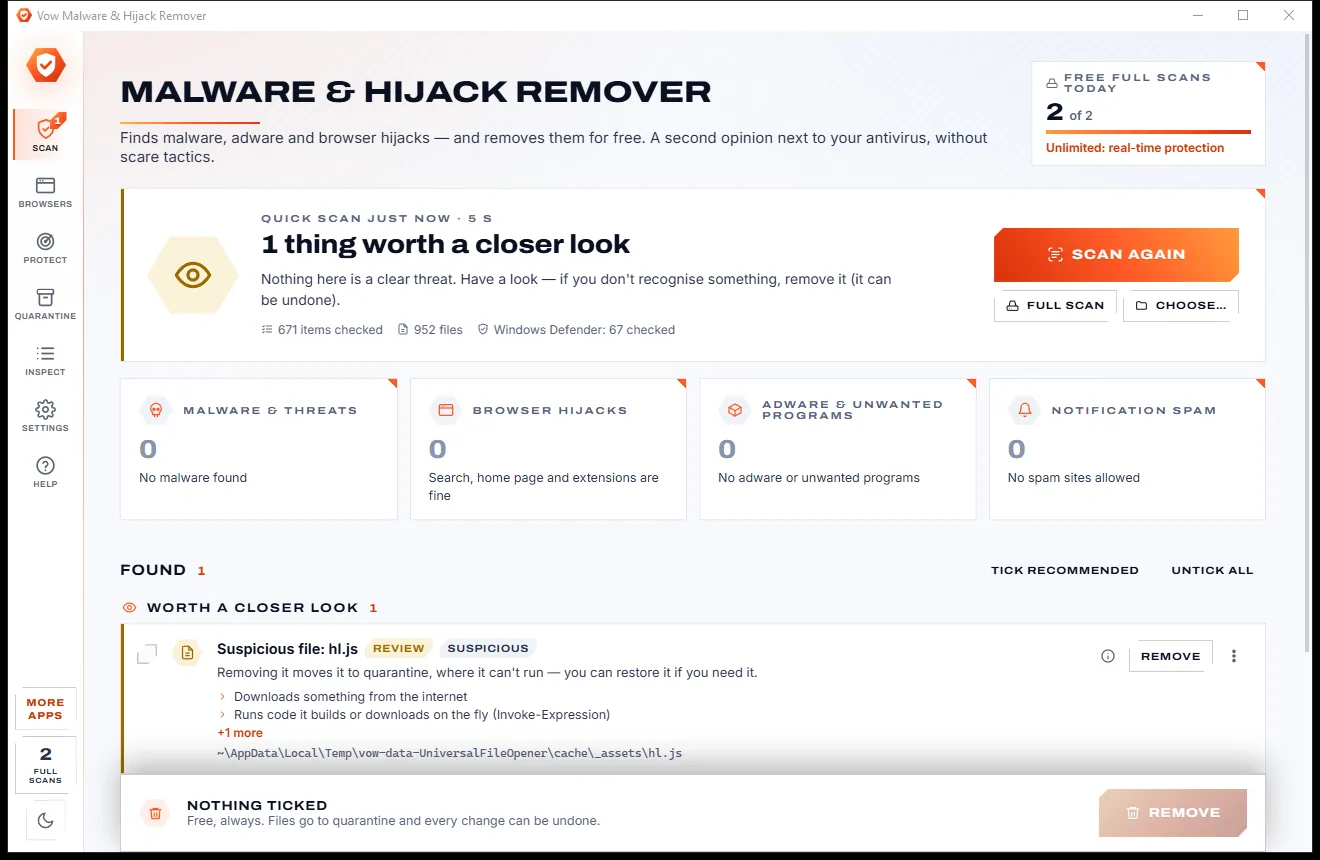
Find adware, malware and browser hijacks, and remove them free

  • Free: Unlimited quick scans and removals, 2 full scans a day
  • $9.95 once: Real-time hijack protection, scheduled scans, one-click browser reset

Shred files so no recovery tool can bring them back

  • Free: 25 items a day, all 14 erasure methods, read-back check
  • $4.95 once: Wipe free space and whole drives, erasure certificates, no limit

Done searching. Get Metadata Remover.

See what your files give away, and remove it before you share. Free to use every day, $4.95 once if you ever want Unlimited.

  • No ads
  • No malware
  • No account
  • No subscription
Metadata RemoverFree · Windows 10 & 11 Download