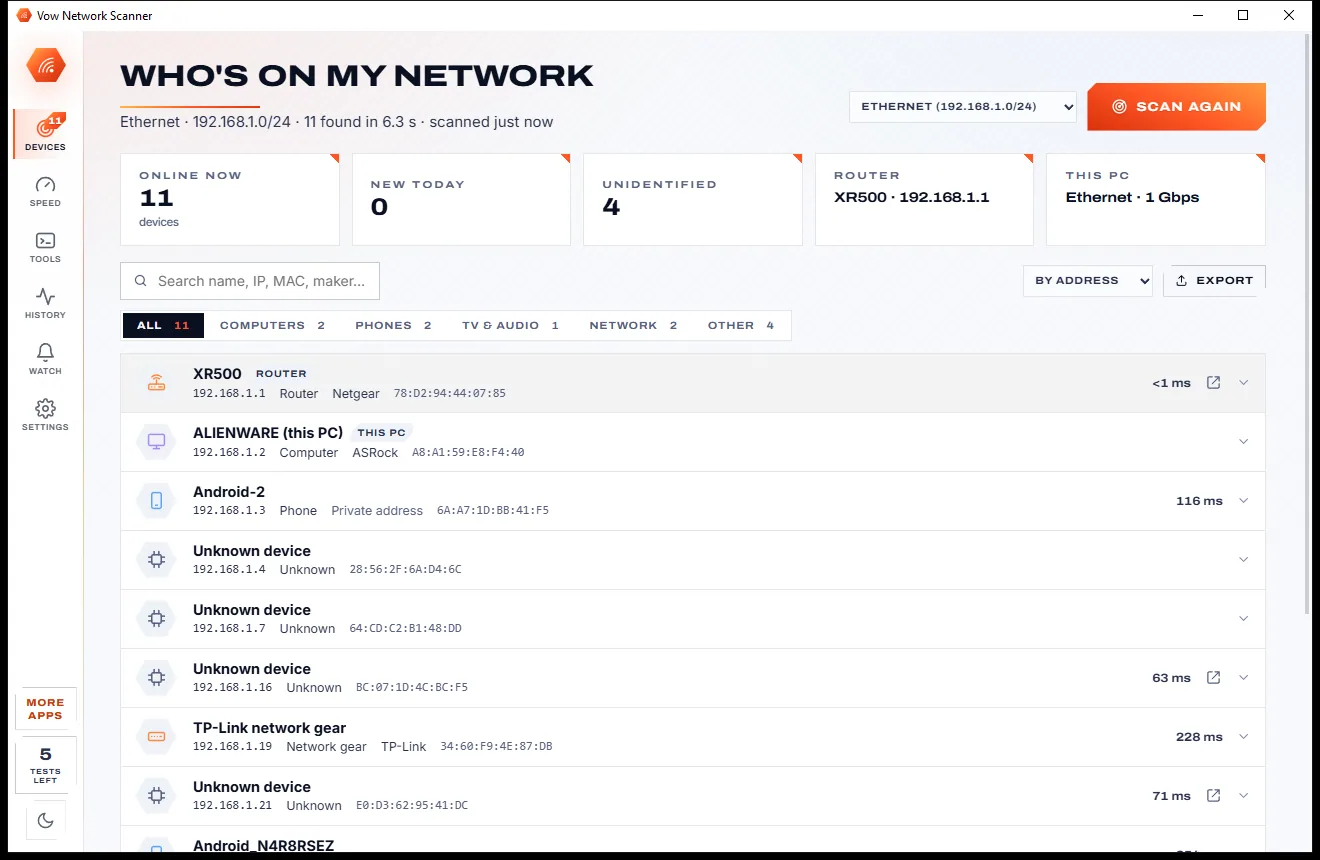
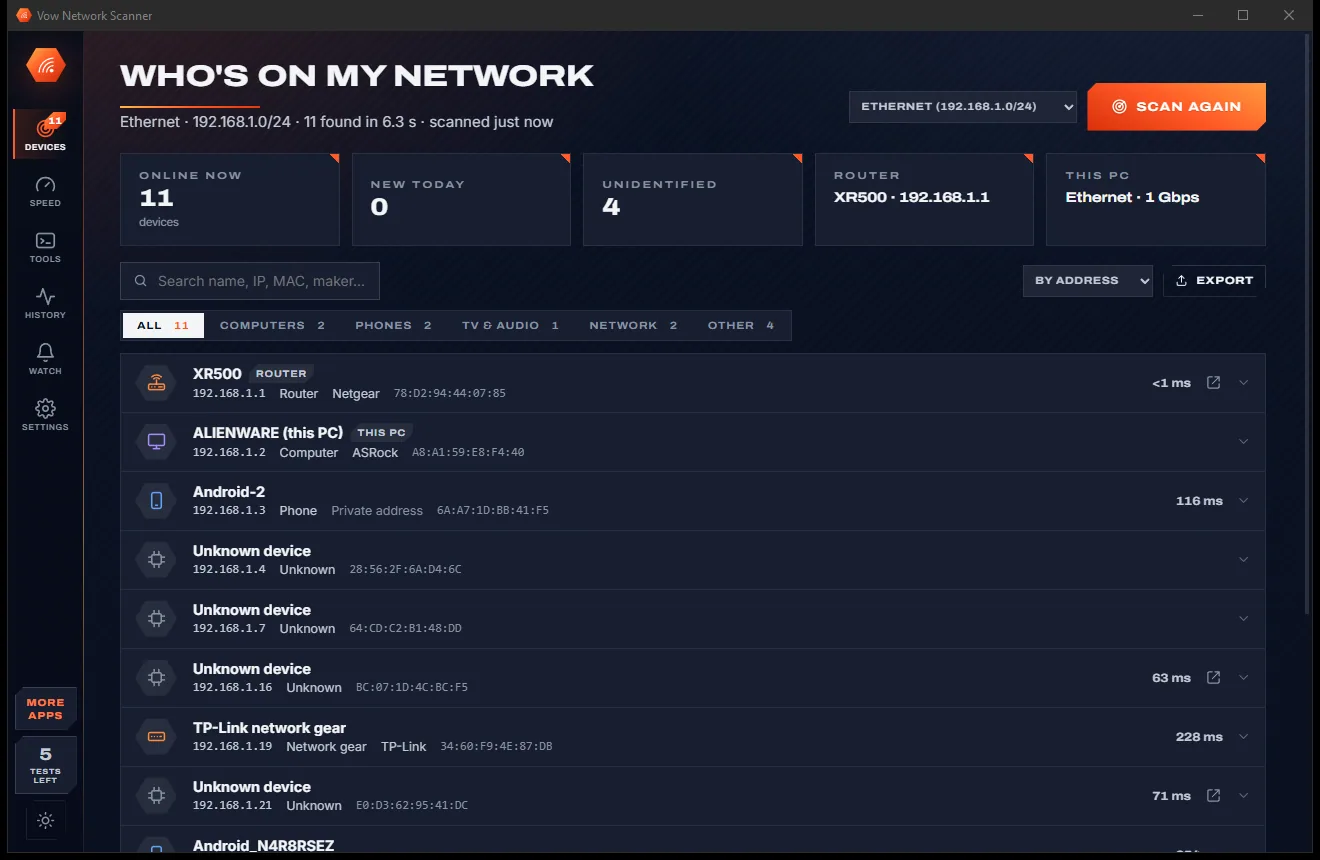

Network
Vow Network Scanner
Who's on my Wi-Fi, and why is it slow? Answered in seconds
- Free: Unlimited scans and network tools, 5 speed tests a day
- $4.95 once: New-device alerts, device names and history, schedules, unlimited speed tests

Wi-Fi & internet fixer for Windows
Vow Wi-Fi Fixer follows the path a web page takes, adapter to Wi-Fi to router to internet to DNS, and finds the first link that's broken. One sentence says what's wrong, one button fixes it, and a test proves it worked. It even works with no internet at all.
The problem
Is it the Wi-Fi, the router, the provider or DNS? Most fixes are a shot in the dark, and you're offline exactly when you'd search for help.
The Wi-Fi icon says you're connected, yet nothing loads. Is it the router, the provider, DNS or Windows itself?
The connection disappears mid-call and comes back a minute later, with nothing to show what broke or why.
Every fix lives on a web page, and you're the one person who can't open web pages right now.
Repair tools reset Winsock, TCP/IP and every adapter whether they need it or not. Windows' own Network reset removes every adapter.
One broken link causes a cascade of failures, and most tools list every one of them as a separate problem.
Searching for a fix turns up registry cleaners and internet boosters that change settings you never see again.
Vow Wi-Fi Fixer fixes all of it.
How it works
The check runs by itself in seconds and needs no administrator rights. The answer comes with the button that fixes it.
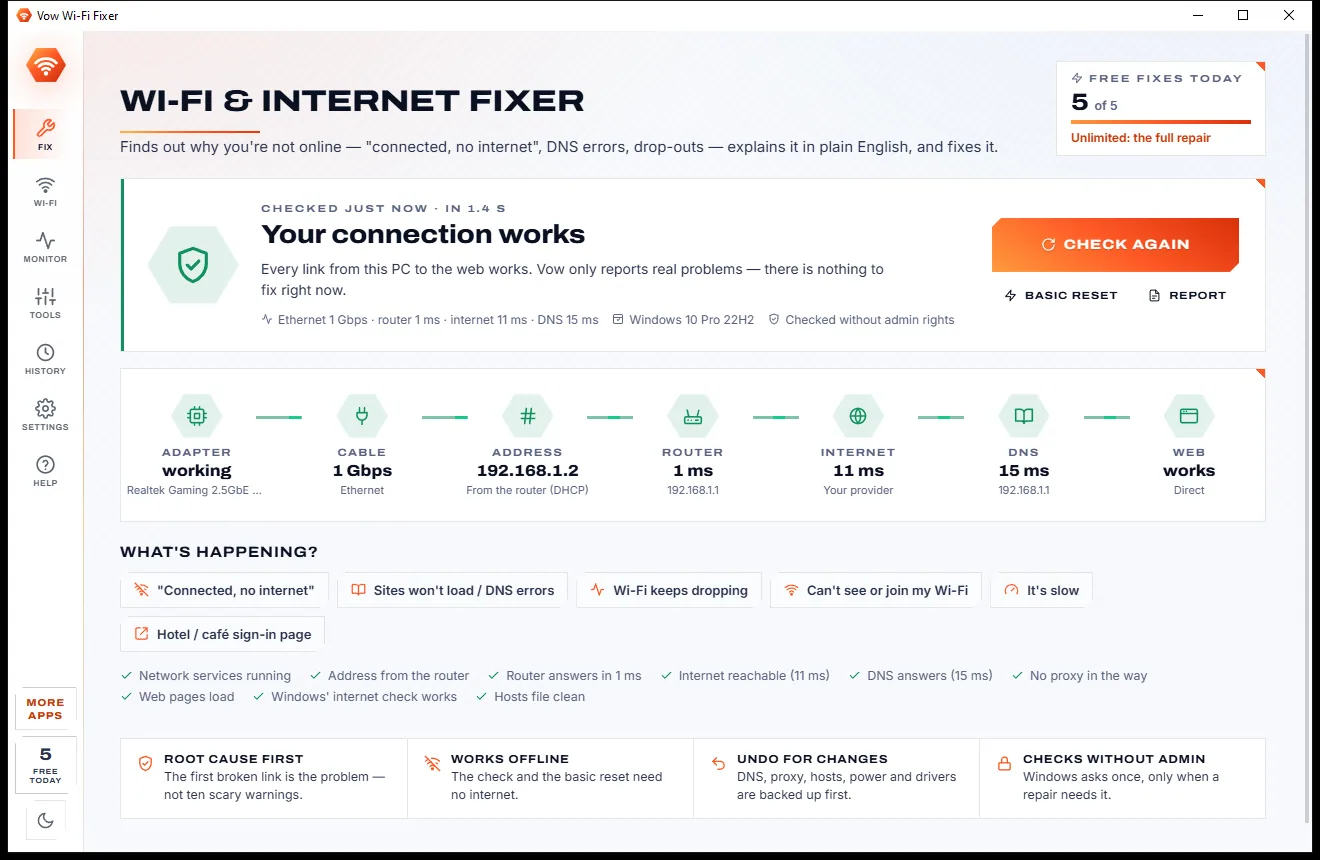
In 1 to 3 seconds, read-only and without admin rights, every link from your adapter to the web is tested and shown green, amber or red.
"DNS isn't working, that's why sites won't load." The top card names the root cause in plain English, with the one button that fixes it.
Windows asks for permission once if the fix needs it. A connection test runs at the end, and every change can be undone from History.
Features
A careful diagnosis first, then only the fixes your connection actually needs, every one of them undoable.
Adapter, Wi-Fi or cable, address, router, internet, DNS and web, each tested live. The first broken link is the problem, not ten warnings.
Every problem is explained in a sentence, with "Why Vow thinks so" showing the raw facts behind it.
Turn Wi-Fi on, start network services, get a new address, clear DNS, remove proxy or hosts redirects, repair Windows' internet check and more.
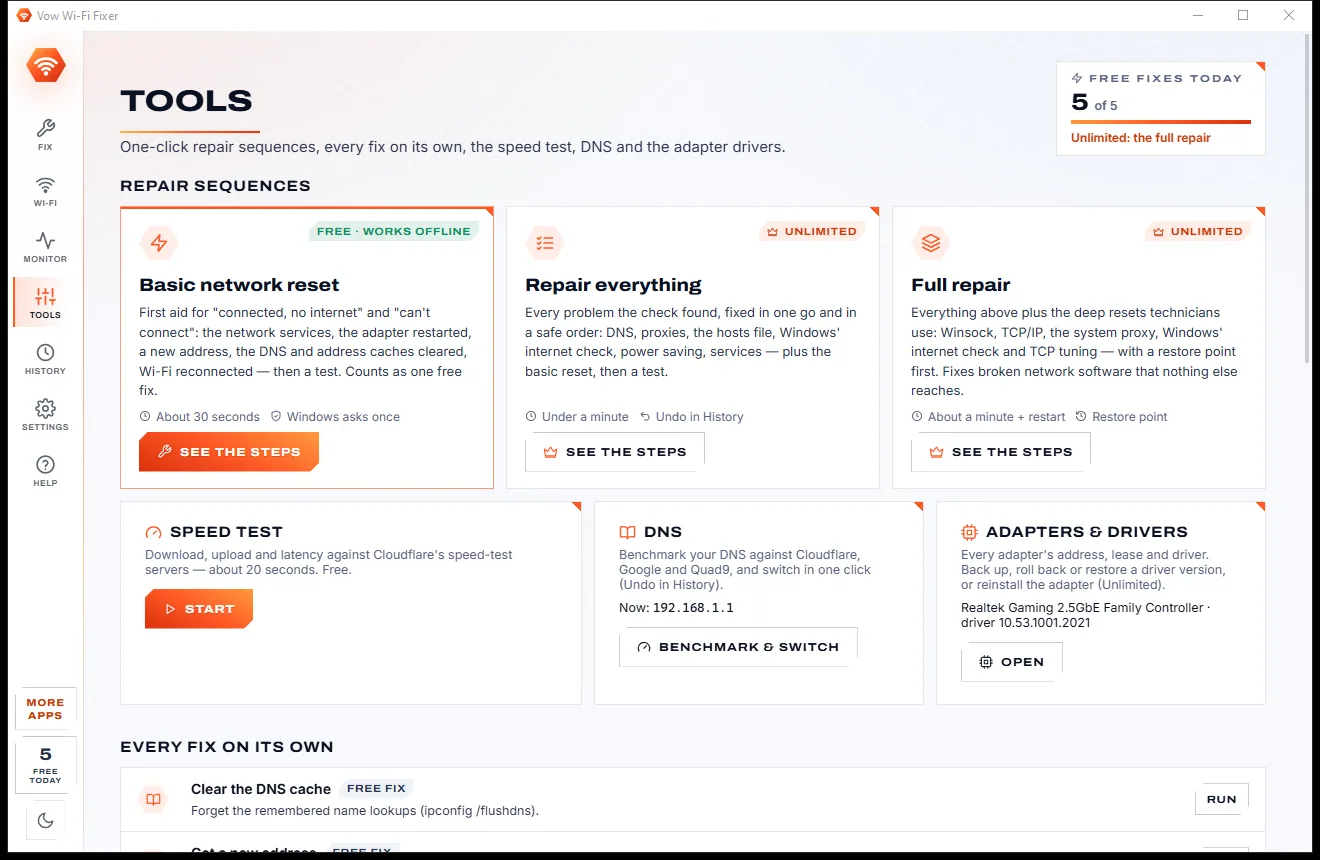
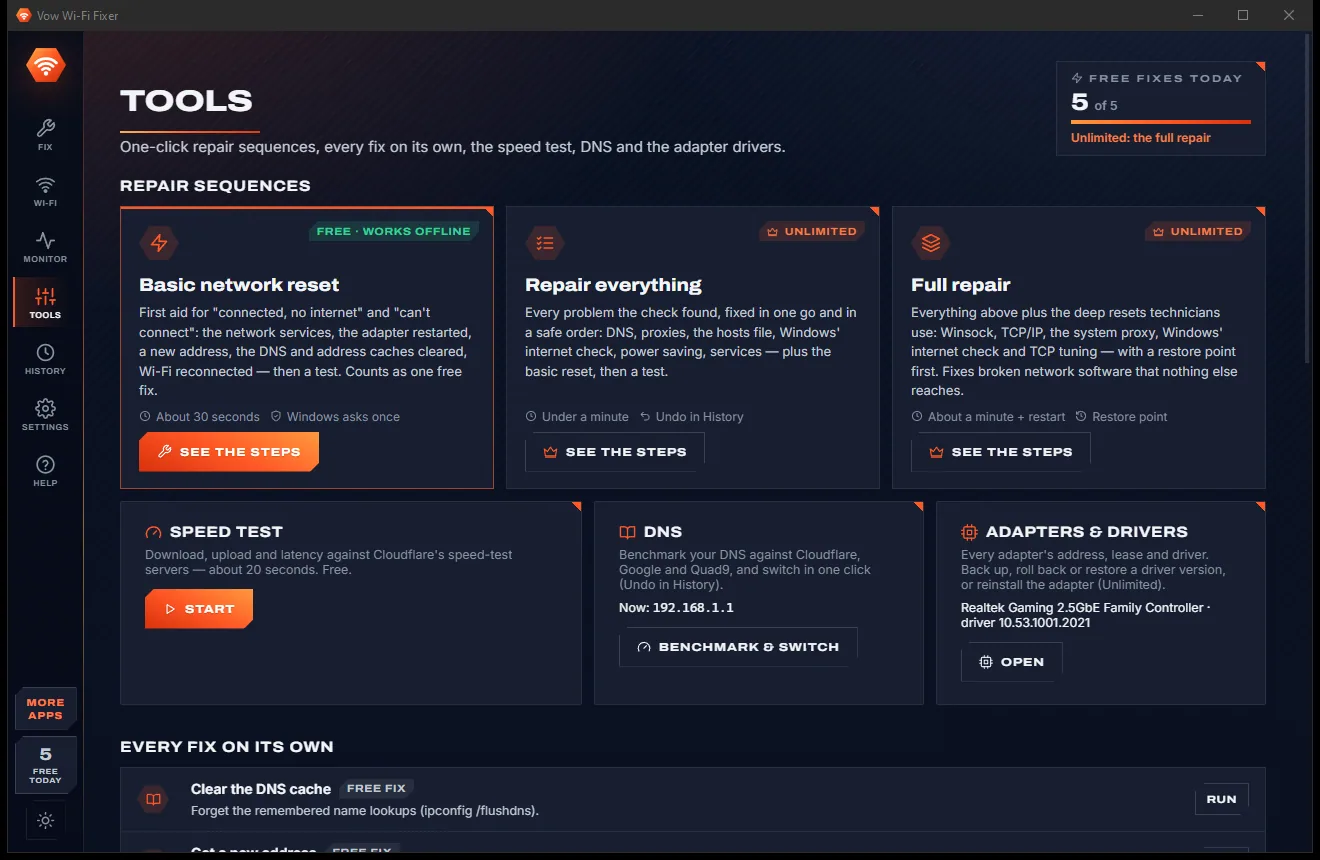
The first-aid sequence for most connection problems: services, adapter restart, new address, caches cleared, Wi-Fi reconnected, then a test.
Every network in range with signal, band and channel, a congestion chart per band, and the best channel for your router.
Compare your DNS with Cloudflare, Google, Quad9 and Cloudflare for Families, then switch in one click, with Undo.
Download, upload, latency and jitter on Cloudflare's speed-test servers, with a plain-words verdict on what your connection can handle.
Records every drop-out with the link that broke (Wi-Fi, router, internet or DNS), on a live chart with signal dips and statistics.
DNS, proxies, hosts, power saving, services and drivers are backed up first. The full repair makes a restore point too.
With Unlimited, back up the driver, roll it back, put any version this PC still has back on, or reinstall the adapter.
Light & dark theme
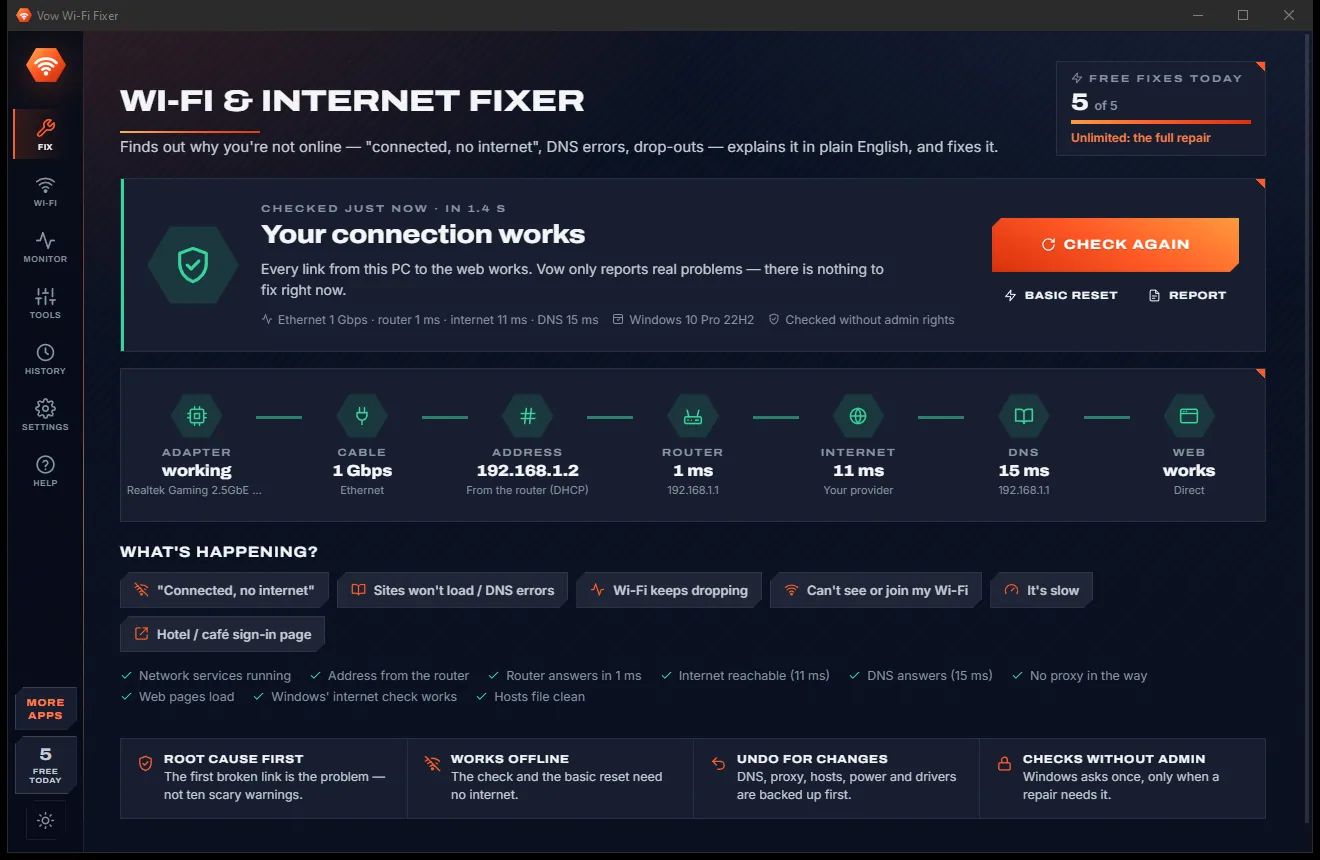
Wi-Fi Fixer comes with a crisp light theme and a calm dark theme. Switch with one click, or let it follow your Windows setting by itself. It remembers your choice.
Screenshots
Real screenshots of the real app, in both of its themes: 10 light, 10 dark. Click any picture to see it full size.
Light theme
Dark theme
Who it's for
Find out whether it's the signal, a crowded channel, the router or your provider, and fix what's on your side.
Detects sign-in pages that block the internet and opens them for you.
Leave the monitor running during calls to catch exactly which link drops out, and when.
See latency, jitter and packet loss to the router and the internet, and the best Wi-Fi channel.
Hand over a full text report with every result, and no passwords in it.
A clear answer and a safe fix, without remembering a single netsh command.
Compare
The difference between resetting everything and fixing the one thing that's broken.
| Feature | Vow Wi-Fi Fixer | Blind reset tools & the Windows troubleshooter |
|---|---|---|
| Finds which link is broken | The whole chain, root cause first | Partly, or not at all |
| Explains it in plain English | Yes, with the evidence | Partly |
| Dead DNS vs dead internet vs dead router | Tested live, side by side | Not told apart |
| "No Internet" while actually online | Detected and repaired | Not detected |
| Proxy, hosts and WinHTTP problems | Fixed only when wrong, with Undo | Blind reset |
| Wi-Fi channel analysis | Best channel for your router | Needs a separate analyser |
| Drop-out monitor with causes | Yes | Some, paid |
| Undo and checks without admin | Yes | Rarely |
| Works offline | Yes | Yes |
"Typical" describes what we found across the most-downloaded alternatives when we built Wi-Fi Fixer. Your mileage with any one of them may vary; ours won't.
Pricing
That is not a typo. Software this powerful usually means a monthly subscription; Wi-Fi Fixer is $4.95, once, for life: it's almost a giveaway. Use it free for as long as you like, and unlock Unlimited only if you need more.
Full diagnosis, basic reset, 5 fixes a day, analyser and speed test.
Almost a giveaway. Less than a coffee for software this powerful: no subscription, no renewals, yours for life on 2 PCs.
Full repair, driver restore, background monitor, unlimited fixes.
Payments by Stripe: we never see or store your card. Questions? Ask a real person.
Clean software
Most "free" Windows downloads pay for themselves with ads, bundled extras or your data. Vow Wi-Fi Fixer doesn't need to: it's paid for honestly, once, by the people who find it useful.
Download Wi-Fi Fixer freeStep-by-step guide
Find out exactly why your PC can't get online, and fix it safely, even with no internet to search for help.
Step 1: get it freeDownload it from this page, or copy the portable version on a USB stick to the PC that's offline. It installs without administrator rights and needs no account.
The diagnosis starts by itself and takes 1 to 3 seconds. The chain picture shows each link from adapter to web in green, amber or red, with its value.
The top card names the root cause, such as "DNS isn't working" or "Your router has no internet connection", and "Why Vow thinks so" shows the facts.
Windows asks for permission once if the fix needs it. The fix ends with a connection test, so you know straight away whether it worked.
Basic reset restarts the network services and adapter, gets a new address, clears the caches and reconnects Wi-Fi. Every change can be undone from History.
Technical details
FAQ
Something between your PC and the web is broken: the router may have no internet, the DNS server may not answer, a proxy may be in the way, or Windows' own "No Internet" check may be misconfigured while the internet works. Vow Wi-Fi Fixer tests each link and tells you which one it is.
Yes. The full diagnosis, the basic network reset, the Wi-Fi analyser, the DNS benchmark, the speed test and the report are free, plus 5 fixes a day and the drop-out monitor 10 minutes at a time. Unlimited, a one-time $4.95 USD payment, adds the full repair, driver restore, background monitoring and unlimited fixes.
Yes. The check and the basic network reset work offline, which is exactly when you need them. Buying or activating Unlimited needs a connection, so fix it with the free tools first.
Not for the check, which runs as you. When a repair needs it, Windows asks once, and the repair runs in Vow's own helper that accepts only network adapters, Windows' network services and the settings Vow manages.
Every change is backed up for Undo in History, and the full repair makes a restore point first. Vow never disables a service or the firewall, never runs Windows' destructive Network reset for you, and Simulation mode shows what a repair would do while changing nothing.
Those reset Winsock, TCP/IP, proxies and hosts blindly. Vow Wi-Fi Fixer finds the broken link first, explains it, fixes only what is wrong with Undo, and adds a Wi-Fi analyser, DNS benchmark, speed test and drop-out monitor.
The report for your provider contains no passwords. On the saved networks list you can show a password yourself, and Windows asks for permission before it is revealed.
Yes. It is made and published by XTO Pty Ltd, an Australian company. There are no ads, no bundled software and no account, it needs no administrator rights to install, and it uninstalls cleanly from Windows Settings.
The Vow collection
Same design, same promises, a tiny one-time price. Learn one and you already know them all.
Who's on my Wi-Fi, and why is it slow? Answered in seconds

Send huge files with one link, straight from your PC

Phone to PC and back over your own Wi-Fi, with no app on the phone
Fix "connected, no internet", DNS errors and Wi-Fi drop-outs, root cause first. Free to use every day, $4.95 once if you ever want Unlimited.