Vow Webcam & Mic Guard icon
Vow Webcam & Mic Guard Windows 10 & 11 · v1.0.0 · Free to use

Camera & microphone guard for Windows

Who's using your camera and mic? Know at once. Stop it in one click.

Vow Webcam & Mic Guard sits quietly in the notification area and tells you the moment an app starts using your camera or microphone: which app, since when, and who signed it. One click stops it. Every use is logged on your PC, with no account and no upload.

  • No ads
  • No malware
  • No account
  • Light & dark theme
  • Live status, full log, one-click Stop it, alerts for 10 apps a day
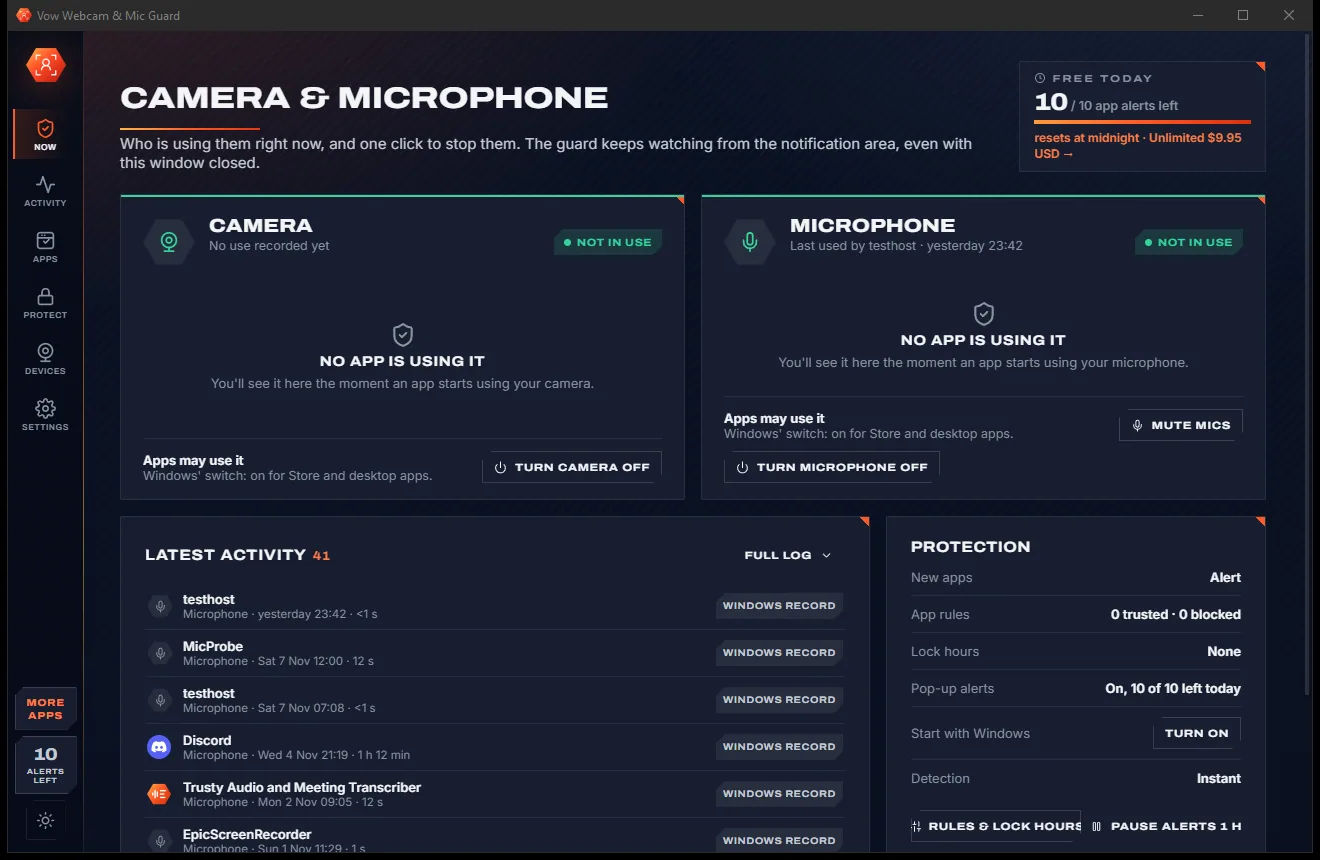
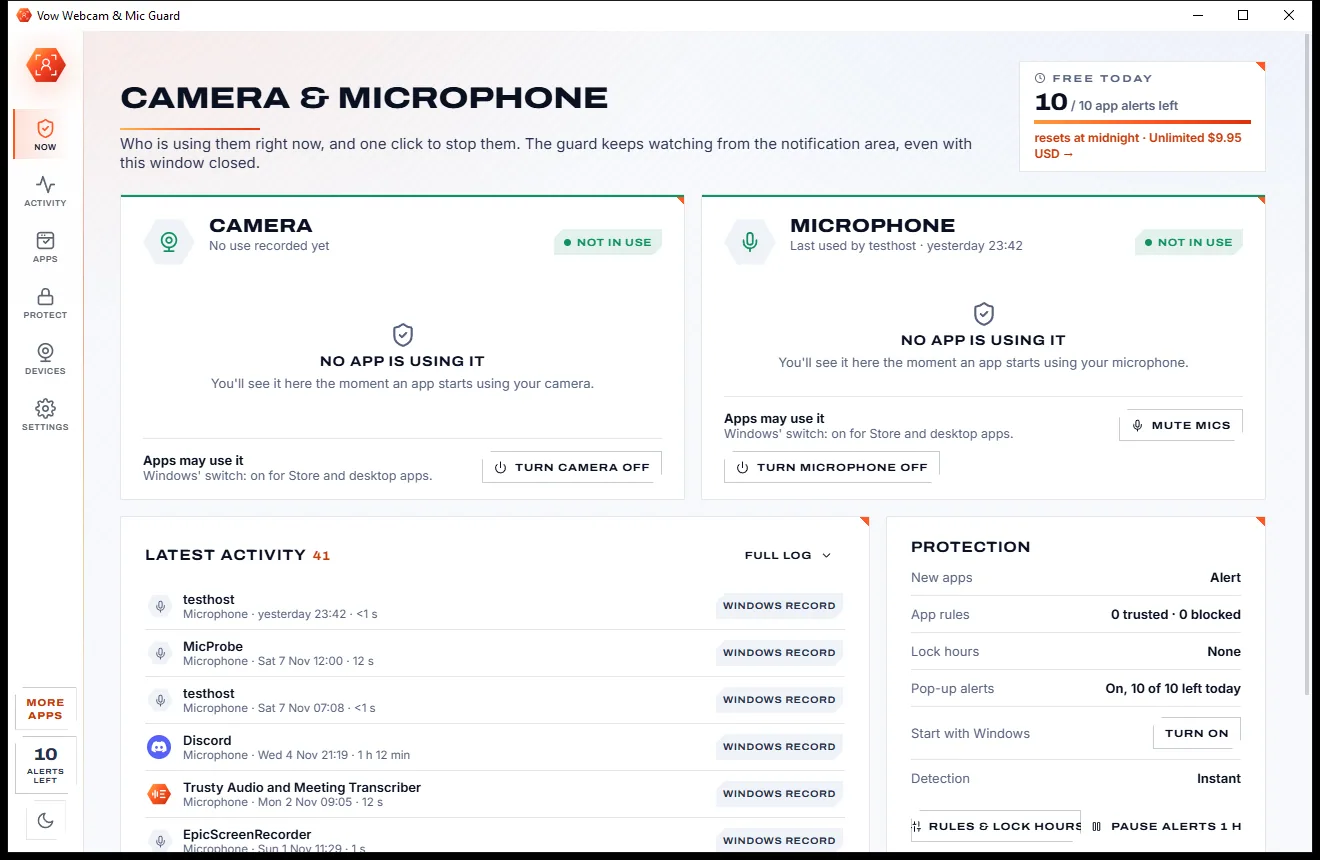
Now page with Camera and Microphone cards showing no app in use, a Latest activity list and a Protection summary, light themeNow page with Camera and Microphone cards showing no app in use, a Latest activity list and a Protection summary, dark theme
Light & dark theme Zero ads, zero junk
See at a glance whether any app is using your camera or mic
No ads. Ever.No pop-ups, no banners, no "offers".
No malware or bundlewareThe installer installs one thing: this app.
No account, no uploadIt works on your PC, and your files stay there.
Free daily limits, just $4.95 unlimitedNo subscription. No trial that runs out.

The problem

Your camera and mic deserve better than a guess

Windows can hint that something is listening. It rarely tells you which program, for how long, or what happened while you were away.

Which app was it?

Windows can show that something is using your microphone right now. Finding out which program, since when, and what used it yesterday is another matter.

The mic gets forgotten

Most webcam protection watches the camera only. The microphone, which hears everything in the room, gets far less attention.

Locked inside a suite

Webcam protection is usually one feature of a security suite you renew every year, not something you can simply buy on its own.

Calls cut off mid-sentence

Over-eager blockers have a reputation for breaking video calls by stopping an app you never asked them to touch.

No history to check

An alert flashes up and disappears. There is no log to show what used your camera overnight or while you were out.

All or nothing

Windows' privacy switches turn a device off for every app at once, and turning it back on means another trip through Settings.

Vow Webcam & Mic Guard fixes all of it.

How it works

Watch. Know. Stop.

The guard starts with Windows, names every app the moment it touches your camera or mic, and hands you the off switch.

  1. 01

    Let the guard run

    It starts with Windows and watches from the notification area. The Now page shows Camera and Microphone, and every app using them, with how long.

    Now page with Camera and Microphone cards showing no app in use, a Latest activity list and a Protection summary, light themeNow page with Camera and Microphone cards showing no app in use, a Latest activity list and a Protection summary, dark theme
    See at a glance whether any app is using your camera or mic
  2. 02

    Stop what you didn't expect

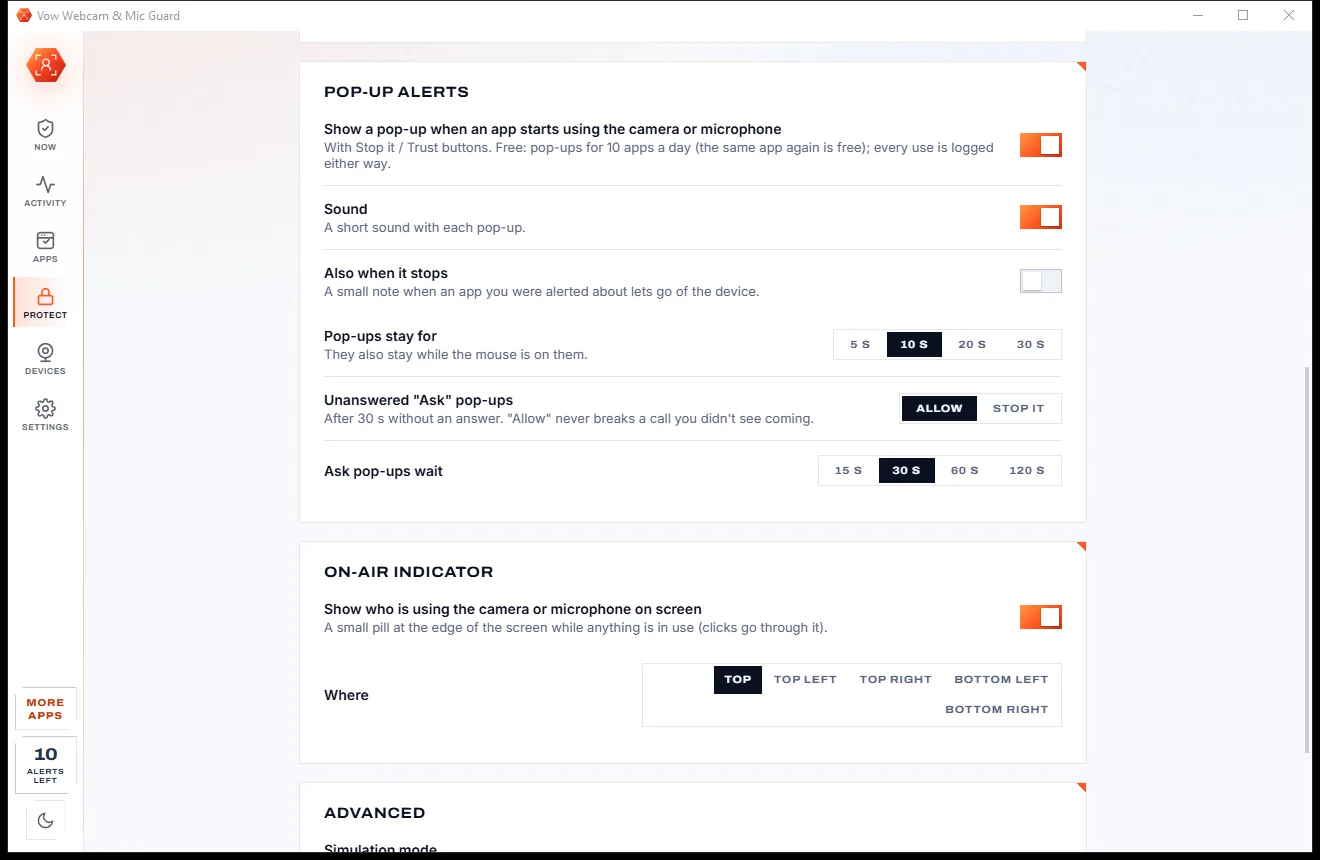
    A pop-up names the app the moment it starts, with its publisher. Press Stop it to end that use at once, or Trust to never be asked about it again.

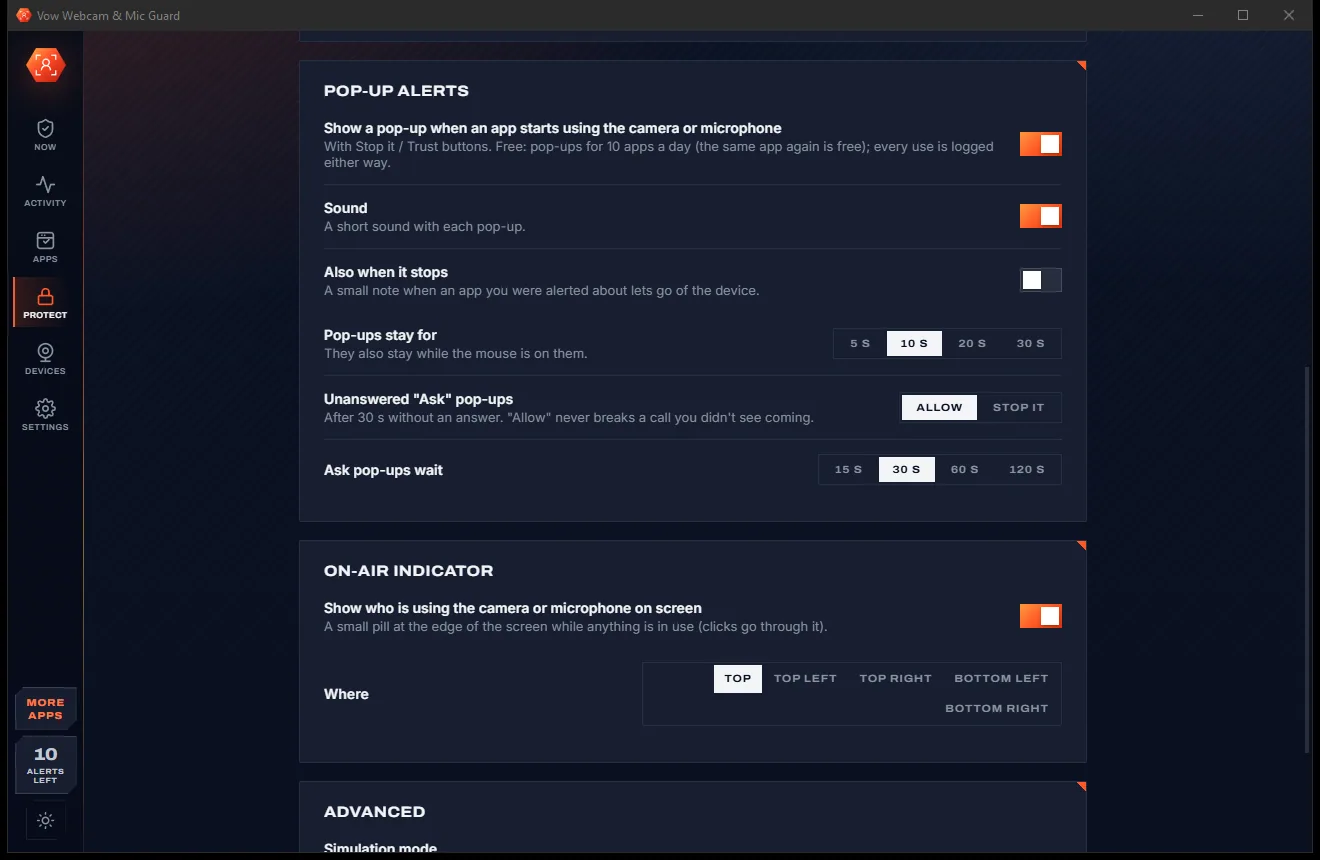
    Lower part of the Protect page with pop-up alert options, an on-air indicator and where it appears on screen, light themeLower part of the Protect page with pop-up alert options, an on-air indicator and where it appears on screen, dark theme
    Pop-up alerts name the app, with Stop it or Trust choices
  3. 03

    Set a rule per app

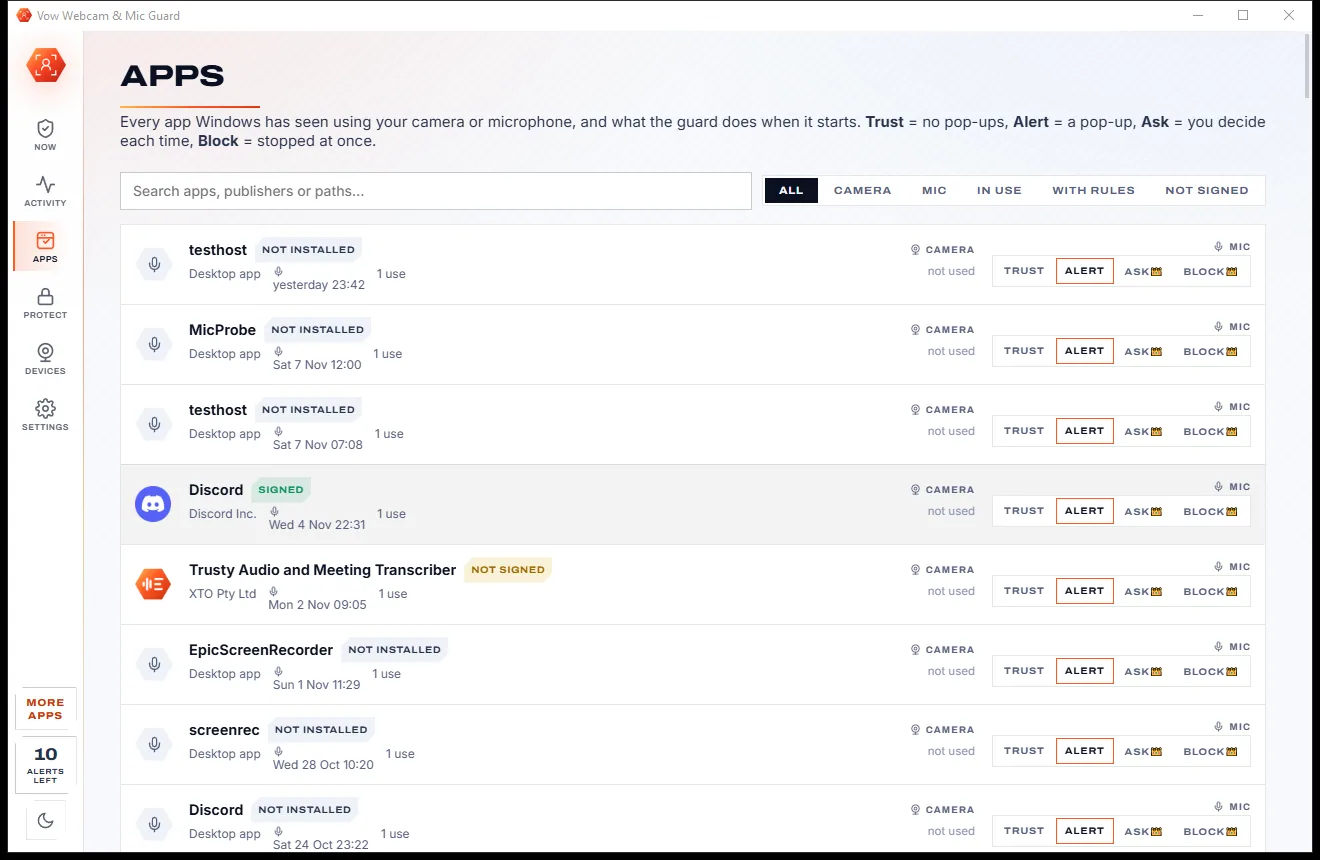
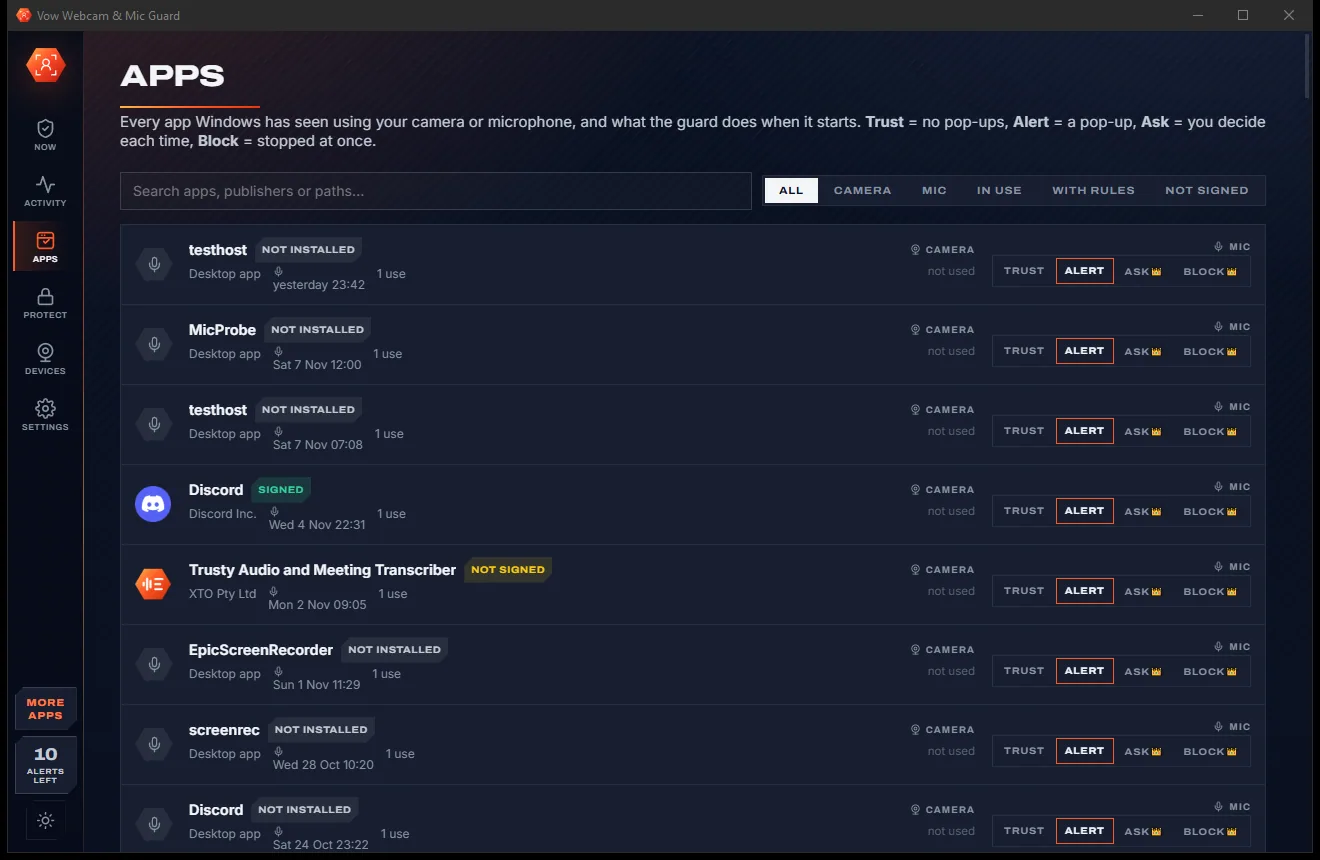
    On the Apps page, choose Trust, Alert, Ask or Block for each app and each device. Signatures are checked so you know who made it.

    Apps page listing apps that used the camera or mic, with signature tags and Trust, Alert, Ask and Block choices per device, light themeApps page listing apps that used the camera or mic, with signature tags and Trust, Alert, Ask and Block choices per device, dark theme
    Set Trust, Alert, Ask or Block for each app

Features

Both devices, every app, the whole history

For anyone who works from home, shares a PC, or simply wants to know when they're on air.

Live, by name

See every app using your camera or mic right now, since when and for how long, down to the exact process holding the device.

Stop it, always free

One click ends an app's use of the camera or mic. The window is closed politely first, and Windows' own processes are never touched.

Pop-up the moment it starts

A small alert appears bottom-right without stealing focus, naming the app and its signer, with Stop it, Trust and Always block.

A full access log

Every use from the guard and from Windows' own record, grouped by day, with search, filters, totals and CSV export.

Signature check

Each app shows its publisher and whether its digital signature checks out, so an unknown, unsigned program stands out at once.

Block rules

With Unlimited, blocked apps are stopped automatically every time. Store apps also have their Windows permission turned off.

Ask mode

Decide each time: Allow once, Always allow, Stop it or Always block, with a countdown that never breaks a call you didn't see.

Lock hours and lockdown

Lock the camera, the mic or both on a schedule, such as nights or weekends, or lock them right now for an exam or a sensitive meeting.

Windows' switches, restored exactly

Turn the camera or microphone off for all apps, mute every mic, or use global hotkeys. Turning back on restores exactly what you had.

On-air indicator

A small click-through pill stays on screen while anything uses your camera or mic, and says who it is.

Light & dark theme

Easy on the eyes, day or night.

Webcam & Mic Guard comes with a crisp light theme and a calm dark theme. Switch with one click, or let it follow your Windows setting by itself. It remembers your choice.

  • LightClear and bright for daytime and busy offices
  • DarkGentle on tired eyes late at night
  • Follow WindowsChanges by itself when your PC does
Now page with Camera and Microphone cards showing no app in use, a Latest activity list and a Protection summary, light theme
Light
Now page with Camera and Microphone cards showing no app in use, a Latest activity list and a Protection summary, dark theme
Dark

Screenshots

See Vow Webcam & Mic Guard in action

Real screenshots of the real app, in both of its themes: 12 light, 12 dark. Click any picture to see it full size.

Who it's for

Who keeps a guard on duty

Working from home

Know your mic really is off after the meeting, and see which app grabbed the camera between calls.

Shared family PCs

See which apps on a shared computer have used the camera and microphone, and when.

Overnight and weekends

Lock hours stop untrusted apps from using the camera or mic while you sleep or are away.

Exams and interviews

Lockdown stops every app that touches the device, trusted ones too, until you end it.

Streamers and creators

Camera busy? See exactly which app is holding it and free it in one click.

Privacy-minded people

A standalone guard with a full history, instead of a checkbox inside an antivirus suite.

Compare

Vow Webcam & Mic Guard vs suite webcam shields

Why a standalone guard that watches both devices beats a feature buried in an antivirus bundle.

Feature Vow Webcam & Mic Guard Suite webcam shields & on/off switches
Watches the microphone too Yes, camera and mic equally Mostly the camera only
Names the exact app The exact process, with its signer Not always
History of every use Full log with CSV export Rarely kept
Bought on its own Yes, a standalone app Usually only inside a security suite
Blocks only what you chose Always Known to cut off calls
Per-app rules and schedules Trust, Alert, Ask, Block and lock hours On/off switches only
Price Free every day, or $4.95 once Yearly suite subscription
Upsell nags None Common

"Typical" describes what we found across the most-downloaded alternatives when we built Webcam & Mic Guard. Your mileage with any one of them may vary; ours won't.

Pricing

Free every day. Just $4.95 once for the lot.

That is not a typo. Software this powerful usually means a monthly subscription; Webcam & Mic Guard is $4.95, once, for life: it's almost a giveaway. Use it free for as long as you like, and unlock Unlimited only if you need more.

Free
$0forever

Live status, full log, one-click Stop it, alerts for 10 apps a day.

  • Live camera and mic status, with every app named
  • Stop any app using them, in one click
  • Full access log, search, totals and CSV export
  • Pop-up alerts for 10 apps a day (resets at midnight)
  • Windows' camera and mic switches, mic mute, hotkeys
  • Trust and Alert rules, on-air indicator, tray icon
Download free
Best valueUnlimited
$4.95USD, once. Yours for life.

Almost a giveaway. Less than a coffee for software this powerful: no subscription, no renewals, yours for life on 2 PCs.

Automatic blocking, ask mode, lock hours, lockdown, unlimited alerts.

  • Block rules: blocked apps stopped automatically
  • Ask mode: allow or stop each time
  • Lock hours schedules for camera and mic
  • Lockdown, plus unlimited pop-up alerts
  • One payment, yours for life on 2 PCs
  • Every future update included
Get it, then unlock in the app

How unlocking works

  1. 1
    Use it free first Install Vow Webcam & Mic Guard and use it on your own files. No card, no account, no time limit.
  2. 2
    Click "Unlimited" in the app Pay $4.95 USD once by card, securely through Stripe in your browser.
  3. 3
    It unlocks itself Within seconds, for life, on up to 2 of your PCs. Your license key is emailed to you, and every future update is included.

Payments by Stripe: we never see or store your card. Questions? Ask a real person.

Clean software

Safe to install. Nothing else comes with it.

Most "free" Windows downloads pay for themselves with ads, bundled extras or your data. Vow Webcam & Mic Guard doesn't need to: it's paid for honestly, once, by the people who find it useful.

Download Webcam & Mic Guard free
  • No ads, toolbars or "offers"The installer installs one thing: Vow Webcam & Mic Guard. No pre-ticked boxes to watch out for.
  • No administrator rights neededIt installs just for you, in your own user folder, and leaves the rest of Windows alone.
  • Nothing running in the backgroundNo startup programs, no tray nags, no services. When you close it, it's closed.
  • Everything includedAll it needs is inside the installer, so you never have to fetch a "required component" from somewhere else.
  • Uninstalls cleanlyOne click in Windows Settings > Apps. Your own files are never touched.
  • A real company behind itMade, published and supported by XTO Pty Ltd, an Australian company, with real people answering every message.

Step-by-step guide

How to see which apps are using your camera or microphone

Find out who used your webcam or mic, stop them, and decide what happens next time, in a few minutes.

Step 1: get it free
  1. Install Vow Webcam & Mic Guard free

    Download it from this page and run the installer. No administrator rights and no account are needed. Leave "Start the guard with Windows" ticked so it is always watching.

  2. Open the Now page

    The Camera and Microphone cards each say Not in use, In use (with every app, since when and for how long) or Off for all apps.

  3. Stop or trust an app

    Press Stop it to end that app's use straight away, or Trust so it never raises a pop-up again. Turn camera off and Mute mics use Windows' own switches.

  4. Look back in Activity

    Every use is listed newest first, grouped by day, with what the guard did. Filter by device or period, search by app or path, and export to CSV.

  5. Set rules on the Apps page

    Pick Trust, Alert, Ask or Block per app and per device. On the Protect page, choose the rule for new apps and add lock hours (Ask, Block and lock hours need Unlimited).

Technical details

Webcam & Mic Guard at a glance

Works on
Windows 10 (1809+) and Windows 11, 64-bit
Watches
Every camera and microphone, Store and desktop apps
Detection
Instant, from Windows' own camera and mic record
Stops
The exact process, its window closed politely first
Hotkeys
Ctrl+Alt+Shift+C camera, Ctrl+Alt+Shift+M mics
Exports
Access log as CSV
Install
Per-user, no administrator rights, no account
Languages
English
Theme
Light, dark or follow Windows: one click to switch
Version
1.0.0, released 7 November 2026
Publisher
XTO Pty Ltd (Australia)

FAQ

Questions about Webcam & Mic Guard

How do I find out which app is using my camera or microphone?

Open Vow Webcam & Mic Guard. The Now page lists every app using each device right now, since when and for how long, and the Activity page shows every earlier use, including the ones Windows recorded before the guard was installed.

Is Vow Webcam & Mic Guard free?

Yes. Live status, the full access log, one-click Stop it, Windows' camera and mic switches, mic mute and Trust or Alert rules are free, with pop-up alerts for 10 apps a day. Unlimited, a one-time $4.95 USD payment, adds automatic blocking, ask mode, lock hours, lockdown and unlimited alerts.

Will it break my video calls?

Nothing is blocked unless you set a rule for it. In Ask mode an unanswered pop-up allows the app by default, Windows' own processes are never stopped, and a Simulation mode lets you test rules while changing nothing.

Can it stop every app?

Apps running as administrator can't be stopped from a normal account; the log says so and you can turn the device off instead. A rare few apps that bypass the Windows camera stack are not recorded by Windows, so they can't be seen. Turning the camera off stops new uses; an app already streaming keeps it until you press Stop it.

How is it different from Norton SafeCam or Avast Webcam Shield?

Those come inside security suites and mostly cover the camera. Vow Webcam & Mic Guard is a standalone app that watches the camera and the microphone, keeps a full history, names the exact process, and never blocks anything you didn't choose, for $4.95 once or free within the daily allowance.

Does it upload anything?

No. The log, the rules and the settings stay on your PC. There is no account and no cloud; the internet is only used to buy or activate Unlimited.

Does it need administrator rights?

No. It installs per user and reads Windows' own camera and microphone record without admin rights. The one device-wide switch that needs an administrator opens Windows Settings for you.

Is it safe to install?

Yes. It is made and published by XTO Pty Ltd, an Australian company. There are no ads, no bundled software and no account, it needs no administrator rights, and it uninstalls cleanly from Windows Settings.

The Vow collection

More apps you'll never have to go looking for

Same design, same promises, a tiny one-time price. Learn one and you already know them all.

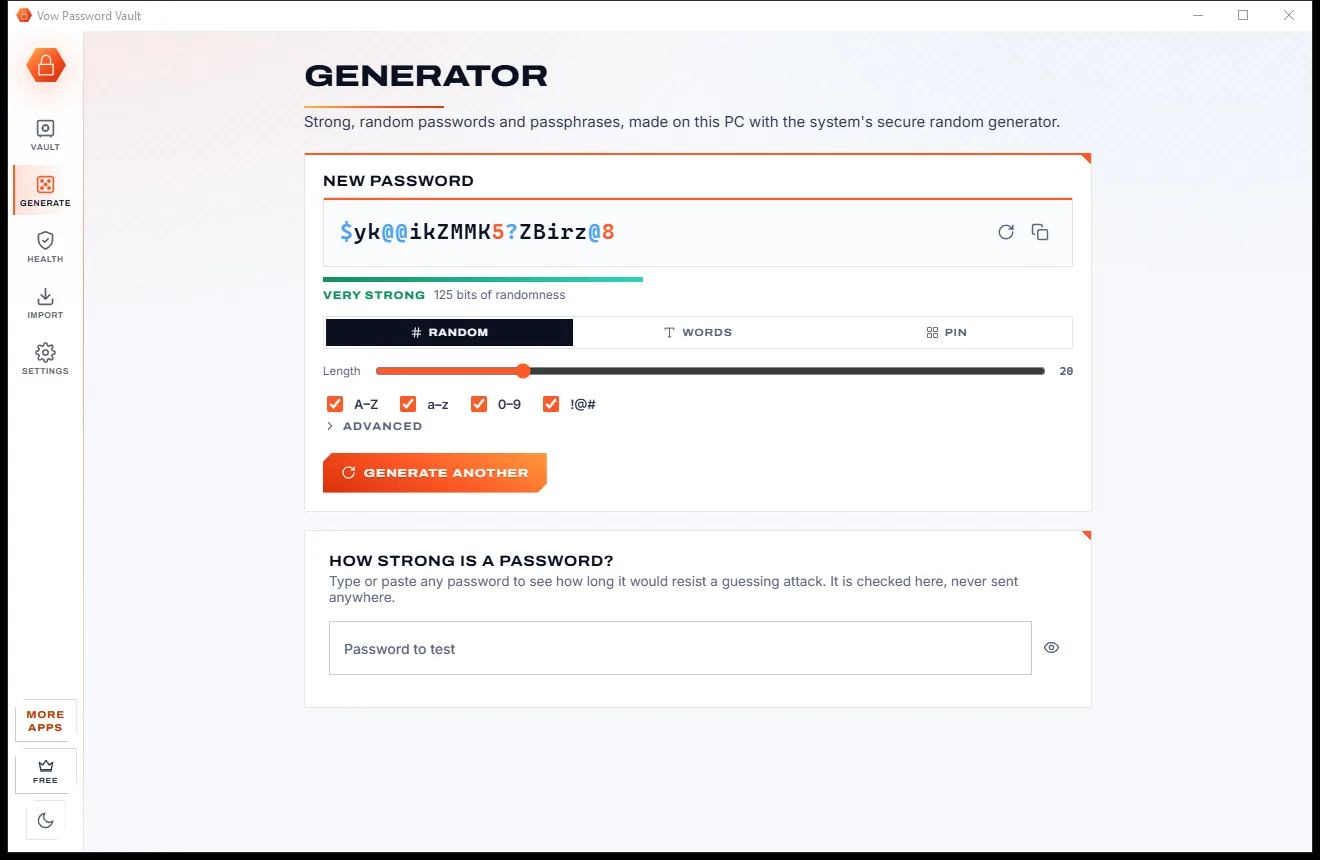
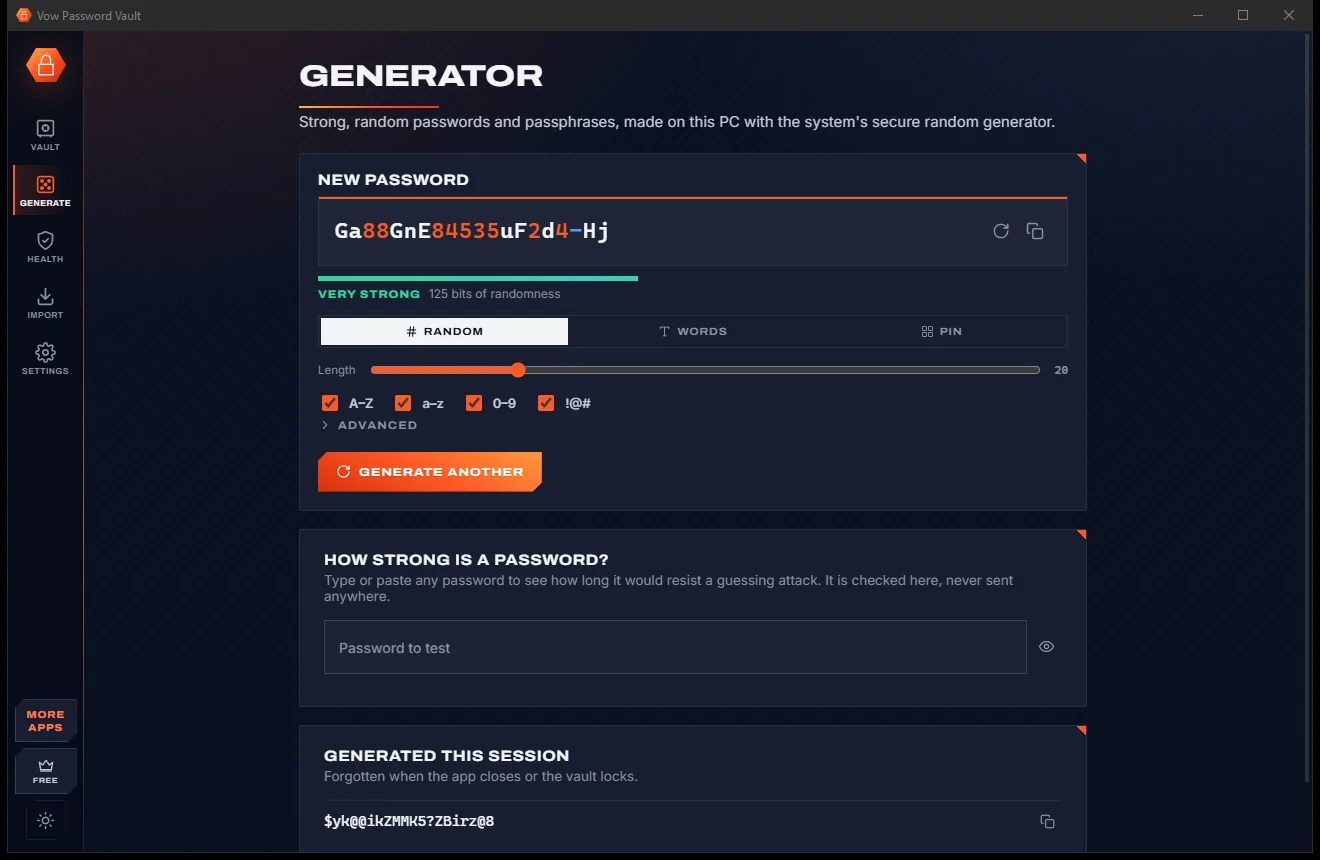
Your passwords in one encrypted file on your PC: no account, no cloud

  • Free: Up to 25 items, every security feature, 10 breach checks a day
  • $9.95 once: Unlimited items, auto-type, automatic encrypted backups, unlimited breach checks

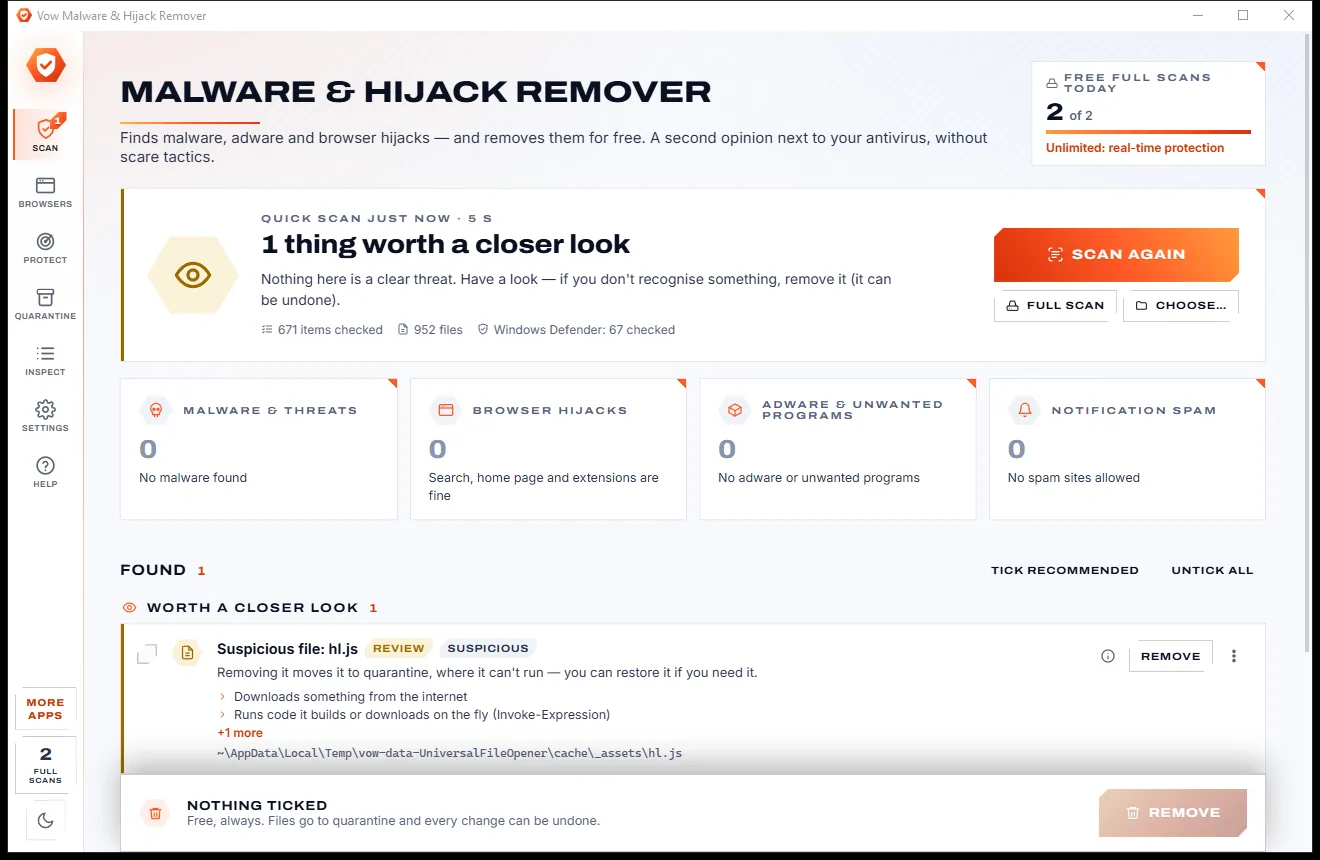
Find adware, malware and browser hijacks, and remove them free

  • Free: Unlimited quick scans and removals, 2 full scans a day
  • $9.95 once: Real-time hijack protection, scheduled scans, one-click browser reset

Shred files so no recovery tool can bring them back

  • Free: 25 items a day, all 14 erasure methods, read-back check
  • $4.95 once: Wipe free space and whole drives, erasure certificates, no limit

Done searching. Get Webcam & Mic Guard.

See which apps use your camera and mic, and stop them in one click. Free to use every day, $4.95 once if you ever want Unlimited.

  • No ads
  • No malware
  • No account
  • No subscription
Webcam & Mic GuardFree · Windows 10 & 11 Download