
Files
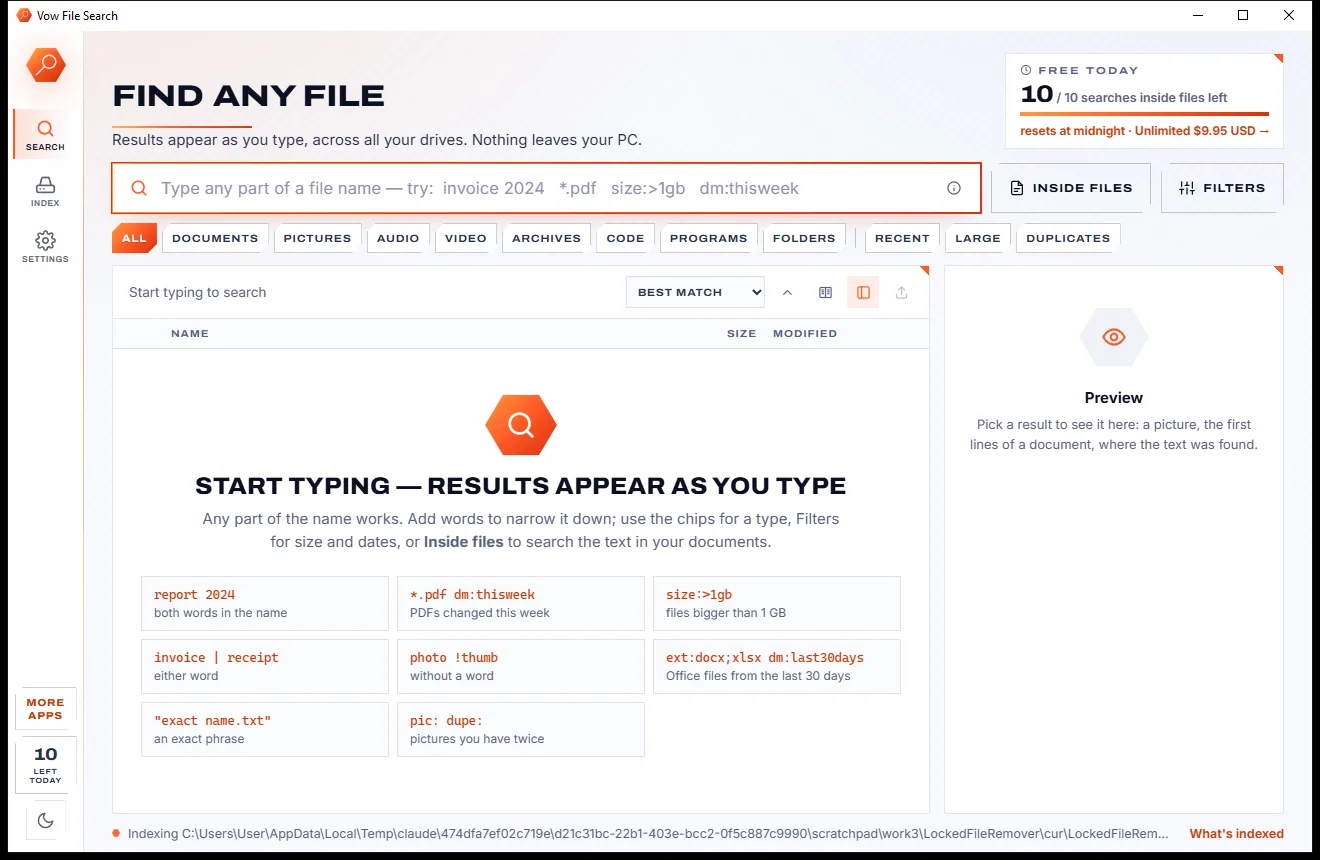
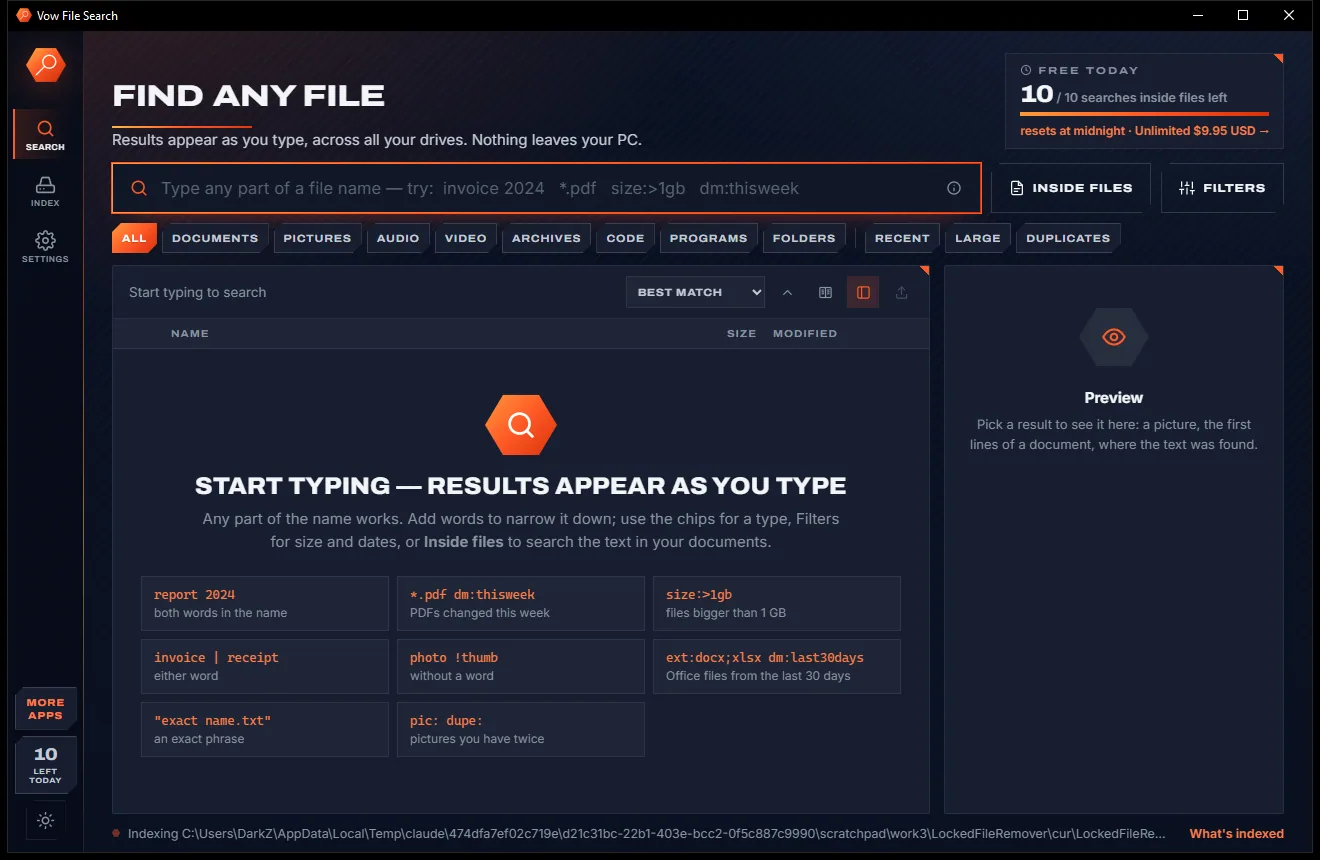
Vow File Search
Find any file as you type, across every drive
- Free: Unlimited file name search on every drive, 10 searches inside files a day
- $4.95 once: Unlimited searches inside files, network drives and NAS shares

Undelete files and photos on Windows
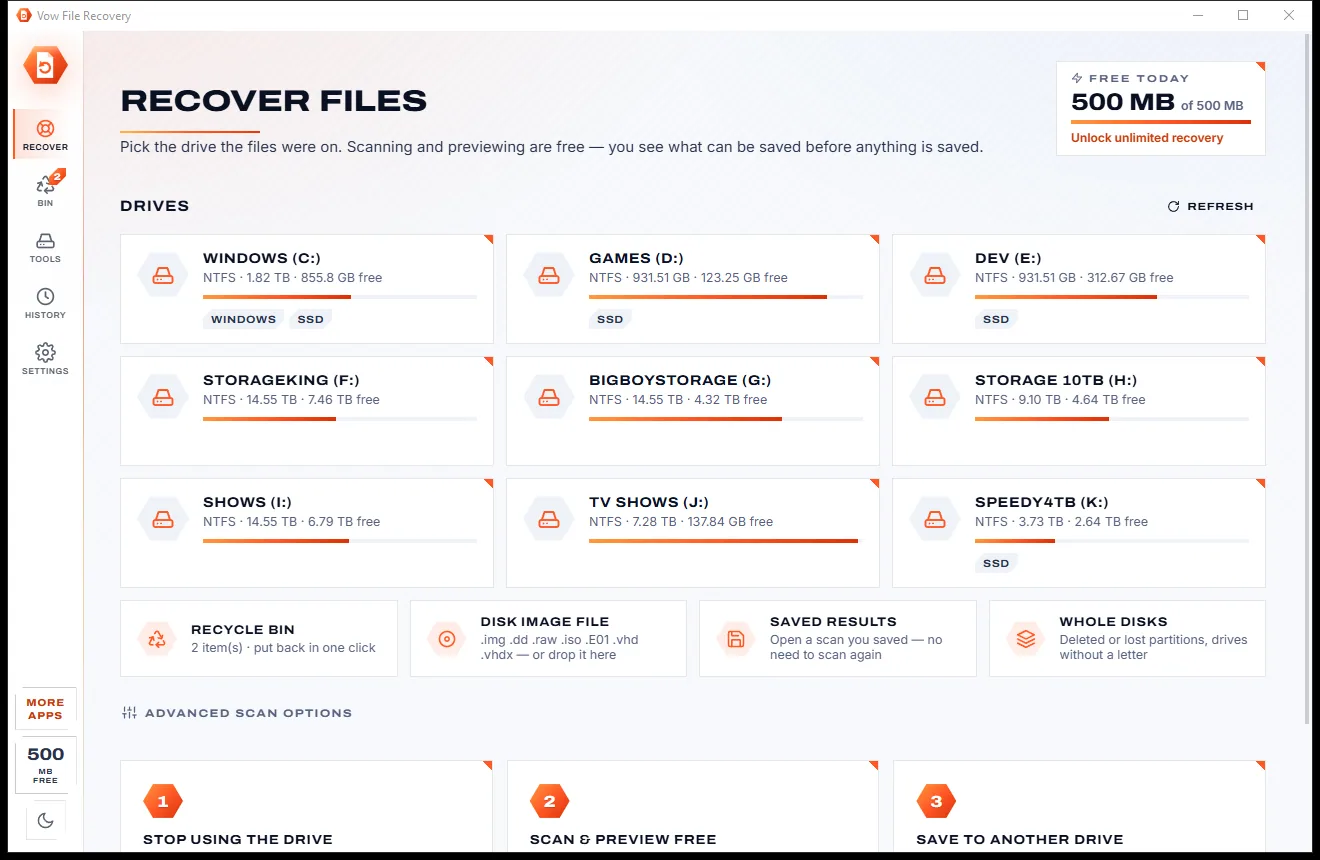
Pick the drive, card or USB stick the files were on. Deleted files appear within seconds with their names, folders and dates, and every one can be previewed free. Recover up to 500 MB every day at no cost, to another drive, with nothing uploaded.
The problem
You just lost the holiday photos. The last thing you need is a scan that finds everything and then refuses to give any of it back.
The scan proudly lists thousands of files, then every single one is locked behind a licence you only find out about at the end.
Most people need recovery once in a blue moon, yet many apps sell it as a subscription that renews whether you lose anything or not.
Thumbnails that never load and a guess at what survived. You only learn a photo is broken after you have paid for it.
Names, folders and dates thrown away, leaving a heap of numbered files to sort through by hand.
Install or recover onto the same drive and the new files can land right on top of the deleted ones you came for.
Fake "recovery" tools with bundled extras and pop-ups, at the exact moment you are most likely to click anything.
Vow File Recovery fixes all of it.
How it works
Your files on screen in seconds, checked before you save them, and the original drive left untouched.
Choose the drive, memory card or USB stick the files were on. Cards and sticks come first, and a disk image can be dropped on the window instead.
Deleted files appear within seconds, with names, folders and dates, while the deep scan finds more by their content. Open any photo, video, PDF or document free.
Tick what you want and press Recover. Files go back into their original folders with their original dates, never onto the drive you recover from.
Features
For the emptied Recycle Bin, the wiped camera card and the drive that suddenly says RAW.
Reads NTFS, FAT and exFAT records for names and folders, then searches the free space for 60+ file types by their structure.
Photos (also camera RAW), videos, music, PDFs, Word, Excel and PowerPoint text, archives or raw bytes, read from memory.
Files emptied from the bin get their original name and folder back, and anything still in the bin is put back in one click.
After a quick format, camera photos in DCIM folders come back with their names, not as numbered leftovers.
Every file is rated Excellent, Good, Poor or Overwritten with the reason, including space an SSD has already erased.
The drive is opened read-only and Vow refuses to save onto the drive you recover from. A portable version can run from a USB stick.
Reads MBR and GPT disks, finds deleted partitions by their boot sectors and opens drives Windows calls RAW.
Opens raw, split, E01, VHD and VHDX images, and saves a finished scan to open again weeks later without scanning.
Recovered files keep their folders and dates, with a CSV report listing each file's original path, chance and SHA-256.
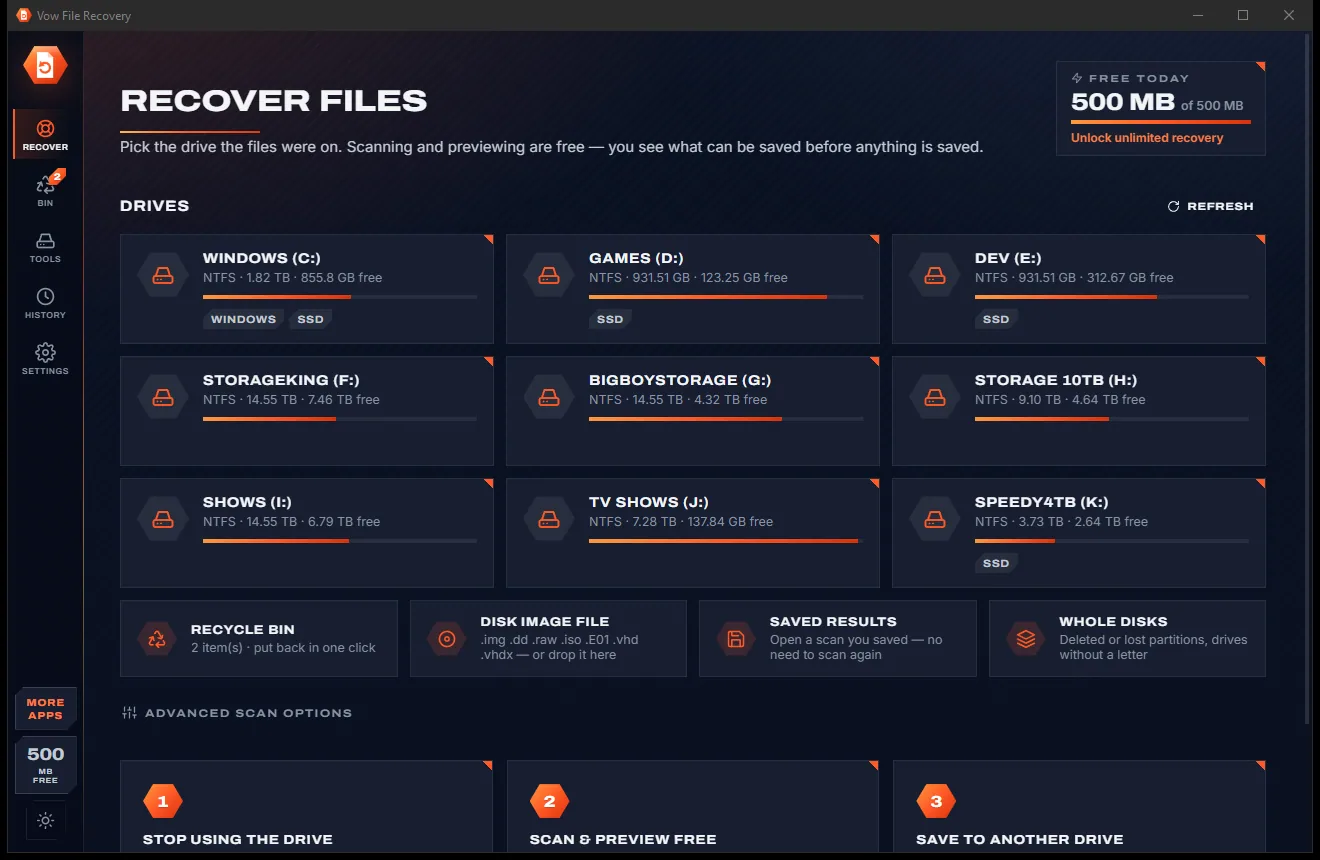
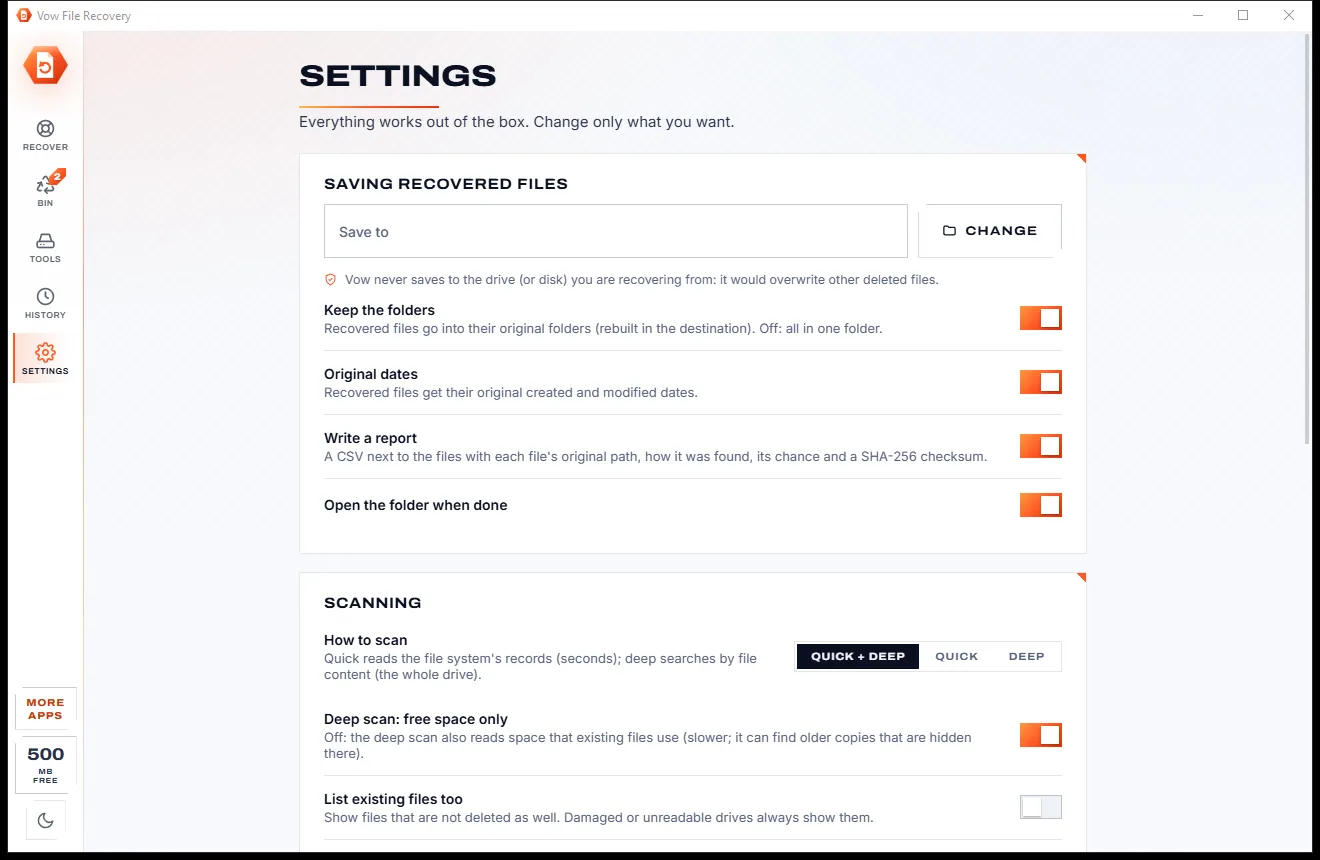
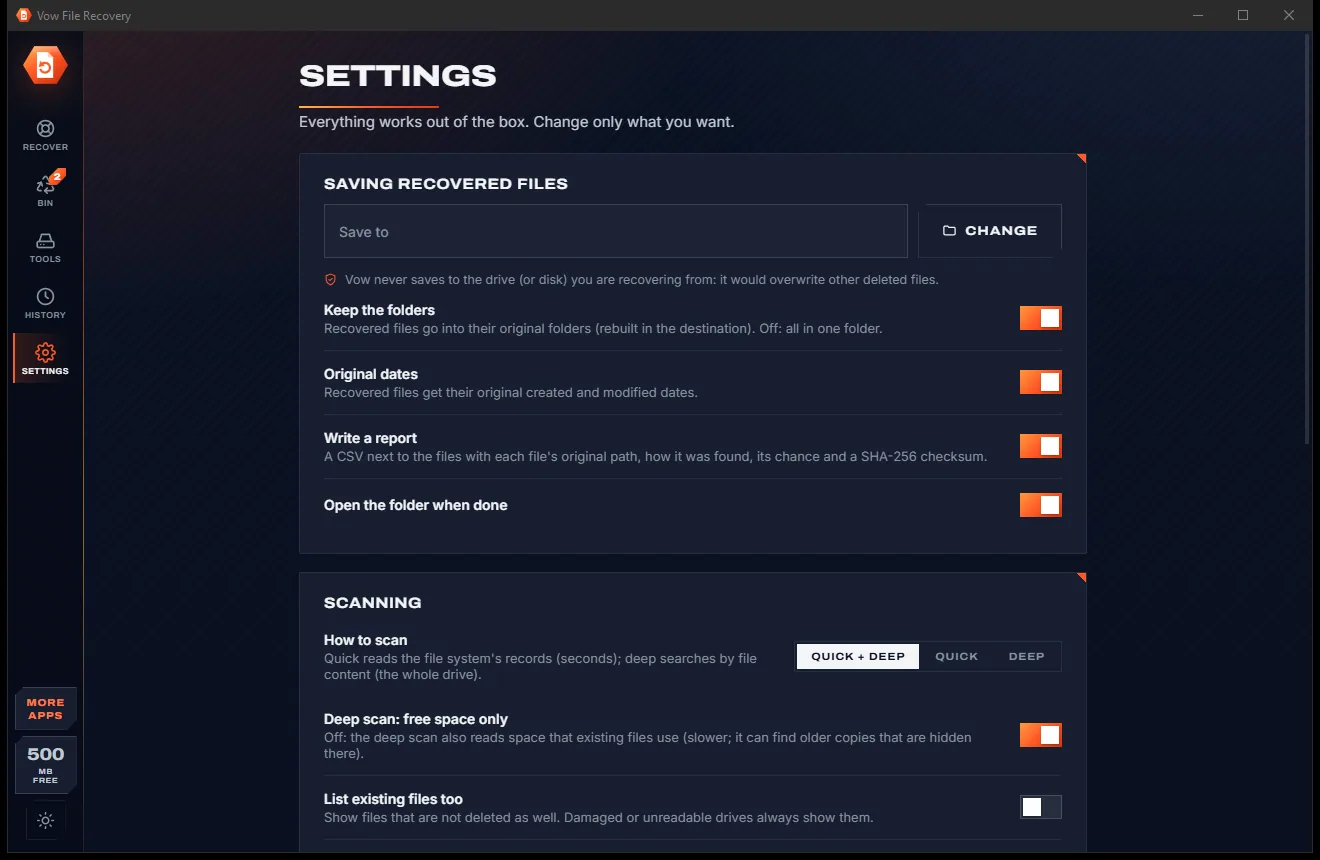
Switch between the paper-white and carbon-dark look with one click on the side rail; your choice is remembered.
Light & dark theme
File Recovery comes with a crisp light theme and a calm dark theme. Switch with one click, or let it follow your Windows setting by itself. It remembers your choice.
Screenshots
Real screenshots of the real app, in both of its themes: 8 light, 8 dark. Click any picture to see it full size.
Light theme
Dark theme
Who it's for
Get back files deleted with Shift+Delete or emptied from the bin, with their names and folders.
Bring back photos and videos from an SD card that was formatted or cleared by mistake.
Recover documents and photos from a stick or external drive after a quick format.
Read the files on a drive Windows calls RAW before you let anything format it.
Find a partition removed by accident and browse its files as if it were still there.
Run the portable version from a USB stick, so nothing is installed on the drive with the lost files.
Compare
What you get when you search for "recover deleted files" and click the first download.
| Feature | Vow File Recovery | Typical file recovery apps |
|---|---|---|
| Price | 500 MB free every day, or $9.95 once | Often a yearly plan to save anything |
| Preview before you pay | Every file, free | Sometimes, often limited |
| Free allowance renews | Every day | Usually a one-off amount |
| Original names after emptying the bin | Yes, from the bin's own records | Often lost |
| Saving onto the source drive | Refused, to protect your files | Often allowed |
| Honest recovery chances | Checked against the content, SSD-aware | Varies |
| Ads, bundled extras | None, ever | Common with free downloads |
| Runs from a USB stick | Yes, portable version included | Sometimes |
"Typical" describes what we found across the most-downloaded alternatives when we built File Recovery. Your mileage with any one of them may vary; ours won't.
Pricing
That is not a typo. Software this powerful usually means a monthly subscription; File Recovery is $9.95, once, for life: it's almost a giveaway. Use it free for as long as you like, and unlock Unlimited only if you need more.
Every scan and preview, 500 MB of recovered files a day.
Almost a giveaway. Less than a takeaway lunch for software this powerful: no subscription, no renewals, yours for life on 2 PCs.
Recover any amount every day, plus drive imaging.
Payments by Stripe: we never see or store your card. Questions? Ask a real person.
Clean software
Most "free" Windows downloads pay for themselves with ads, bundled extras or your data. Vow File Recovery doesn't need to: it's paid for honestly, once, by the people who find it useful.
Download File Recovery freeStep-by-step guide
From "it's gone" to files back in their folders, without writing a byte to the drive they were on.
Step 1: get it freeEvery new file can land on the space a deleted one is still waiting in. If the files were on C:, run the portable version from another drive or a USB stick.
Click the drive, card or stick the files were on. Windows asks once for permission to read it directly; Vow only reads.
Deleted files appear in seconds, then the deep scan adds more. Filter by pictures, videos or documents, search by name, or show only good chances.
Click any file to see it: photos, videos, PDFs and document text open right in the window, free, with the reason for its chance.
Tick the files and press Recover. They go into a new folder on another drive, in their original folders with their original dates and a CSV report.
Technical details
FAQ
Yes. Every scan, quick and deep, the preview of every file found, the Recycle Bin, lost partitions and saved results are free, and you can recover 500 MB of files every day at no cost. There are no watermarks and no sign-up. Unlimited, a one-time $9.95 USD payment, removes the daily limit and adds drive imaging.
Yes, as long as the space has not been written over. On NTFS drives it also reads the bin's own records, so files emptied from the Recycle Bin come back with their original name and folder.
Usually, yes. After a quick format it finds the old folders, so photos in DCIM folders come back with their names, and the deep scan finds pictures and videos by their content even when no name survived.
No. The drive is opened read-only, previews are read into memory, and Vow refuses to recover onto the drive you are recovering from. Recovered files always go to another drive.
Preview it first. Every file also gets a chance, Excellent, Good, Poor or Overwritten, worked out from the drive's records and a check of the file's first bytes, including space an SSD has already erased.
It covers the same core: quick and deep scans, previews, lost partitions and disk images. It adds original names for files emptied from the Recycle Bin, names after a FAT quick format, SSD-aware chances, a refusal to save onto the source drive, and a free allowance of 500 MB that renews every day.
Internal drives, external drives, USB sticks and memory cards formatted as NTFS, FAT12, FAT16, FAT32 or exFAT, drives Windows calls RAW, deleted partitions, and disk images: raw, split, E01, VHD and VHDX.
Yes. It is made and published by XTO Pty Ltd, an Australian company. The installer contains no ads, no toolbars and no bundled software, needs no administrator rights, and uninstalls cleanly from Windows Settings. A portable version runs without installing at all.
The Vow collection
Same design, same promises, a tiny one-time price. Learn one and you already know them all.
Find any file as you type, across every drive
Open every archive, and fix the ones that won't open
See what's filling your drive, then win the space back safely
Get deleted photos and files back, and see them before you pay a cent. Free to use every day, $9.95 once if you ever want Unlimited.