Vow Network Scanner icon
Vow Network Scanner Windows 10 & 11 · v1.0.0 · Free to use

Network scanner & speed test for Windows

Who's on my Wi-Fi? And why is it slow?

Vow Network Scanner finds every device on your network in seconds, with its name, maker and type, then measures your real internet speed and tells you in plain words what's slowing it down. No ads, no sign-up, no subscription.

  • No ads
  • No malware
  • No account
  • Light & dark theme
  • Unlimited scans and network tools, 5 speed tests a day
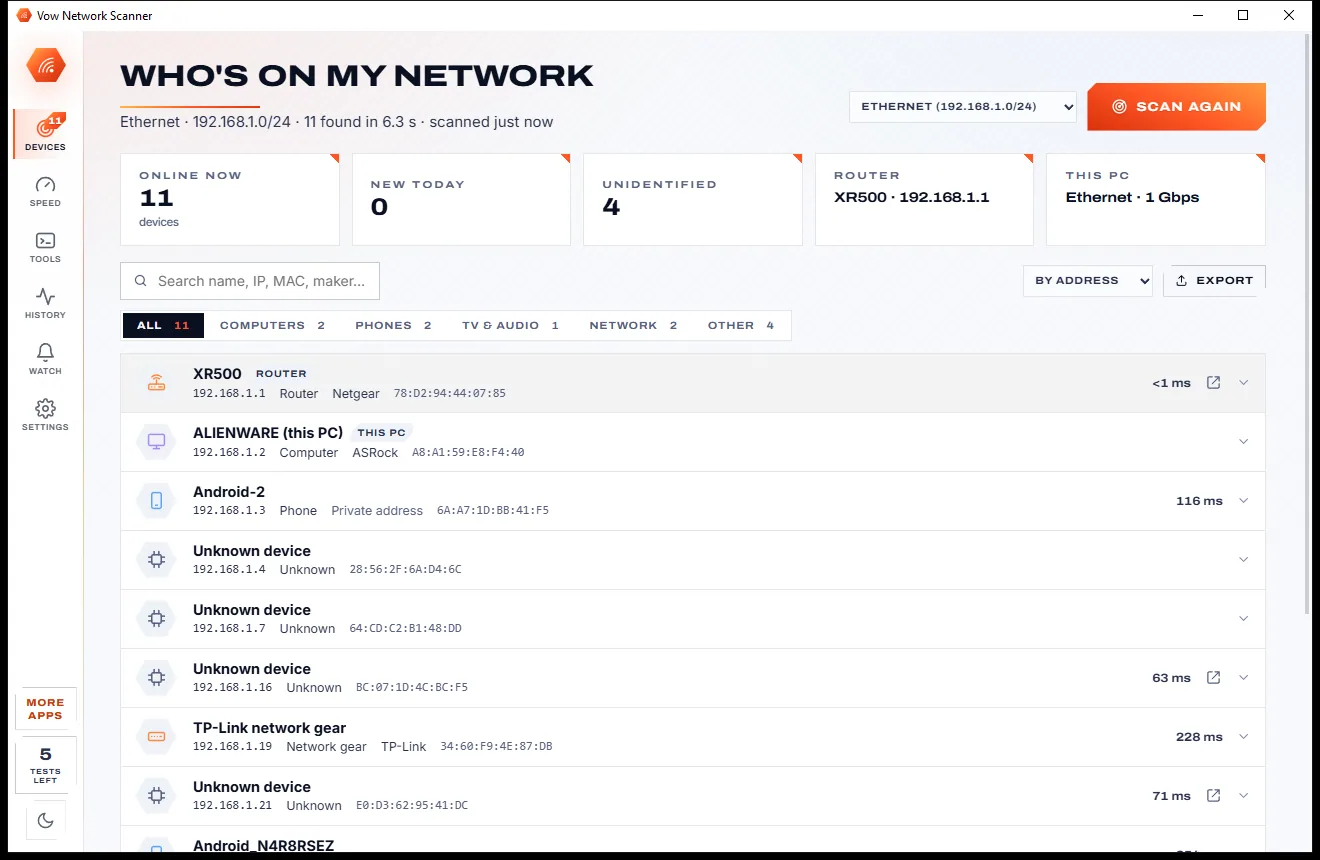
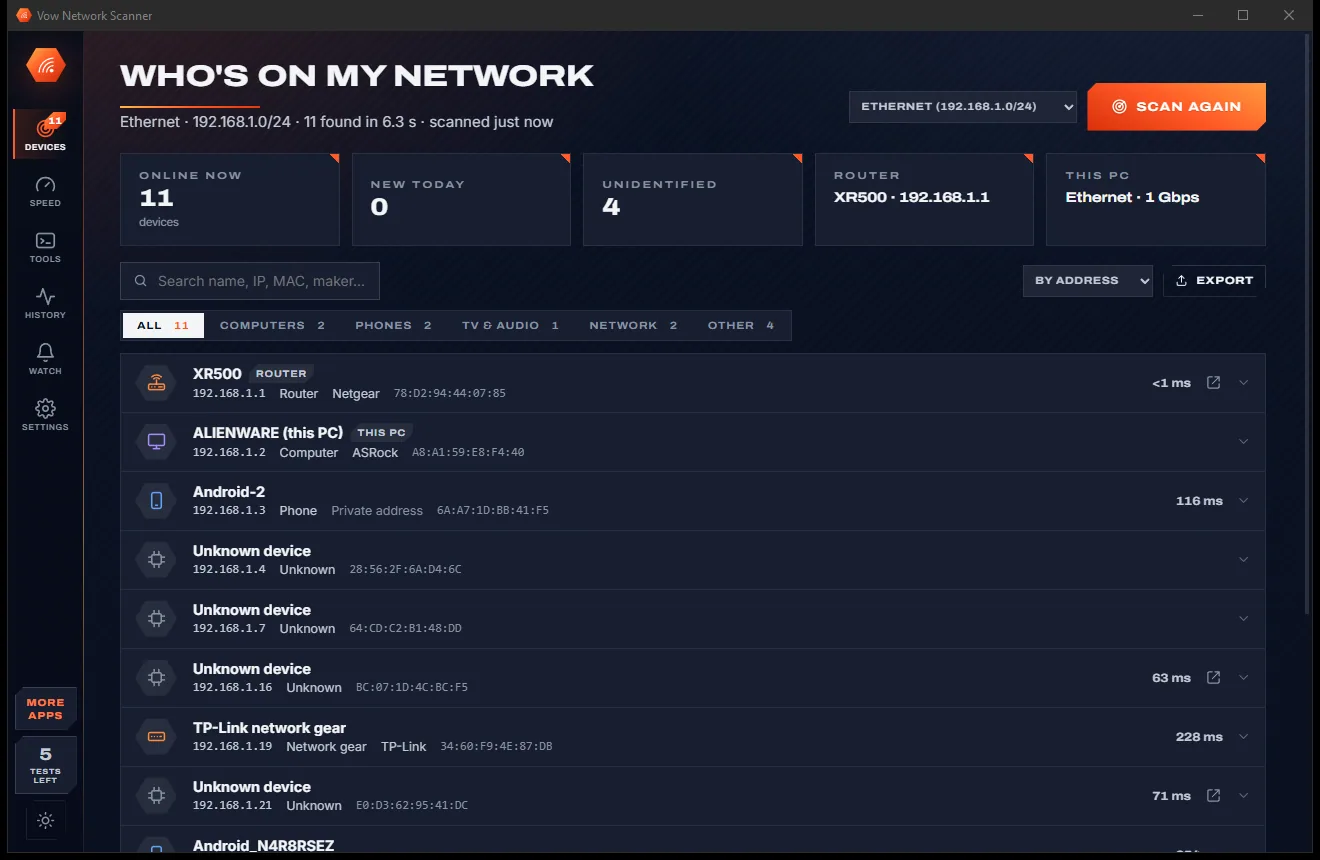
The Who's on my network page with device totals at the top and a list of devices showing name, type, IP address and MAC address, light themeThe Who's on my network page with device totals at the top and a list of devices showing name, type, IP address and MAC address, dark theme
Light & dark theme Zero ads, zero junk
Every device on your network, with name, type, IP and MAC
No ads. Ever.No pop-ups, no banners, no "offers".
No malware or bundlewareThe installer installs one thing: this app.
No account, no uploadIt works on your PC, and your files stay there.
Free daily limits, just $4.95 unlimitedNo subscription. No trial that runs out.

The problem

Knowing who's on your Wi-Fi shouldn't take a subscription

You just want to know what that unknown device is and why the internet crawls every evening. Instead you get ad-filled apps, cryptic lists of numbers and monthly plans.

Ads around every result

Free scanners and speed test sites wrapped in banners and pop-ups, with the real button somewhere underneath.

Alerts behind a subscription

Want to know when a new device joins your Wi-Fi? On many apps that's a monthly plan.

A wall of numbers

Classic IP scanners list addresses and MACs, then leave you to guess which one is the TV, the doorbell or a stranger.

"Unknown device" everywhere

Modern phones hide behind private, randomised MAC addresses, so many scanners can't even tell you it's a phone.

A speed number and nothing else

Is it the Wi-Fi, the router, the cable or your provider? Most speed tests give you a figure and leave you guessing.

An account to scan your own home

Sign up and log in just to see the devices on your own network, and hope the list stays private.

Vow Network Scanner fixes all of it.

How it works

Open. See. Sorted.

Every device listed before you've finished reading the screen, and your real speed one button away.

  1. 01

    Open it: the scan starts itself

    Devices appear as they answer and the list is complete in about 5 to 9 seconds on a home network, each with its name, maker, type, IP and MAC. New ones are marked NEW.

    The Who's on my network page with device totals at the top and a list of devices showing name, type, IP address and MAC address, light themeThe Who's on my network page with device totals at the top and a list of devices showing name, type, IP address and MAC address, dark theme
    Every device on your network, with name, type, IP and MAC
  2. 02

    Click any device

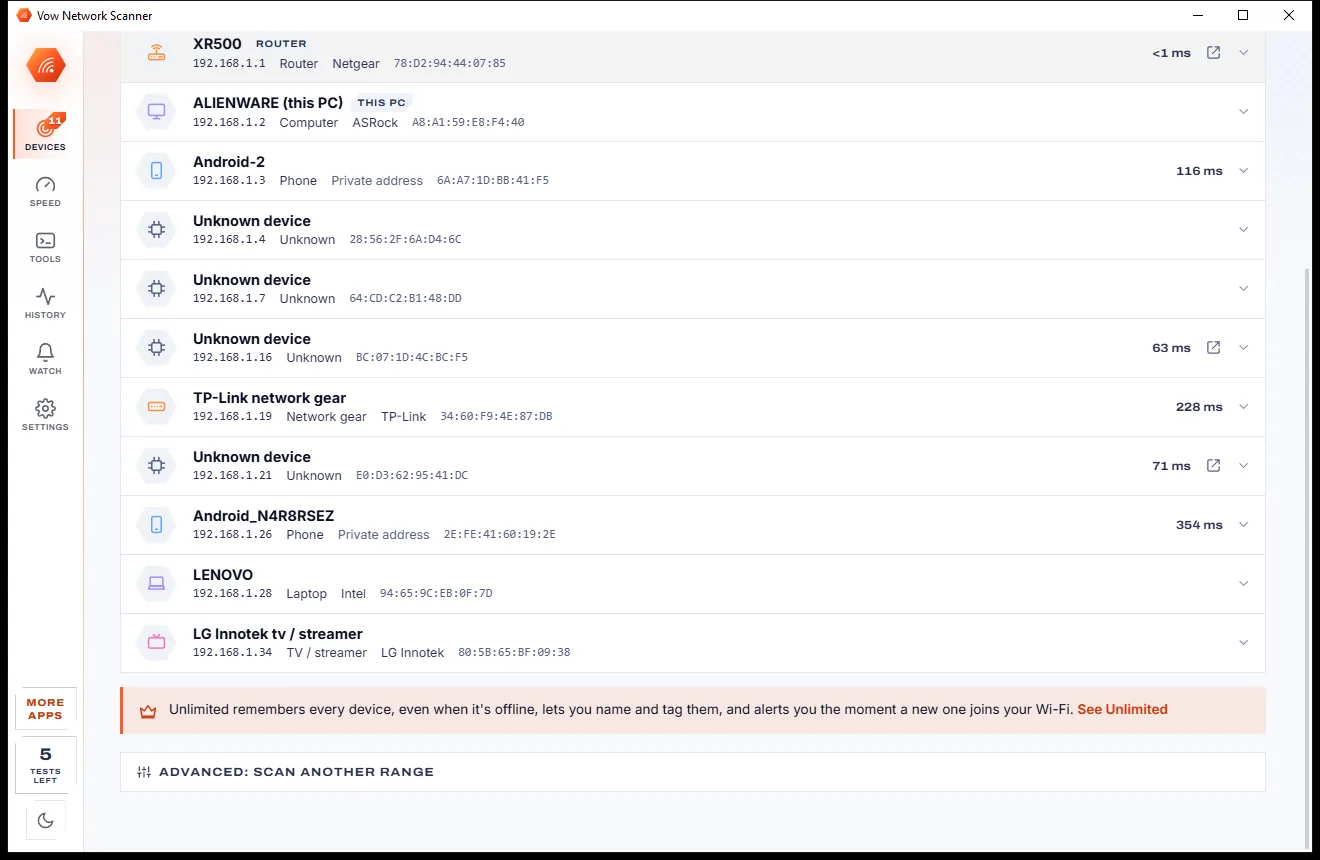
    See why it's a phone or a printer, every name it announces, its model, open ports and web page, with Ping, Port scan and Wake-on-LAN one click away.

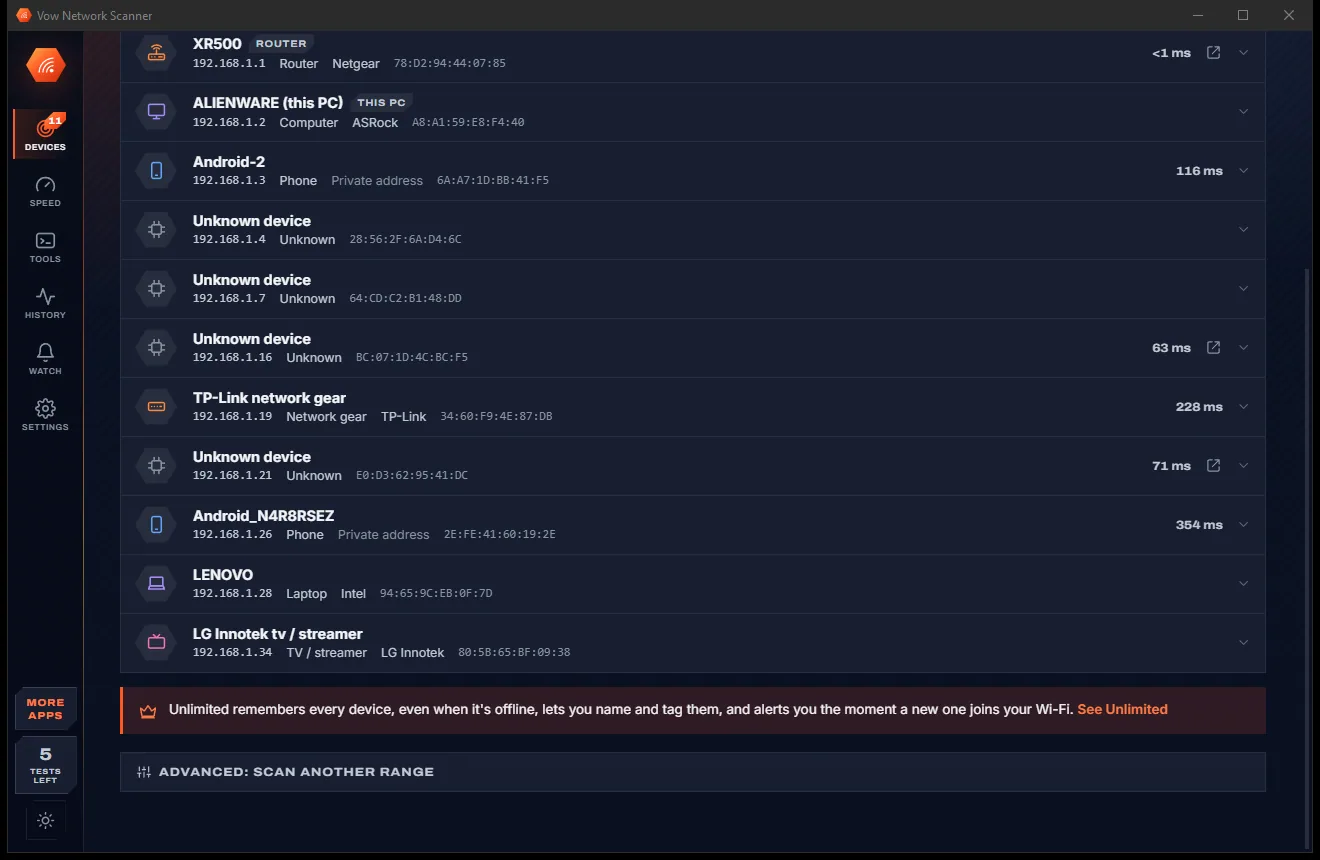
    The lower part of the Devices page continuing the list of phones, computers, a TV and network gear, with response times, light themeThe lower part of the Devices page continuing the list of phones, computers, a TV and network gear, with response times, dark theme
    ...and the rest of the device list, with response times
  3. 03

    Press GO for your real speed

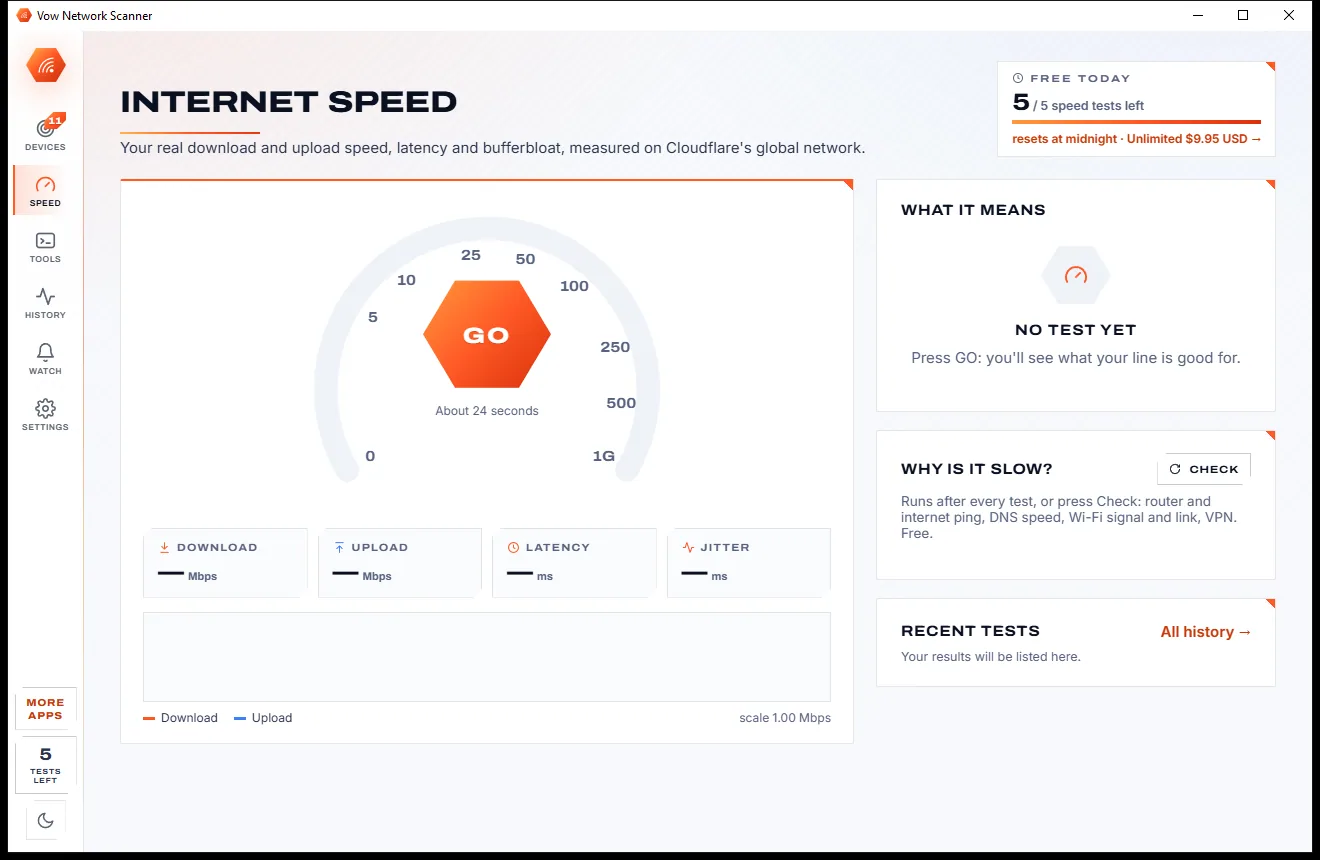
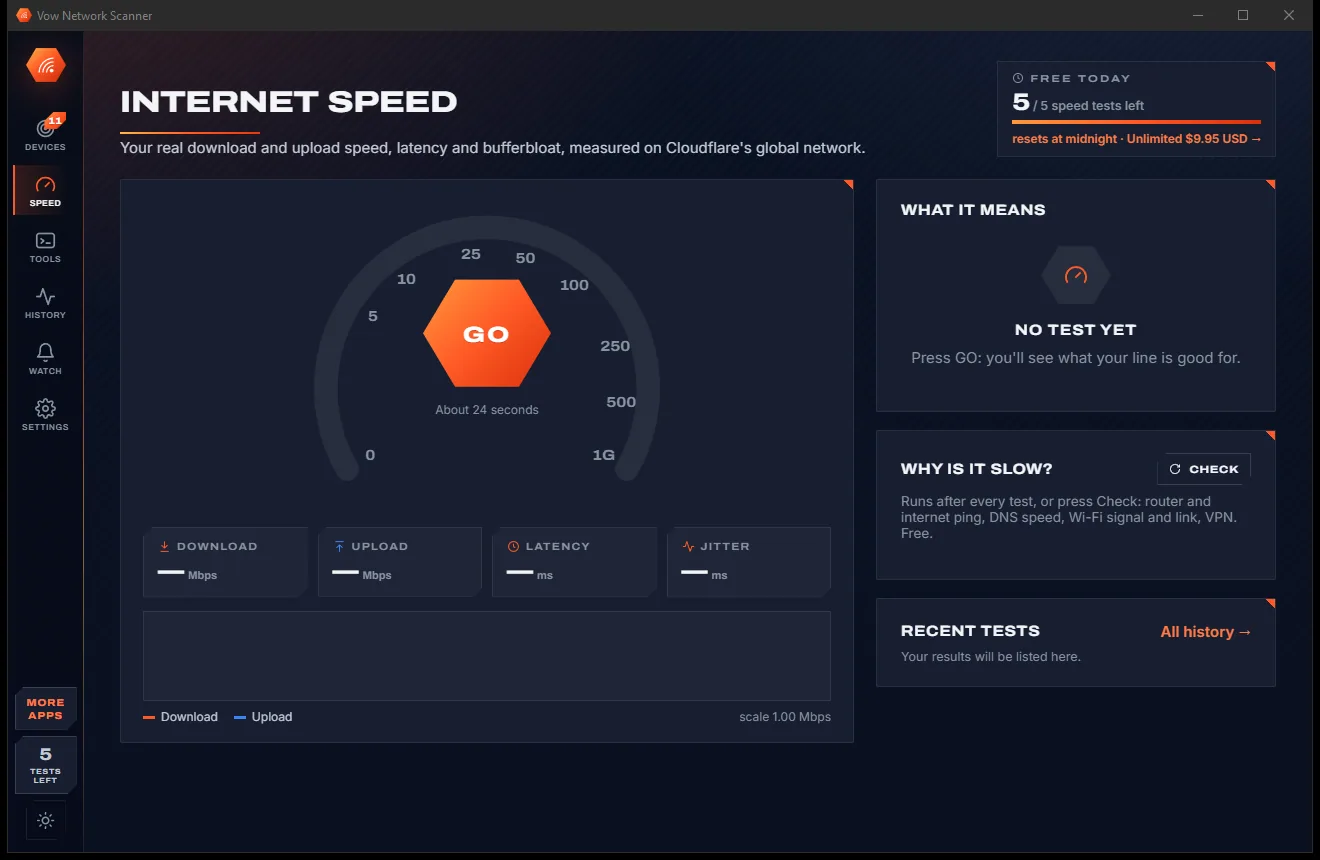
    In about 25 seconds: download, upload, latency, jitter and a bufferbloat grade, what your line is good for, and "Why is it slow?" with what to do about it.

    The Internet Speed page with a speedometer and GO button, readouts for download, upload, latency and jitter, and a Why is it slow check, light themeThe Internet Speed page with a speedometer and GO button, readouts for download, upload, latency and jitter, and a Why is it slow check, dark theme
    Press GO to test download, upload, latency and jitter

Features

Every scanning method at once, explained in plain words

For home users, gamers, parents and the family IT person: simple on top, deep when you need it.

Every discovery method at once

ARP cache, an active ARP request to every address, ping sweep, Bonjour/mDNS, UPnP/SSDP, NetBIOS, reverse DNS and TCP probes, together.

Real names, makers and types

The maker comes from the built-in IEEE registry, the type from a 7-step rule set with its reason shown: phone, laptop, TV, camera, printer and more.

Private addresses explained

Phones and laptops using randomised Wi-Fi addresses are detected and explained instead of showing up as a mystery.

A speed test that tells the truth

Multi-connection download and upload on Cloudflare's network, measured after the ramp-up rather than a peak, and able to fill a gigabit line.

Bufferbloat graded A+ to F

Latency under load for download and upload: the hidden reason calls lag and games stutter while someone else downloads.

"Why is it slow?", free

Checks router and internet ping, DNS time, Wi-Fi signal, band and link rate, a 100 Mbps cable and VPN, each with what to do.

The classic tools, made friendly

Ping, traceroute with names, port scan with risk notes, DNS lookup, Wake-on-LAN and full network and Wi-Fi details.

New-device alerts

With Unlimited it scans every 5 to 60 minutes and shows a Windows notification for every device that has never been on your network before.

Device and speed history

With Unlimited: first and last seen, a 30-day online strip, past IPs, a device timeline, and speed history with charts and CSV export.

It looks, never touches

Everything is read-only: it asks and listens and changes nothing on your network or your PC. No administrator rights needed.

Light & dark theme

Easy on the eyes, day or night.

Network Scanner comes with a crisp light theme and a calm dark theme. Switch with one click, or let it follow your Windows setting by itself. It remembers your choice.

  • LightClear and bright for daytime and busy offices
  • DarkGentle on tired eyes late at night
  • Follow WindowsChanges by itself when your PC does
The Who's on my network page with device totals at the top and a list of devices showing name, type, IP address and MAC address, light theme
Light
The Who's on my network page with device totals at the top and a list of devices showing name, type, IP address and MAC address, dark theme
Dark

Screenshots

See Vow Network Scanner in action

Real screenshots of the real app, in both of its themes: 9 light, 9 dark. Click any picture to see it full size.

Who it's for

When you need to know

Spotting Wi-Fi freeloaders

See if a neighbour or a stranger is on your network, and get an alert the next time anything new joins.

Gamers and streamers

Check latency, jitter and bufferbloat before blaming the game, the server or your provider.

Smart homes

Find the IP of a camera, plug, printer or speaker in seconds and open its web page.

Working from home

Find out whether video calls stutter because of the Wi-Fi, the router or the line itself.

Holding your provider to account

Scheduled speed tests build a history with charts and CSV export, the evidence your internet provider asks for.

The family IT person

Port scans, ping, traceroute and Wake-on-LAN for every network you end up looking after.

Compare

Vow Network Scanner vs the usual network apps

What you get when you search for a Wi-Fi scanner or a speed test, side by side.

Feature Vow Network Scanner Typical Wi-Fi scanner & speed test apps
Price Free every day, or $4.95 once Subscriptions for alerts and monitoring
Ads and pop-ups None, ever Common on free apps and speed test sites
Discovery methods ARP, ping, mDNS, UPnP, NetBIOS, DNS and port probes together Often ARP and ping only
Says why a device is a phone or a TV Yes, with the reason shown Rarely
Private (randomised) MACs explained Yes Rarely
Speed test with bufferbloat grade Yes, A+ to F Rarely in the same app
"Why is it slow?" diagnosis Free Rarely
Account or sign-up Never Often required
Your device list Stays on your PC Sometimes synced to their servers

"Typical" describes what we found across the most-downloaded alternatives when we built Network Scanner. Your mileage with any one of them may vary; ours won't.

Pricing

Free every day. Just $4.95 once for the lot.

That is not a typo. Software this powerful usually means a monthly subscription; Network Scanner is $4.95, once, for life: it's almost a giveaway. Use it free for as long as you like, and unlock Unlimited only if you need more.

Free
$0forever

Unlimited scans and network tools, 5 speed tests a day.

  • Unlimited network scans of every device
  • Names, makers, types and private-address detection
  • 5 speed tests a day (resets at midnight)
  • The "Why is it slow?" diagnosis
  • Port scan, ping, traceroute, DNS and Wake-on-LAN
  • CSV, HTML and JSON export, no ads, no sign-up
Download free
Best valueUnlimited
$4.95USD, once. Yours for life.

Almost a giveaway. Less than a coffee for software this powerful: no subscription, no renewals, yours for life on 2 PCs.

New-device alerts, device names and history, schedules, unlimited speed tests.

  • Unlimited speed tests, on a schedule too
  • New-device and offline alerts
  • Your own names, types and notes for devices
  • Device timeline and speed history with charts
  • Keeps watching from the notification area
  • One payment, yours for life on 2 PCs
Get it, then unlock in the app

How unlocking works

  1. 1
    Use it free first Install Vow Network Scanner and use it on your own files. No card, no account, no time limit.
  2. 2
    Click "Unlimited" in the app Pay $4.95 USD once by card, securely through Stripe in your browser.
  3. 3
    It unlocks itself Within seconds, for life, on up to 2 of your PCs. Your license key is emailed to you, and every future update is included.

Payments by Stripe: we never see or store your card. Questions? Ask a real person.

Clean software

Safe to install. Nothing else comes with it.

Most "free" Windows downloads pay for themselves with ads, bundled extras or your data. Vow Network Scanner doesn't need to: it's paid for honestly, once, by the people who find it useful.

Download Network Scanner free
  • No ads, toolbars or "offers"The installer installs one thing: Vow Network Scanner. No pre-ticked boxes to watch out for.
  • No administrator rights neededIt installs just for you, in your own user folder, and leaves the rest of Windows alone.
  • Nothing running in the backgroundNo startup programs, no tray nags, no services. When you close it, it's closed.
  • Everything includedAll it needs is inside the installer, so you never have to fetch a "required component" from somewhere else.
  • Uninstalls cleanlyOne click in Windows Settings > Apps. Your own files are never touched.
  • A real company behind itMade, published and supported by XTO Pty Ltd, an Australian company, with real people answering every message.

Step-by-step guide

How to see who's on your Wi-Fi on Windows

From "what is that device?" to an answer in under a minute, with nothing to configure.

Step 1: get it free
  1. Download and open Vow Network Scanner

    Install it free (no administrator rights needed) or use the portable version. The scan starts by itself. If Windows Firewall asks, allow it on private networks.

  2. Read the device list

    Every device shows its name, maker, type, IP, MAC and response time. Filter by Computers, Phones, TV & audio, Smart home, Network, Other or New, or search.

  3. Check anything you don't recognise

    Click it to see why it got its type, every name it announces, its open ports and its web page. A private address usually means a phone, tablet or laptop.

  4. Test your speed

    Open Speed and press GO. In about 25 seconds you get download, upload, latency, jitter and a bufferbloat grade, plus "Why is it slow?" checks of your router, DNS, Wi-Fi and cable.

  5. Keep watching (optional)

    With Unlimited, mark your own devices as known and turn on new-device alerts. You get a Windows notification the next time something new joins.

Technical details

Network Scanner at a glance

Works on
Windows 10 (1809+) and Windows 11, 64-bit
Finds devices with
ARP, ping, mDNS, UPnP/SSDP, NetBIOS, reverse DNS, TCP probes
Maker database
IEEE registry, 39,659 blocks, built in
Speed test
Cloudflare network: download, upload, latency, jitter, bufferbloat
Tools
Ping, traceroute, port scan, DNS lookup, Wake-on-LAN
Exports
CSV, HTML report, JSON
Install
Per-user, no administrator rights, no account
Languages
English
Theme
Light, dark or follow Windows: one click to switch
Version
1.0.0, released 7 November 2026
Publisher
XTO Pty Ltd (Australia)

FAQ

Questions about Network Scanner

Is Vow Network Scanner free?

Yes. Network scans, device identification, port scan, ping, traceroute, DNS lookup, Wake-on-LAN, export and the "Why is it slow?" diagnosis are free without limits, plus 5 speed tests a day. There are no ads and no trial that expires. Unlimited, a one-time $4.95 USD payment, adds unlimited speed tests, new-device alerts, device naming, history and schedules.

How do I see who is on my Wi-Fi?

Open the app: the scan starts by itself and lists every device in about 5 to 9 seconds on a home network, with its name, maker and type. Anything new today is marked NEW, and clicking a device shows how it was identified.

Does it send my network data anywhere?

No. Scans, device names and history stay on your PC, and there is no account or sign-up. The only traffic that leaves your network is the speed test, which downloads and uploads test data to Cloudflare's speed test network.

How accurate is the speed test?

It uses several connections at once, adding more on fast lines so it can fill a gigabit link, and reports the sustained speed after the ramp-up rather than a peak. Upload counts only what the server confirmed it received. On the test PC's 1000/100 Mbps line it measured 926 to 946 Mbps down and 96.8 to 100 Mbps up.

What is bufferbloat?

It is how much your latency rises when the line is busy, the reason video calls and games lag while someone downloads. The app measures latency under load for download and upload and grades it from A+ (under 5 ms extra) to F.

Why do some devices show no maker?

Phones, tablets and laptops often use a private, randomised MAC address on each Wi-Fi network to avoid tracking, so their maker can't be looked up; the app detects this and says so. Some very new hardware may also be missing from the built-in maker list.

How is it different from Fing or Advanced IP Scanner?

Like Advanced IP Scanner, scans, export and the tools are free without limits, but it uses every discovery method at once and explains each device's type. Like Fing it can alert you when a new device joins, for a one-time $4.95 instead of a subscription. It also includes a speed test with a bufferbloat grade and a "Why is it slow?" check.

Is it safe to install?

Yes. It is made and published by XTO Pty Ltd, an Australian company. It only looks: it changes nothing on your network or your PC. There are no ads and no bundled software, it needs no administrator rights, and it uninstalls cleanly from Windows Settings.

The Vow collection

More apps you'll never have to go looking for

Same design, same promises, a tiny one-time price. Learn one and you already know them all.

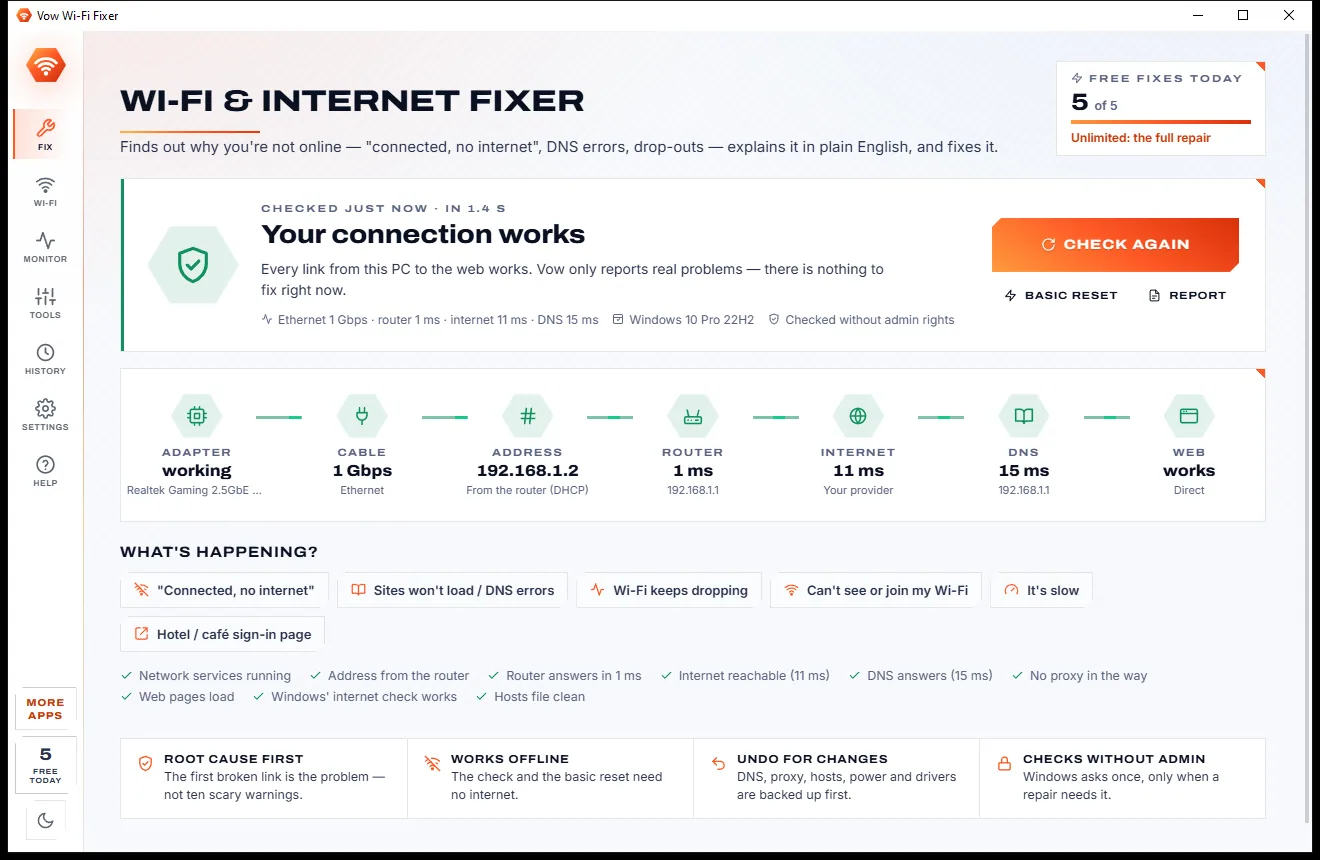
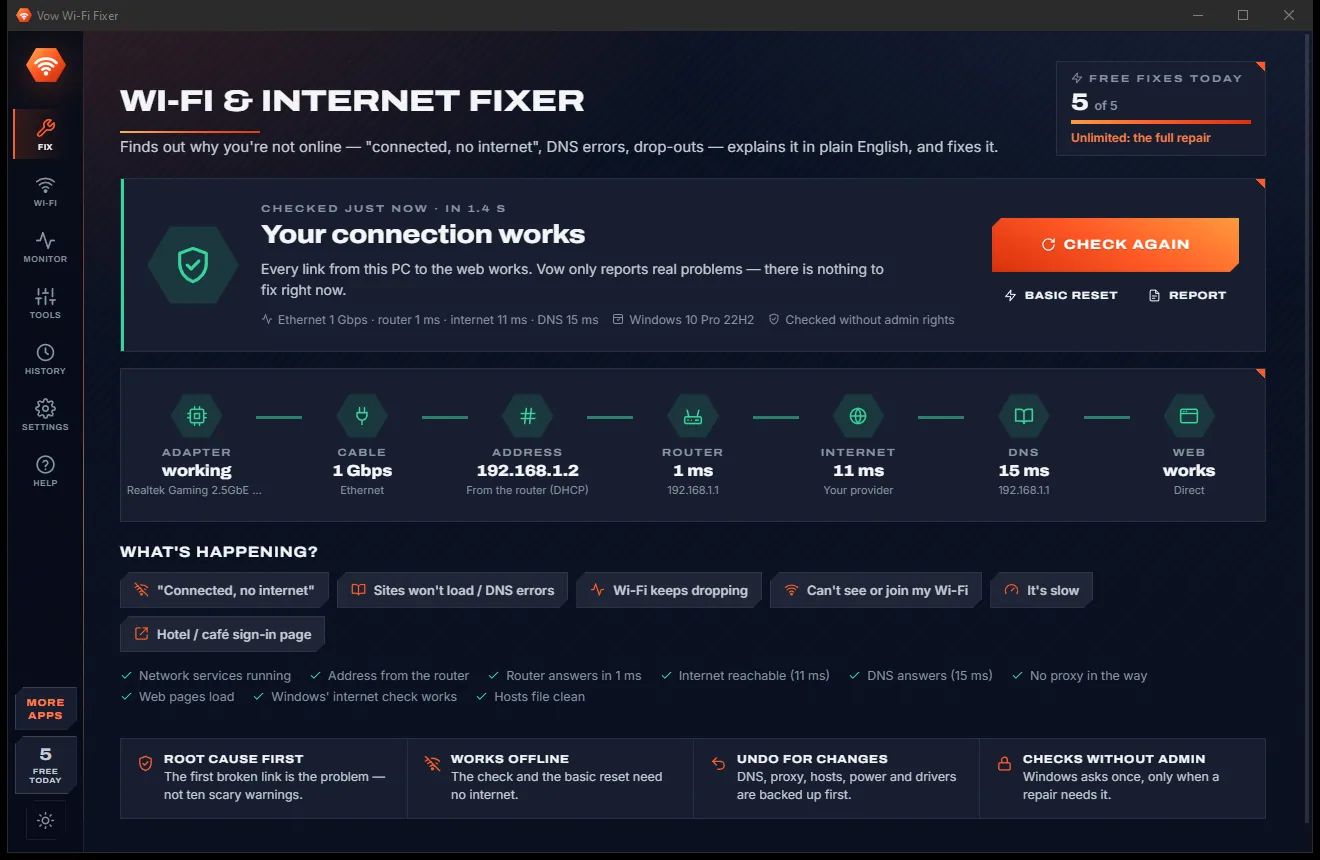
Fix "connected, no internet", DNS errors and Wi-Fi drop-outs, root cause first

  • Free: Full diagnosis, basic reset, 5 fixes a day, analyser and speed test
  • $4.95 once: Full repair, driver restore, background monitor, unlimited fixes

Send huge files with one link, straight from your PC

  • Free: 5 transfers a day, each up to 5 GB, live tracking and checksums
  • $9.95 once: Any size, any number, resumable downloads, password links

Phone to PC and back over your own Wi-Fi, with no app on the phone

  • Free: 100 files a day both ways, up to 500 MB each, text and LocalSend
  • $4.95 once: Any size, any number, whole folders, auto-sync, shared clipboard

Done searching. Get Network Scanner.

Who's on my Wi-Fi, and why is it slow? Answered in seconds. Free to use every day, $4.95 once if you ever want Unlimited.

  • No ads
  • No malware
  • No account
  • No subscription
Network ScannerFree · Windows 10 & 11 Download