Vow Malware & Hijack Remover icon
Vow Malware & Hijack Remover Windows 10 & 11 · v1.0.0 · Free to use

Honest malware & browser-hijack remover for Windows

Pop-ups? Search engine hijacked? Removed free. Undo included.

Vow finds the adware, unwanted programs, hijacked browsers and hidden startup tricks behind a misbehaving PC, tells you why in plain words, and removes them for free into a quarantine you can undo. A second opinion next to your antivirus, with no scare tactics and nothing uploaded.

  • No ads
  • No malware
  • No account
  • Light & dark theme
  • Unlimited quick scans and removals, 2 full scans a day
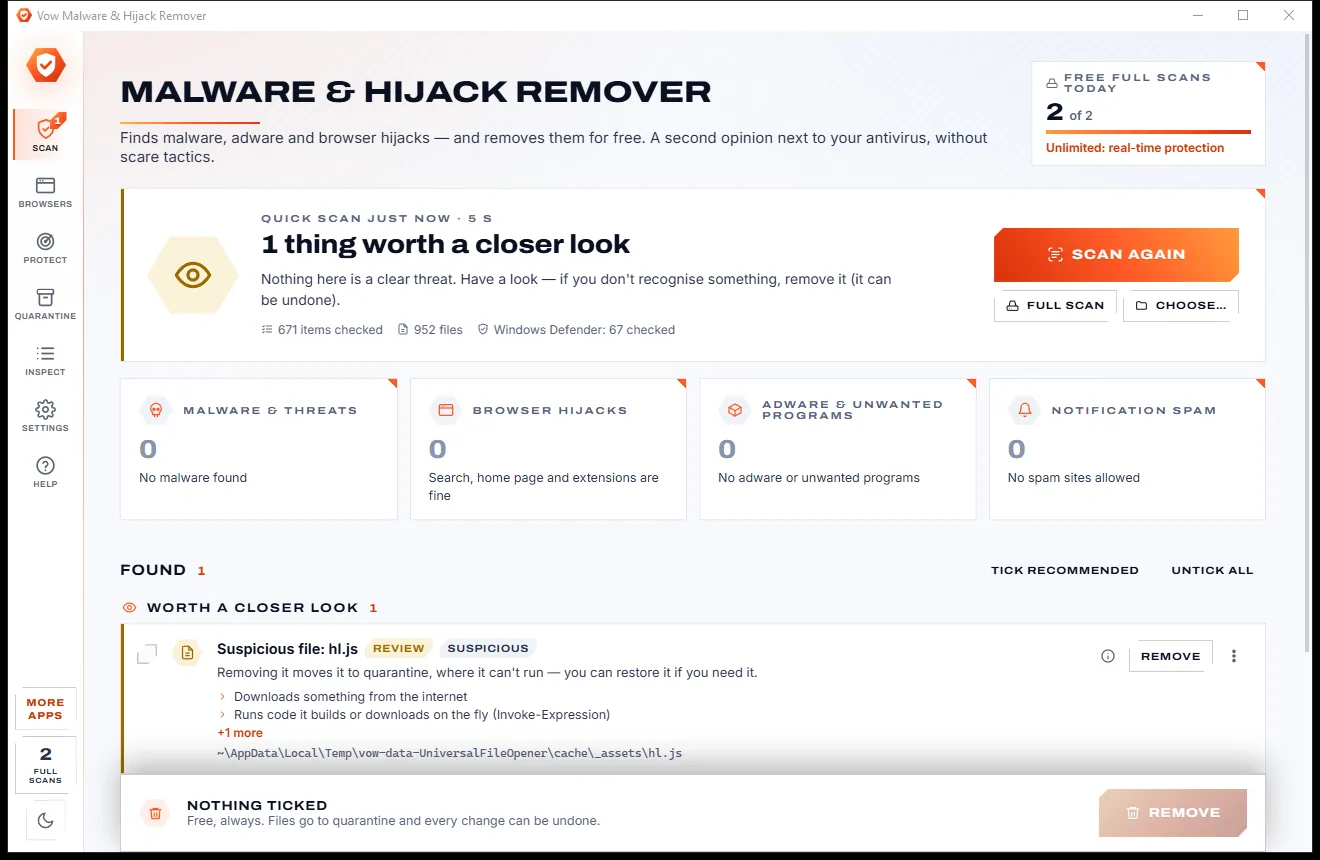
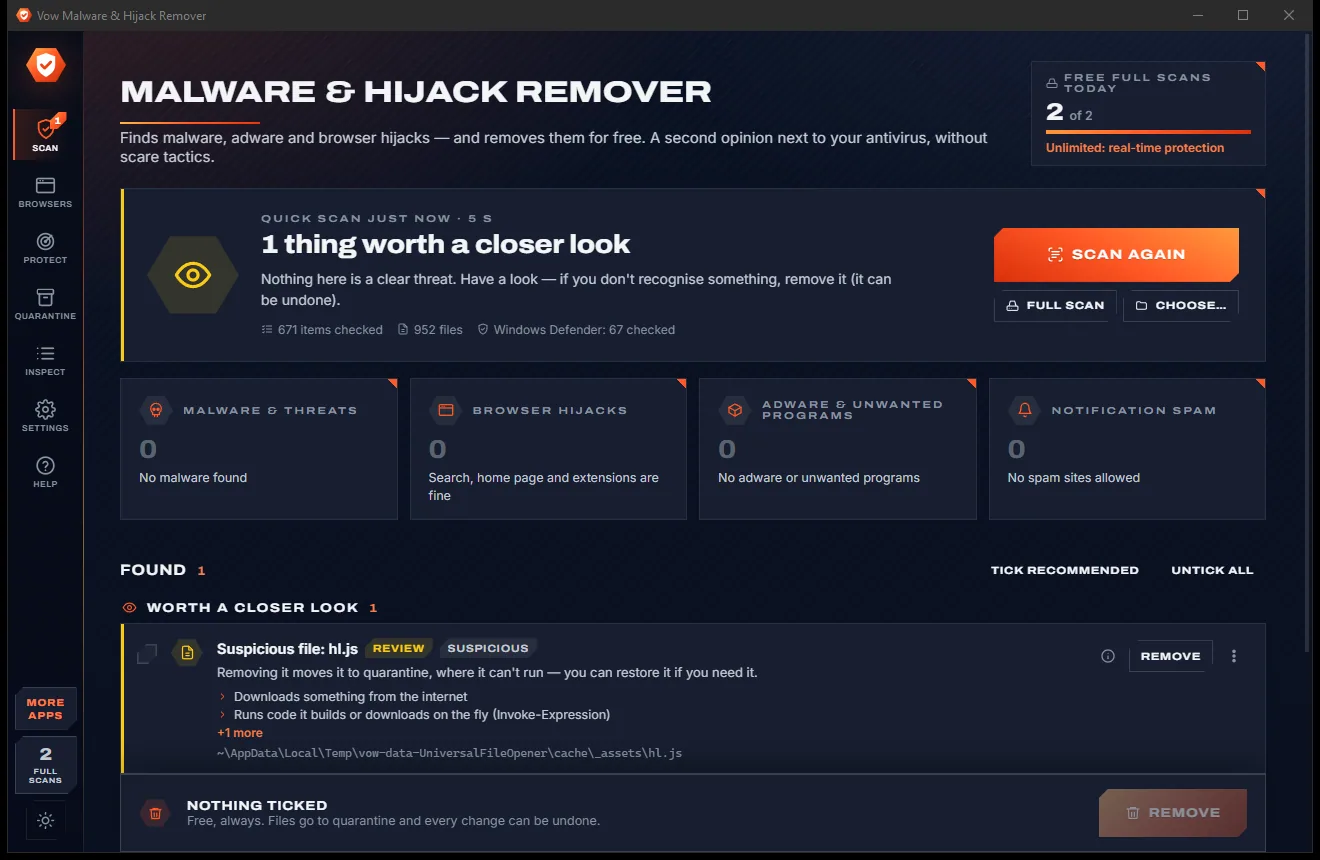
The Malware and Hijack Remover scan page with a closer-look verdict, result tiles for malware, hijacks, adware and spam, and a found item, light themeThe Malware and Hijack Remover scan page with a closer-look verdict, result tiles for malware, hijacks, adware and spam, and a found item, dark theme
Light & dark theme Zero ads, zero junk
A quick read-only scan runs itself and groups what it finds
No ads. Ever.No pop-ups, no banners, no "offers".
No malware or bundlewareThe installer installs one thing: this app.
No account, no uploadIt works on your PC, and your files stay there.
Free daily limits, just $9.95 unlimitedNo subscription. No trial that runs out.

The problem

Too many "PC cleaners" are the problem they claim to fix

You want the pop-ups gone and your own search engine back. Instead you get a red alarm, a huge threat count and a checkout page.

Scary threat counts

"1,284 threats found!" Cookies and registry "errors" counted as danger, so the number looks worth paying to fix.

Free to scan, pay to remove

The scan is free; the button that actually removes anything sits behind a trial or a yearly plan.

A search engine you never chose

A strange home page, a new search provider and an extension nobody installed, in every browser on the PC.

Notification spam

Sites that tricked someone into clicking Allow keep pushing ads and scams onto the desktop.

Hidden where you won't look

Tasks hiding among Windows' own, image hijacks and WMI tricks that simple scanners never check.

Deleted first, explained never

Aggressive cleaners remove things without saying why, and offer no way back when they guess wrong.

Vow Malware & Hijack Remover fixes all of it.

How it works

Scan. Read why. Remove free.

A quick scan runs the moment it opens, every finding is explained, and every removal can be undone.

  1. 01

    Open it: the scan runs itself

    A read-only quick scan starts on its own and takes seconds. Results are grouped as malware, browser hijacks, adware and notification spam.

    The Malware and Hijack Remover scan page with a closer-look verdict, result tiles for malware, hijacks, adware and spam, and a found item, light themeThe Malware and Hijack Remover scan page with a closer-look verdict, result tiles for malware, hijacks, adware and spam, and a found item, dark theme
    A quick read-only scan runs itself and groups what it finds
  2. 02

    Read why, then decide

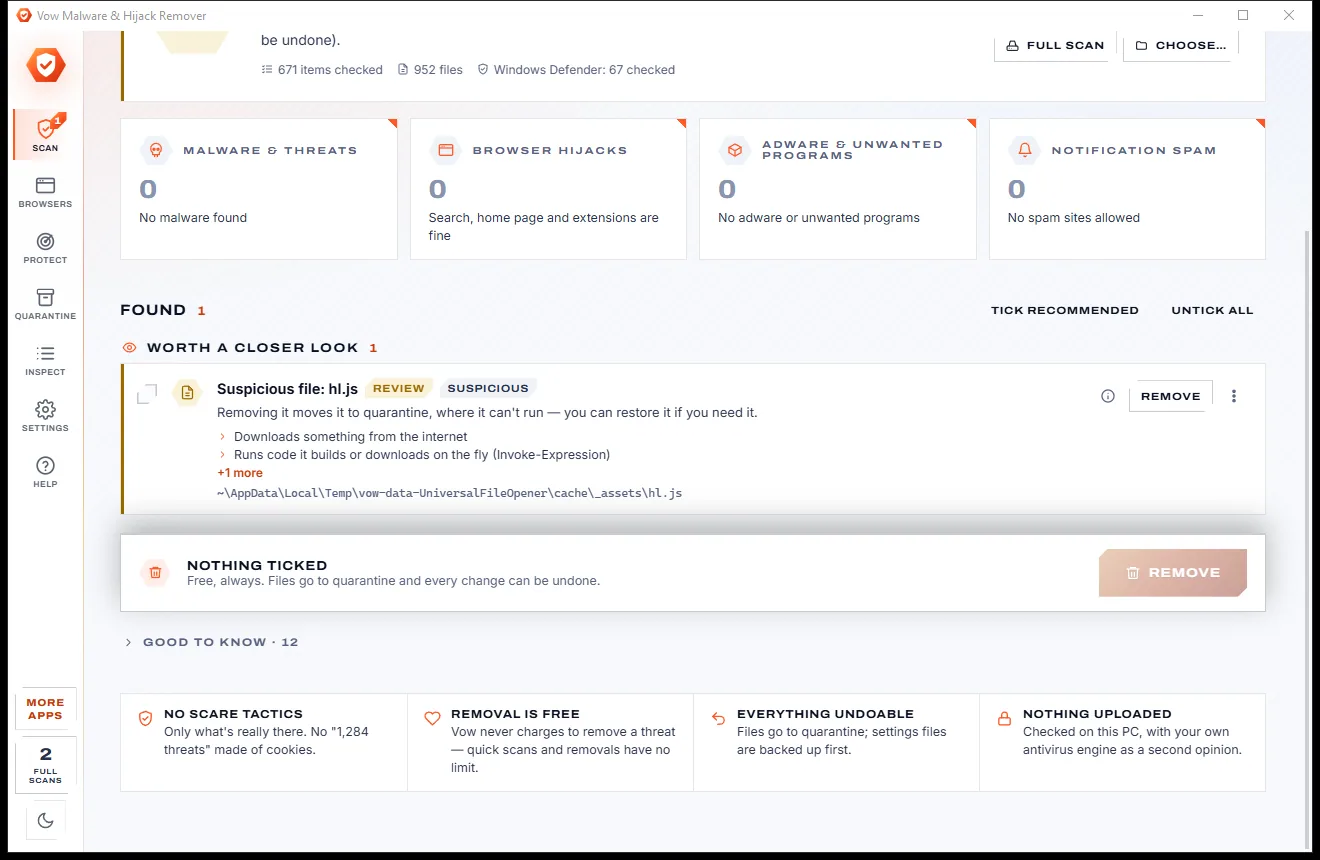
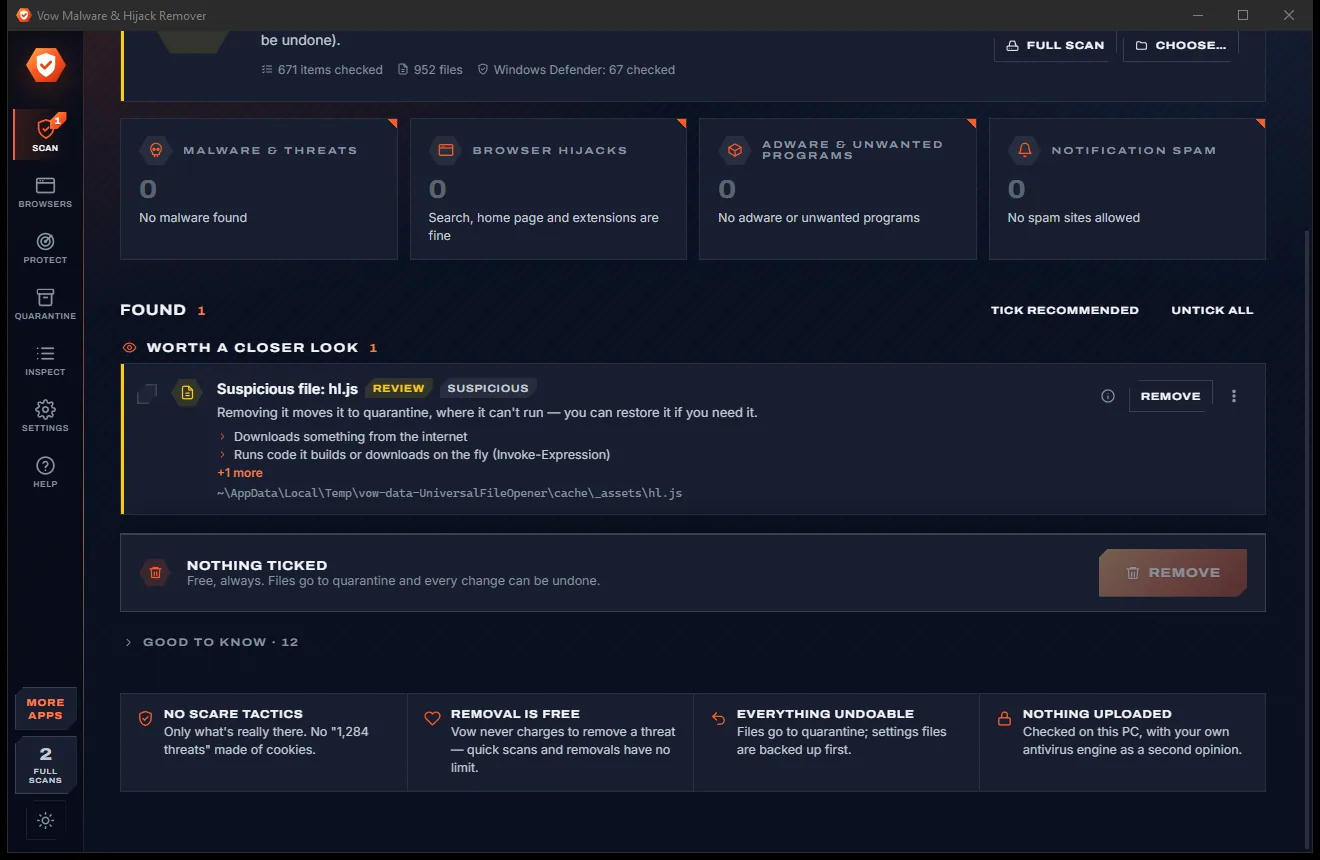
    Every item says what it is, why Vow thinks so and where it is. The sure ones are ticked; the doubtful ones are yours to judge.

    The lower part of the Scan page with a flagged item and its reason, a Remove button, and notes that removal is free and undoable, light themeThe lower part of the Scan page with a flagged item and its reason, a Remove button, and notes that removal is free and undoable, dark theme
    ...with each item explained, and removal that is free and undoable
  3. 03

    Remove free, undo any time

    Vow shows the plan, ends the program, removes what starts it, quarantines its files and puts browser settings back. Undo all is one click.

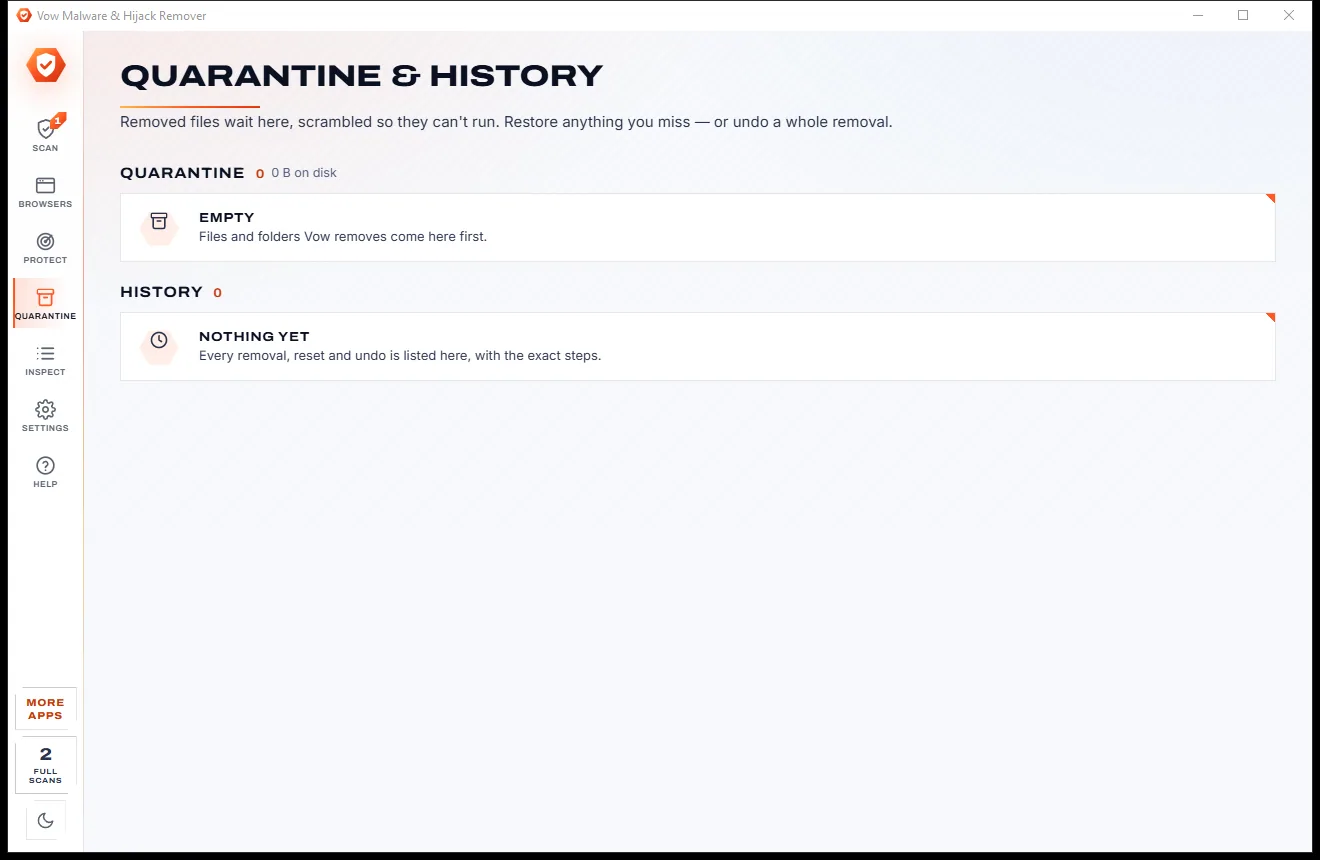
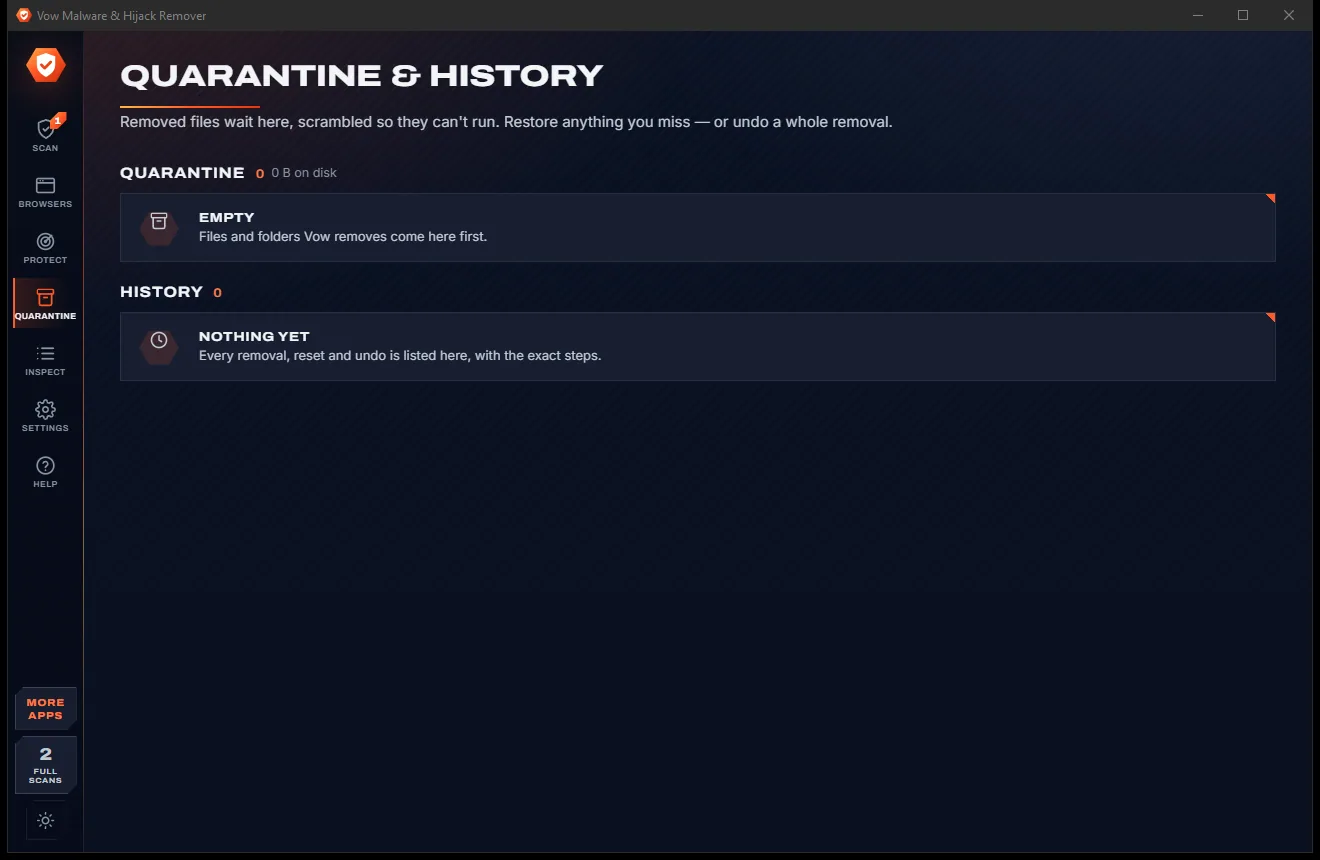
    The Quarantine and History page, where removed files are held and every action is listed; both lists are empty, light themeThe Quarantine and History page, where removed files are held and every action is listed; both lists are empty, dark theme
    Removed files wait here, and everything can be undone

Features

Finds what antivirus usually leaves alone

Adware, hijacked browsers, notification spam and persistence tricks, judged on evidence you can read.

Every browser, every profile

Chrome, Edge, Brave, Vivaldi, Opera, Chromium, Yandex and Firefox: search engine, home page, startup pages and extensions.

Notification spam, gone

Sites allowed to show notifications are listed, with spam told apart from your own, in Chromium browsers and Firefox.

Every startup trick checked

Run keys, Startup folders, every scheduled task, services, Winlogon, image hijacks, AppInit DLLs, WMI consumers and more.

Your antivirus as a second opinion

Unsigned programs and scripts are also checked by the antivirus Windows uses, through AMSI, plus Microsoft Defender on demand.

Reasons in plain words

Each finding says what it is, why Vow flagged it and where it lives, instead of a cryptic detection name.

Undo for everything

Files go to a quarantine, scrambled so they can't run; settings files are backed up and registry changes recorded first.

Network hijacks too

The hosts file, rogue proxies, known DNS-changer ranges and Superfish-style trusted root certificates.

37 adware families known

Installed programs are checked against 37 families of adware, hijackers, scareware and bundlers, plus the folders they leave.

Check a download first

Drop a file or a whole folder on the window and it is checked straight away, free and without limit.

Real-time hijack protection

Unlimited adds a light tray guard that catches changes to browsers, startup entries and network settings, with one-click undo.

Light & dark theme

Easy on the eyes, day or night.

Malware Remover comes with a crisp light theme and a calm dark theme. Switch with one click, or let it follow your Windows setting by itself. It remembers your choice.

  • LightClear and bright for daytime and busy offices
  • DarkGentle on tired eyes late at night
  • Follow WindowsChanges by itself when your PC does
The Malware and Hijack Remover scan page with a closer-look verdict, result tiles for malware, hijacks, adware and spam, and a found item, light theme
Light
The Malware and Hijack Remover scan page with a closer-look verdict, result tiles for malware, hijacks, adware and spam, and a found item, dark theme
Dark

Screenshots

See Vow Malware & Hijack Remover in action

Real screenshots of the real app, in both of its themes: 12 light, 12 dark. Click any picture to see it full size.

Who it's for

When a second opinion helps

Pop-ups that won't stop

Find the program or extension behind the ads and remove it together with whatever starts it.

A hijacked search page

Put Chrome, Edge or Firefox back to their own search engine, home page and new tab.

After installing free software

Catch the search bars, bundled browsers and unwanted programs that rode along with an installer.

Fixing a relative's PC

A clear list with reasons makes the clean-up quick, and Undo makes it safe.

Next to your antivirus

Vow looks where antivirus usually doesn't, and asks your antivirus about suspicious files too.

Technicians and power users

Inspect lists everything the scan looked at with Vow's verdict, like Autoruns in plain words.

Compare

Vow Malware & Hijack Remover vs typical "cleaners"

The difference between a second opinion you can trust and a removal tool built on fear.

Feature Vow Malware & Hijack Remover Typical adware & PUP removers
Price Removal free; Unlimited $9.95 once Paid removal, trials or yearly plans
Counts cookies and registry "errors" as threats Never Common with scareware cleaners
Explains every finding Yes, in plain words Usually just a detection name
Notification spam sites Found and removed Rarely checked
Undo for every step Yes, plus a Simulation mode Quarantine only, at best
Hosts, proxy, DNS and root certificates Checked and fixed Partly, or not at all
Real-time hijack protection $9.95 once Subscription, where offered
Ads and bundled extras None, ever Common on free downloads

"Typical" describes what we found across the most-downloaded alternatives when we built Malware Remover. Your mileage with any one of them may vary; ours won't.

Pricing

Free every day. Just $9.95 once for the lot.

That is not a typo. Software this powerful usually means a monthly subscription; Malware Remover is $9.95, once, for life: it's almost a giveaway. Use it free for as long as you like, and unlock Unlimited only if you need more.

Free
$0forever

Unlimited quick scans and removals, 2 full scans a day.

  • Quick scans with no limit, a few seconds each
  • File and folder scans, free and unlimited
  • Removing every threat and hijack, never charged
  • 2 full scans of the whole PC a day (resets at midnight)
  • Every browser fix one by one, Inspect and undo
  • No ads, no sign-up, nothing uploaded
Download free
Best valueUnlimited
$9.95USD, once. Yours for life.

Almost a giveaway. Less than a takeaway lunch for software this powerful: no subscription, no renewals, yours for life on 2 PCs.

Real-time hijack protection, scheduled scans, one-click browser reset.

  • Real-time hijack protection from the tray
  • Optional automatic undo of clear hijacks
  • Scheduled daily or weekly scans
  • One-click reset of every browser at once
  • Unlimited full scans
  • One payment, yours for life on 2 PCs
Get it, then unlock in the app

How unlocking works

  1. 1
    Use it free first Install Vow Malware & Hijack Remover and use it on your own files. No card, no account, no time limit.
  2. 2
    Click "Unlimited" in the app Pay $9.95 USD once by card, securely through Stripe in your browser.
  3. 3
    It unlocks itself Within seconds, for life, on up to 2 of your PCs. Your license key is emailed to you, and every future update is included.

Payments by Stripe: we never see or store your card. Questions? Ask a real person.

Clean software

Safe to install. Nothing else comes with it.

Most "free" Windows downloads pay for themselves with ads, bundled extras or your data. Vow Malware & Hijack Remover doesn't need to: it's paid for honestly, once, by the people who find it useful.

Download Malware Remover free
  • No ads, toolbars or "offers"The installer installs one thing: Vow Malware & Hijack Remover. No pre-ticked boxes to watch out for.
  • No administrator rights neededIt installs just for you, in your own user folder, and leaves the rest of Windows alone.
  • Nothing running in the backgroundNo startup programs, no tray nags, no services. When you close it, it's closed.
  • Everything includedAll it needs is inside the installer, so you never have to fetch a "required component" from somewhere else.
  • Uninstalls cleanlyOne click in Windows Settings > Apps. Your own files are never touched.
  • A real company behind itMade, published and supported by XTO Pty Ltd, an Australian company, with real people answering every message.

Step-by-step guide

How to remove a browser hijacker and adware on Windows

From a hijacked search engine to a clean browser in a few minutes, with every change undoable.

Step 1: get it free
  1. Install Vow Malware & Hijack Remover free

    Download it from this page and run the installer. It installs for your own user account without administrator rights, needs no account, and uploads nothing.

  2. Let the quick scan finish

    It starts by itself when the app opens and takes a few seconds. Press F5 to scan again, or Full scan to check every program and script on every fixed drive.

  3. Read the findings

    Look through Malware & threats, Browser hijacks, Adware & unwanted programs and Notification spam. Open any item for its reasons and location, or ask Microsoft Defender.

  4. Press Remove

    Check the plan: what goes, which browsers must close and whether Windows will ask for administrator rights. When it will, a System Restore point is made first.

  5. Check your browsers

    Open Browsers to see each profile's search engine, home page, startup pages, extensions and notification sites, and fix anything left. Undo lives in Quarantine & history.

Technical details

Malware Remover at a glance

Works on
Windows 10 (1809+) and Windows 11, 64-bit
Browsers
Chrome, Edge, Brave, Vivaldi, Opera, Chromium, Yandex, Firefox
Checks
Startup entries, tasks, services, system hooks, WMI, hosts, proxy, DNS, certificates
Second opinion
Your antivirus via AMSI, Microsoft Defender on demand
Removal
Quarantine with undo, restore point before admin steps
Internet
Not needed: nothing is downloaded or uploaded
Install
Per-user, no administrator rights, no account
Languages
English
Theme
Light, dark or follow Windows: one click to switch
Version
1.0.0, released 3 November 2026
Publisher
XTO Pty Ltd (Australia)

FAQ

Questions about Malware Remover

Is Vow Malware & Hijack Remover really free?

Yes. Quick scans, scanning files and folders, and removing every threat and hijack it finds are free without limit, plus 2 full scans of the whole PC a day. Unlimited, a one-time $9.95 USD payment, adds real-time hijack protection, scheduled scans, the one-click reset of every browser and unlimited full scans.

Does it replace my antivirus?

No. It is a second opinion that works next to your antivirus, not instead of it. It concentrates on what antivirus products usually leave alone (adware, unwanted programs, browser hijacks, notification spam and persistence tricks) and asks your own antivirus engine about unsigned programs and scripts through Windows' AMSI.

Does it upload my files?

No. Everything is checked on your PC. The second opinion comes from the antivirus already on your PC, and VirusTotal is only opened in your browser with a file's SHA-256 fingerprint when you ask; the file itself is not sent.

Can removing something break my PC?

Scanning never changes anything, and removal shows its plan first. Files go to a quarantine, settings files are backed up and registry changes are recorded, so removals can be undone. Windows' own files are never removed on suspicion alone, and browser settings are only edited while the browser is closed.

Which browsers does it fix?

Chrome, Edge, Brave, Vivaldi, Opera and Opera GX, Chromium, Yandex and Firefox, in every profile. It checks the search engine, home page, startup pages, extensions, notification sites, browser policies and hijacked shortcuts. A reset keeps your bookmarks, passwords, history and cookies.

How is it different from AdwCleaner, Malwarebytes or HitmanPro?

It also finds notification spam sites, explains every item in plain words, and offers Simulation and undo for every step rather than quarantine alone. Removal is always free, not a 30-day trial as with HitmanPro, and real-time hijack protection is $9.95 once instead of a subscription.

What does real-time hijack protection do?

It is part of Unlimited: a light guard in the notification area re-checks what hijackers change every minute, and immediately when a browser's settings file, the hosts file, a Startup folder or the Desktop's shortcuts change. Suspicious changes become alerts with Undo it or Keep it, or clear hijacks can be undone automatically.

Is it safe to install?

Yes. It is made and published by XTO Pty Ltd, an Australian company. There are no ads and no bundled software, it installs per user without administrator rights, and it uninstalls cleanly from Windows Settings, stopping its guard and removing its scheduled scan first.

The Vow collection

More apps you'll never have to go looking for

Same design, same promises, a tiny one-time price. Learn one and you already know them all.

Your passwords in one encrypted file on your PC: no account, no cloud

  • Free: Up to 25 items, every security feature, 10 breach checks a day
  • $9.95 once: Unlimited items, auto-type, automatic encrypted backups, unlimited breach checks

Shred files so no recovery tool can bring them back

  • Free: 25 items a day, all 14 erasure methods, read-back check
  • $4.95 once: Wipe free space and whole drives, erasure certificates, no limit

Password-protect a folder in two clicks, with a recovery key

  • Free: 1 folder locked and hidden, unlocking always free
  • $4.95 once: Any number of folders, AES-256 encryption, auto-lock, USB drives

Done searching. Get Malware Remover.

Find adware, malware and browser hijacks, and remove them free. Free to use every day, $9.95 once if you ever want Unlimited.

  • No ads
  • No malware
  • No account
  • No subscription
Malware RemoverFree · Windows 10 & 11 Download