
Photos
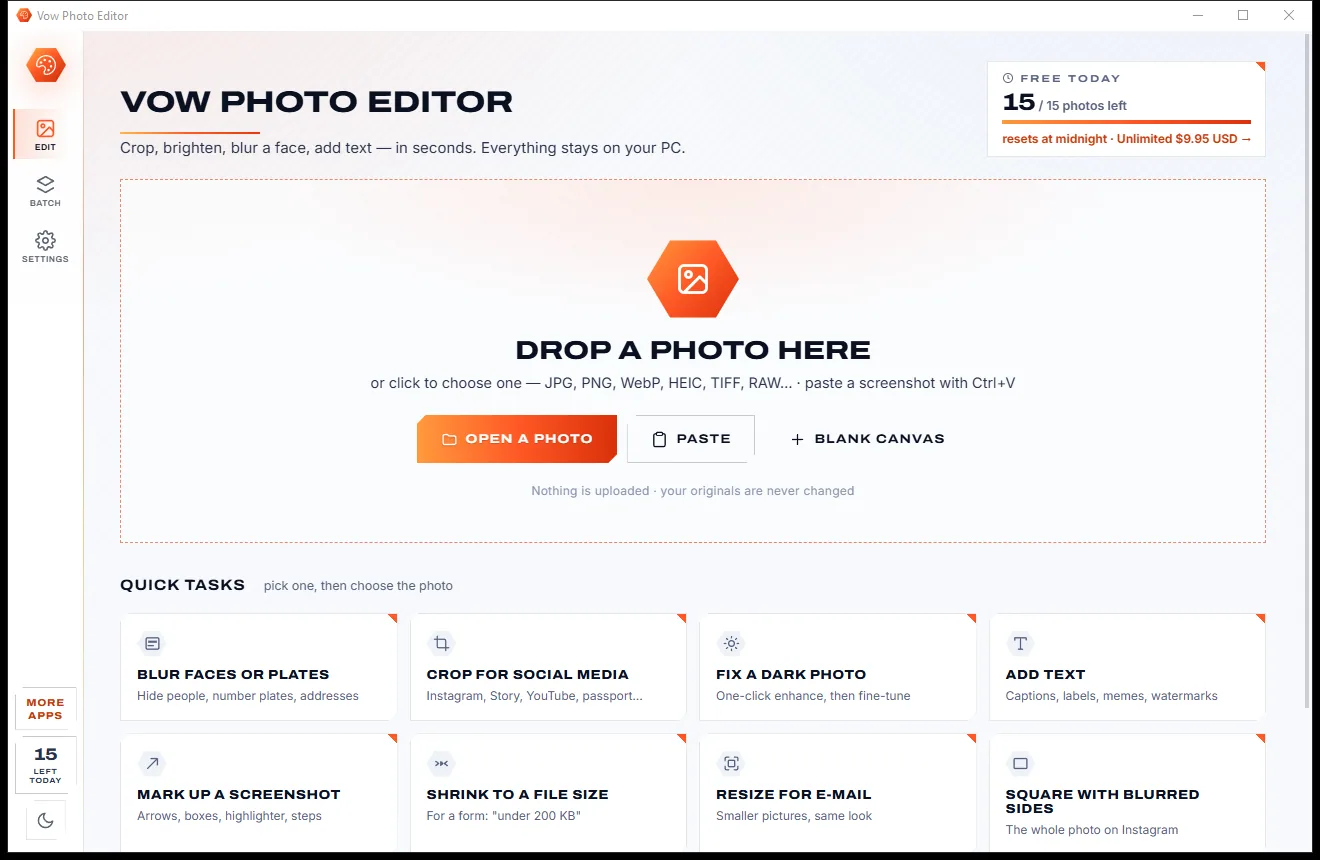
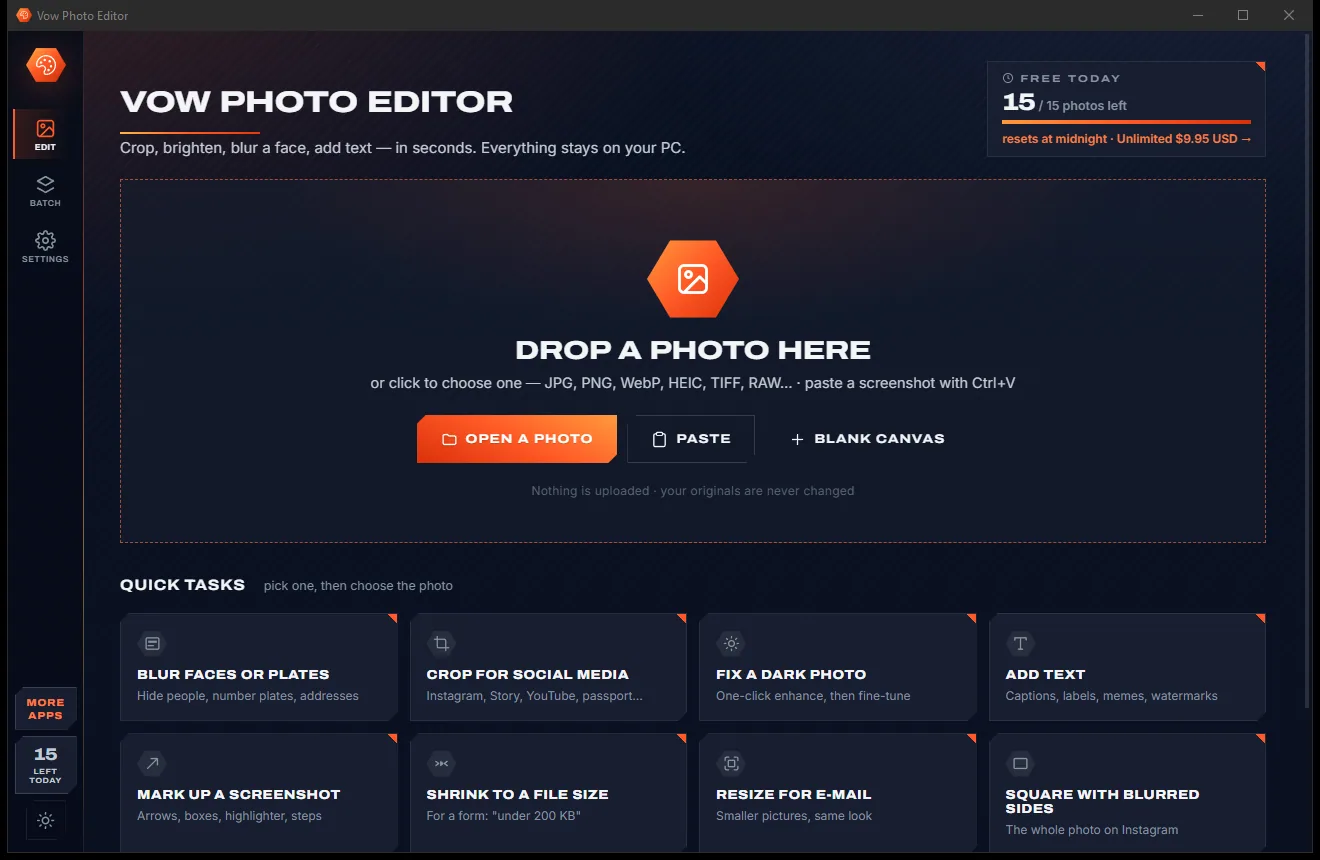
Vow Photo Editor
Crop, brighten, blur a face, add text, and save to an exact file size
- Free: Every basic edit, 15 saved photos a day, no watermarks
- $9.95 once: No daily limit, one-click face blur, layers, batch edits and presets

WebP, AVIF & bulk image converter for Windows
Drop a WebP that won't upload, a folder of HEICs or a PSD nobody can open, and get JPG, PNG, WebP, PDF, GIF or ICO back. See the result and its exact size before saving, meet "under 500 KB" limits and keep animations animated. No ads, no watermarks, no account.
The problem
A picture won't upload, so you search for a converter and land on upload queues, file caps, fake download buttons and installers you would rather not run.
Online converters want every picture sent to them first, then make you queue and download the results one by one.
Free tiers stop at a few files or a few megabytes, right when you drop the folder you actually needed converted.
Ad-covered pages where the big green button installs something else, and "free" converters that arrive with extras.
A WebP saved with a .jpg name still fails to upload, and renaming it never fixes it. Most tools don't even notice.
Upload forms set a size limit, and nudging a quality slider over and over is the only way most converters offer.
Convert an animated WebP and many tools keep only the first frame, or quietly lose the timing between frames.
Vow Image Converter fixes all of it.
How it works
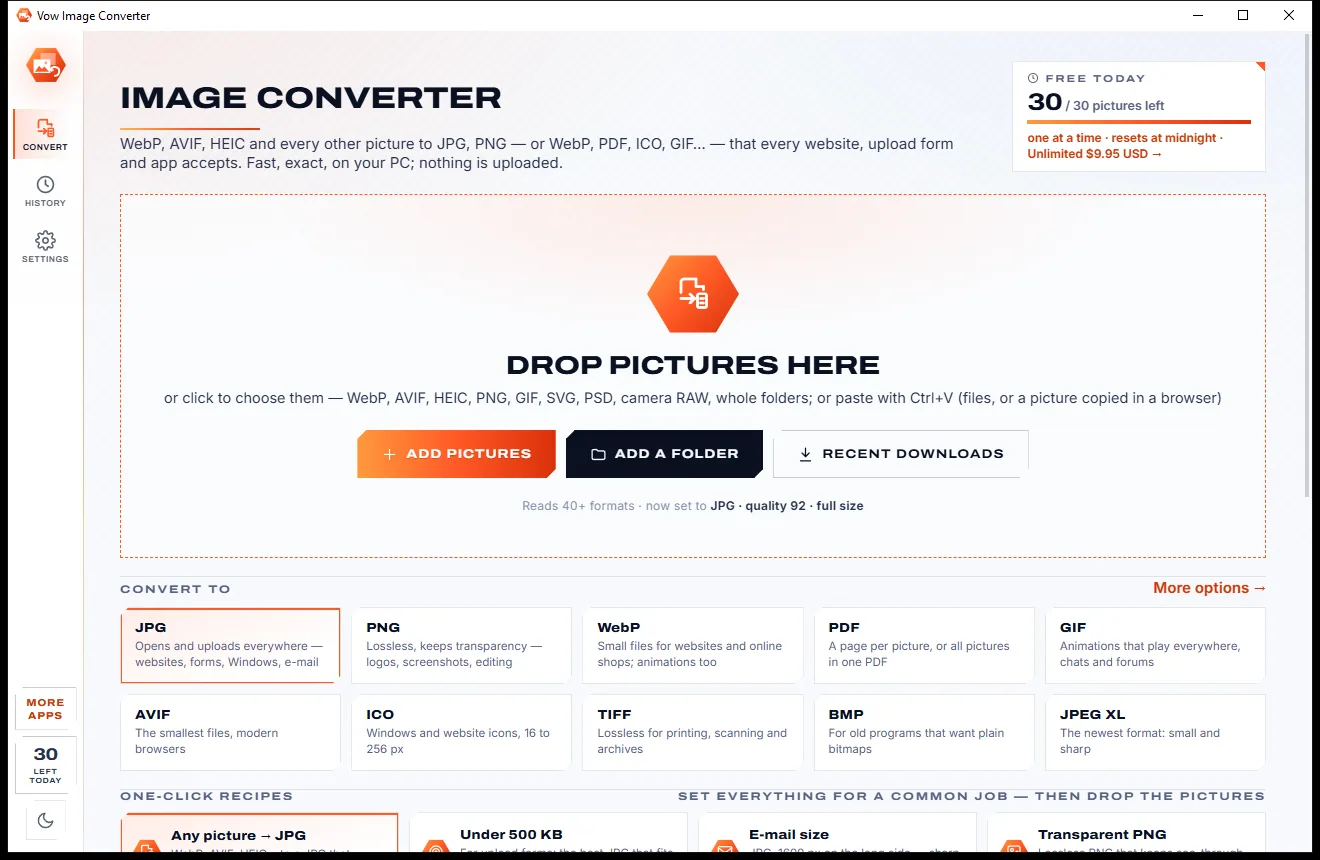
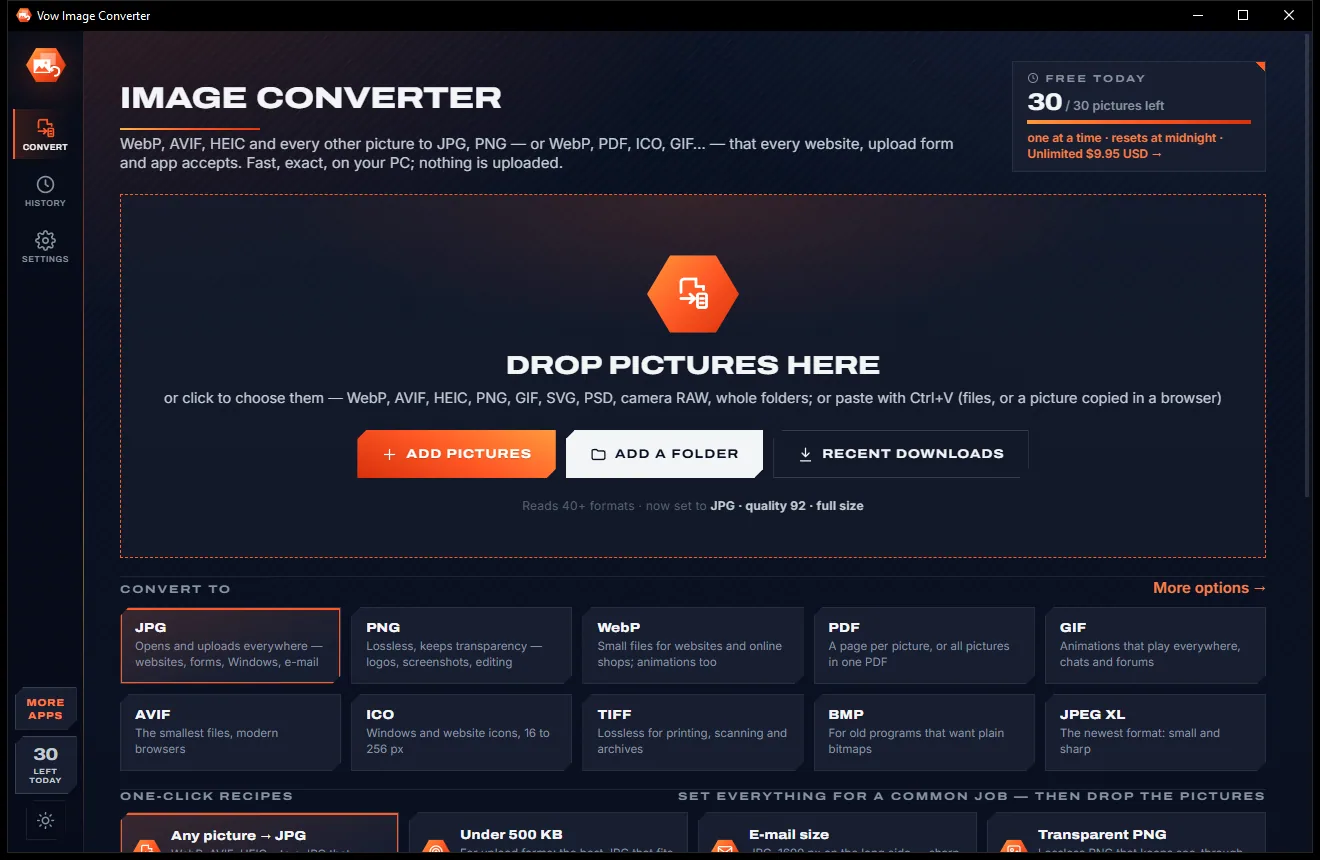
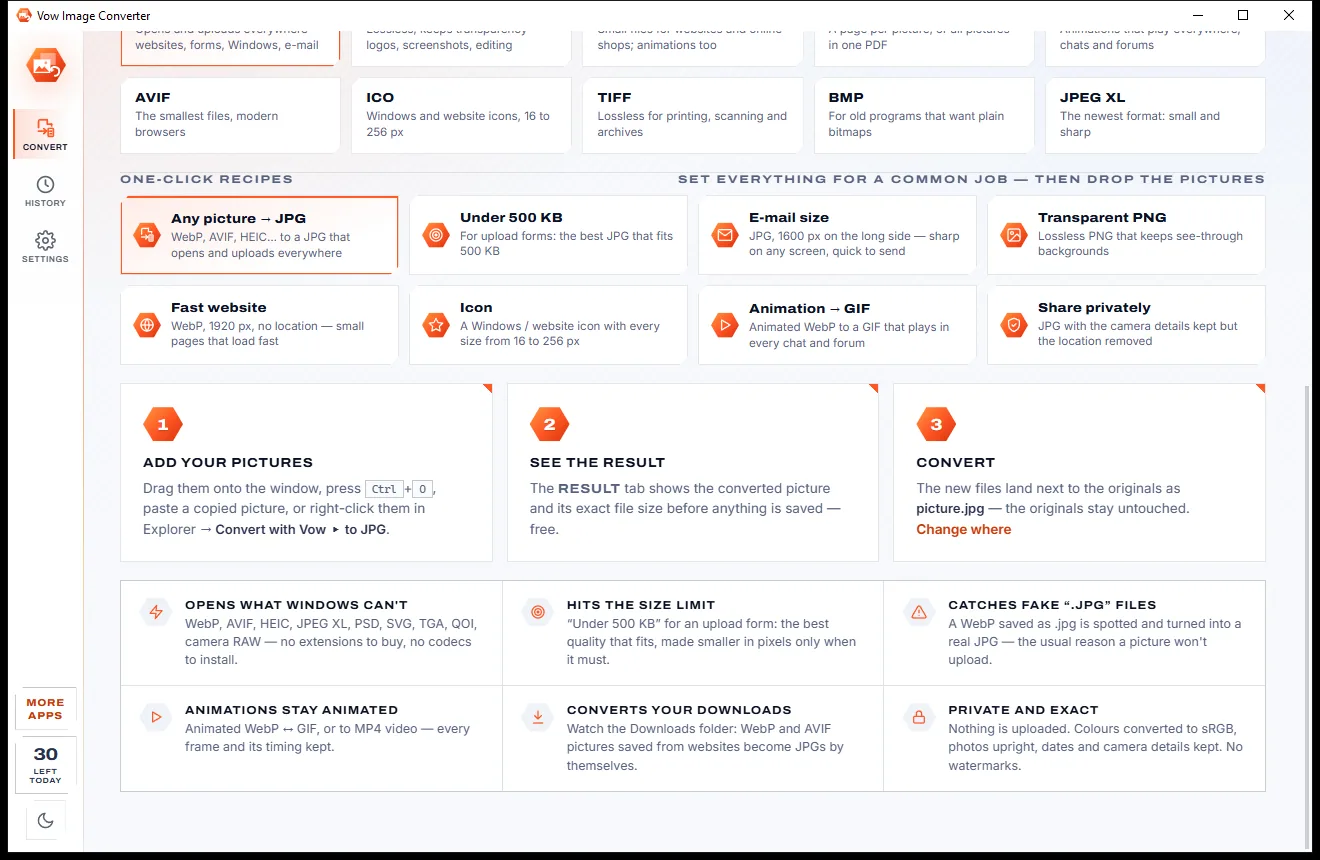
See the converted picture and its exact size first, then save it beside the original in one click.
Drag files or a whole folder onto the window, paste a picture copied in your browser, or click Recent downloads to grab the WebP and AVIF files you just saved.
JPG, PNG, WebP, AVIF, PDF, GIF, ICO, TIFF, BMP or JPEG XL, or a one-click recipe such as Under 500 KB, E-mail size or Transparent PNG.
The Result tab shows the converted picture and its exact file size before anything is saved. Convert, and the new file lands next to the original.
Features
For anyone wrestling with upload forms, web downloads, phone photos or design files: two clicks for the basics, every option when you need it.
WebP, AVIF, HEIC, JPEG XL, PSD and PSB, SVG, TGA, QOI, every TIFF page, every ICO size and camera RAW such as CR2, NEF, ARW and DNG.
JPG, PNG, WebP, AVIF, JPEG XL, GIF, BMP, TIFF, ICO from 16 to 256 px, PDF (A4, Letter or picture size) and MP4 for animations.
The Result tab shows the converted picture and its exact file size before you save, and looking costs nothing from your daily allowance.
Set "under 500 KB" and get the highest quality that fits, made smaller in pixels only when quality alone can't get there.
Files are read by their real content, so a WebP named .jpg is flagged and turned into a genuine JPG that uploads.
GIF to animated WebP, WebP to GIF, or either to MP4 video, with every frame and its timing kept.
Any picture to JPG, Under 500 KB, E-mail size, Transparent PNG, Fast website, Icon, Animation to GIF and Share privately.
Display P3 and Adobe RGB become sRGB, photos are turned upright, and date, camera and place are kept or the location removed.
Convert with Vow to JPG, PNG, WebP or PDF straight from Explorer's menu, converted at once with Unlimited.
Watch Downloads or any folder: new WebP, AVIF, HEIC and JFIF pictures become JPG, PNG, WebP or PDF by themselves (Unlimited).
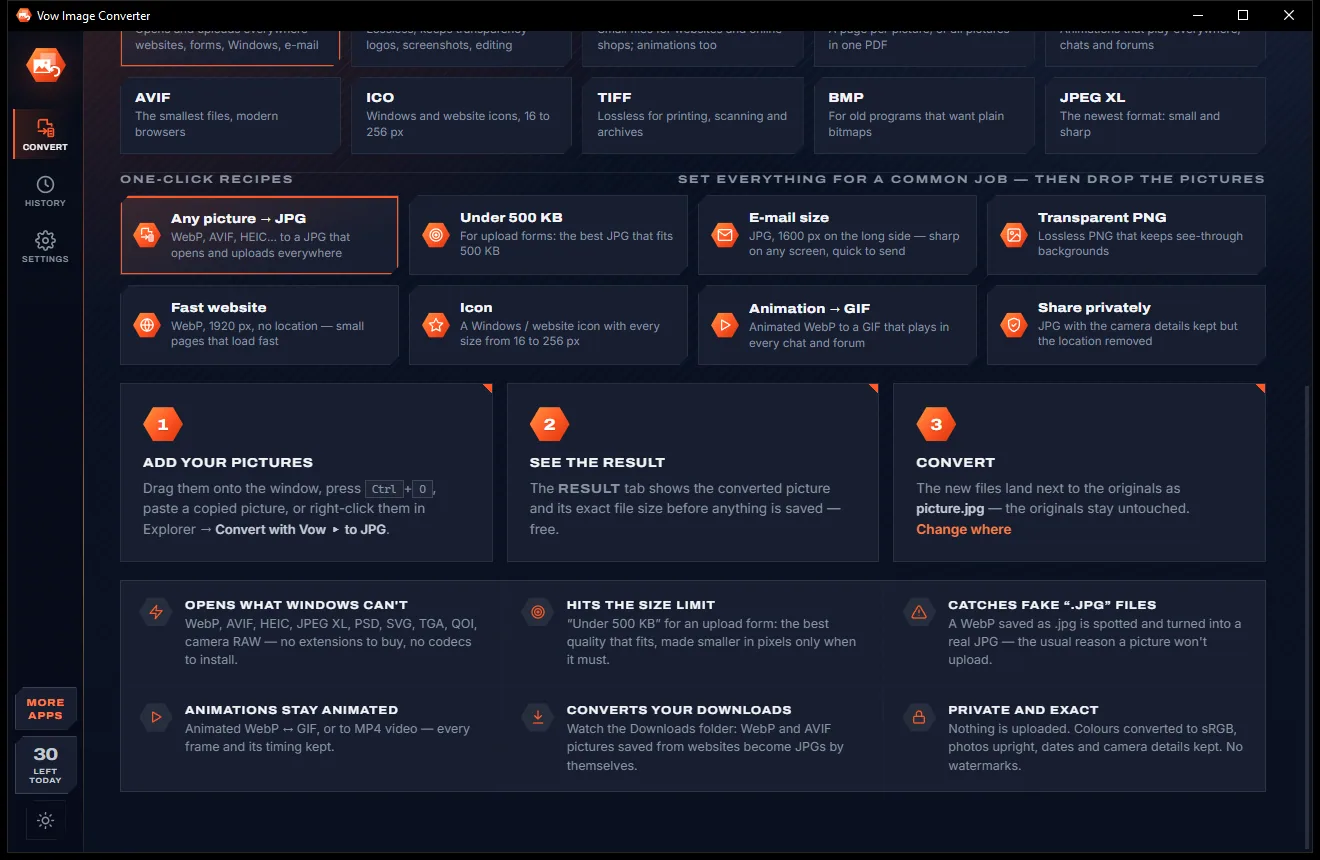
Light & dark theme
Image Converter comes with a crisp light theme and a calm dark theme. Switch with one click, or let it follow your Windows setting by itself. It remembers your choice.
Screenshots
Real screenshots of the real app, in both of its themes: 5 light, 5 dark. Click any picture to see it full size.
Light theme
Dark theme
Who it's for
Get a real JPG under the size limit when a job, school or government site rejects your picture.
Turn the WebP and AVIF files browsers save into JPGs that every app on your PC opens.
Convert HEIC photos to JPG, upright, in true colours, with the date they were taken.
Batch PNG to WebP or AVIF for faster pages, or render SVG and PSD files to PNG at any size.
Make a Windows or website ICO with every size from 16 to 256 px inside one file.
Turn camera RAW files into shareable JPGs from the camera's own full-size preview, upright.
Compare
What you actually get from typical online converters and free batch tools, side by side.
| Feature | Vow Image Converter | Typical online & free image converters |
|---|---|---|
| Price | Free every day, or $4.95 once | Credits, file caps or a monthly plan |
| Your pictures are uploaded | Never: converted on your PC | Yes, for online converters |
| Ads and bundled extras | None, ever | Common on free sites and downloads |
| Result and exact size shown before saving | Yes | Rarely |
| Meets a KB limit by itself | Highest quality that fits | Trial and error with a slider |
| Spots fake .jpg files | Yes, by real content | Rarely |
| Animated WebP, GIF and MP4 | Every frame and its timing | Often the first frame only |
| HEIC, AVIF, JPEG XL, PSD and RAW | All read, no codecs to buy | Varies; some need extra codecs |
| Works without internet | Yes | No, for online tools |
"Typical" describes what we found across the most-downloaded alternatives when we built Image Converter. Your mileage with any one of them may vary; ours won't.
Pricing
That is not a typo. Software this powerful usually means a monthly subscription; Image Converter is $4.95, once, for life: it's almost a giveaway. Use it free for as long as you like, and unlock Unlimited only if you need more.
30 pictures a day, one at a time, every format and option.
Almost a giveaway. Less than a coffee for software this powerful: no subscription, no renewals, yours for life on 2 PCs.
Whole folders at once, Explorer right-click, auto-convert Downloads.
Payments by Stripe: we never see or store your card. Questions? Ask a real person.
Clean software
Most "free" Windows downloads pay for themselves with ads, bundled extras or your data. Vow Image Converter doesn't need to: it's paid for honestly, once, by the people who find it useful.
Download Image Converter freeStep-by-step guide
Turn a picture that won't open or upload into one that will, in under a minute, without sending it anywhere.
Step 1: get it freeDownload it from this page and run the installer. It needs no administrator rights and no account, and it can add Convert with Vow to Explorer's right-click menu.
Drag them onto the window, press Ctrl+O or paste with Ctrl+V, or click Recent downloads for the WebP, AVIF and HEIC pictures saved in the last 7 days.
JPG at quality 92 and full size is already picked. Click another format, a file size such as 500 KB, or a recipe like E-mail size.
It shows the picture exactly as it will be saved, with its file size, before anything is written. Change the quality or size and look again.
Press Convert or Ctrl+S. The new file lands next to the original, which is never changed, and Ctrl+C copies the converted picture to paste anywhere.
Technical details
FAQ
Yes. You can convert 30 pictures a day, one at a time, for free, with every format and option, including size limits, resizing and the Result preview. There are no ads and no watermarks. Unlimited, a one-time $4.95 USD payment, adds whole-folder batches, Explorer's right-click convert and automatic conversion of your Downloads folder.
No. Every conversion happens on your own PC, and nothing is downloaded while it runs either: all the decoders are inside the installer. It works with no internet connection at all.
Often it isn't a JPG at all: many websites serve WebP pictures that end up saved with a .jpg name, and upload forms reject them. Vow reads every file by its real content, flags the mismatch and turns it into a genuine JPG.
Yes. Pick a limit (200 KB, 500 KB, 1 MB, 2 MB or your own) and it finds the highest quality that fits, making the picture smaller in pixels only when quality alone isn't enough. It works for JPG, WebP, AVIF, PNG and PDF.
More than 40, recognised by their content: WebP (still and animated), AVIF, HEIC and HEIF, JPEG and JFIF, PNG and APNG, GIF, BMP, TIFF, ICO and CUR, JPEG XL, SVG, PSD and PSB, TGA, QOI, JPEG XR, DDS and camera RAW such as CR2, CR3, NEF, ARW and DNG.
XnConvert reads a huge number of formats, but its interface is busy and it has no file-size targeting or fake-extension check. Online converters upload your pictures. Vow does the basic job in two clicks, shows the result and its size first, meets KB limits, spots fake .jpg files and never uploads anything.
Yes. Animated WebP, GIF and JPEG XL stay animated when saved as GIF or animated WebP, with every frame and its timing, or become an MP4 video. You can also save just the first frame, or every frame as separate files.
Yes. It is made and published by XTO Pty Ltd, an Australian company. The installer contains no ads, no toolbars and no bundled software, needs no administrator rights, never changes your default picture app, and uninstalls cleanly from Windows Settings.
The Vow collection
Same design, same promises, a tiny one-time price. Learn one and you already know them all.
Crop, brighten, blur a face, add text, and save to an exact file size

Passport, visa and ID photos at home, sized to each country's rules
Open and convert iPhone HEIC photos on any Windows PC
Turn WebP, AVIF, HEIC and 40+ formats into pictures that open everywhere. Free to use every day, $4.95 once if you ever want Unlimited.