Vow File Shredder icon
Vow File Shredder Windows 10 & 11 · v1.0.0 · Free to use

Secure file shredder for Windows

Deleted isn't gone. Shredded is.

Deleted files linger on the drive until something else is saved over them. Vow File Shredder overwrites them, renames them and reads the last pass back to prove it worked, before you sell, donate or recycle a PC or drive. Everything happens on your PC.

  • No ads
  • No malware
  • No account
  • Light & dark theme
  • 25 items a day, all 14 erasure methods, read-back check
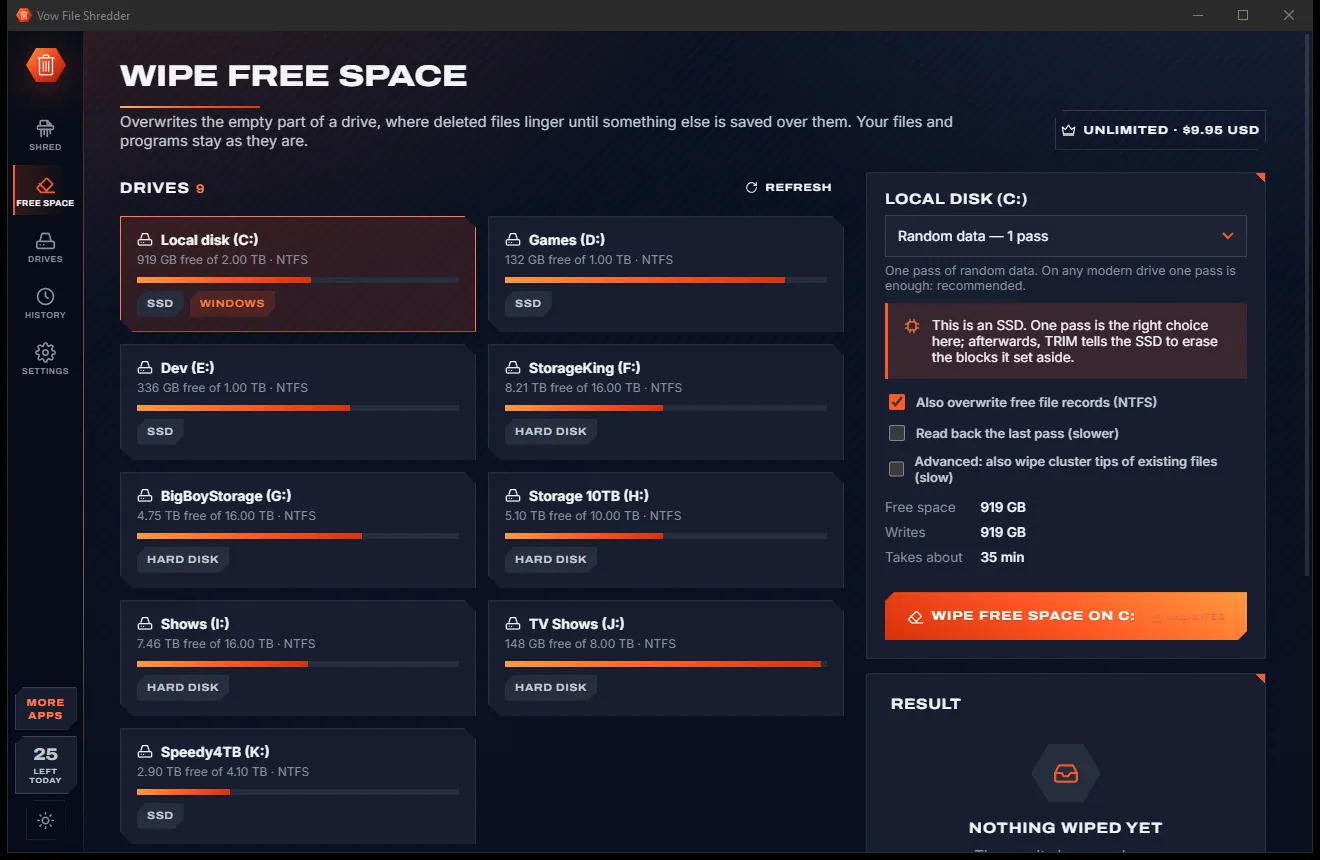
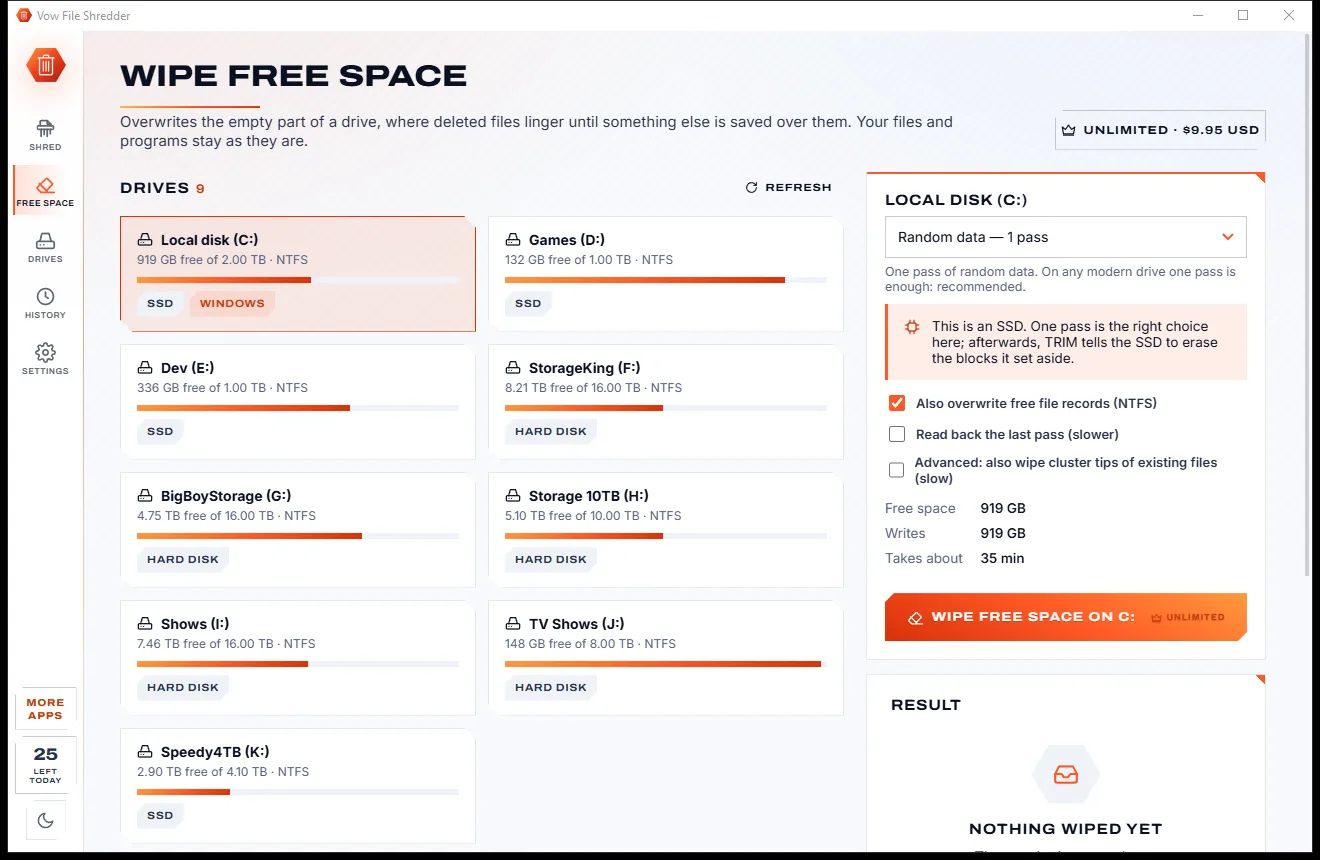
Wipe Free Space page with a list of drives, a method dropdown set to one pass of random data, and a wipe button, light themeWipe Free Space page with a list of drives, a method dropdown set to one pass of random data, and a wipe button, dark theme
Light & dark theme Zero ads, zero junk
Pick a drive and a wipe method to clear deleted data.
No ads. Ever.No pop-ups, no banners, no "offers".
No malware or bundlewareThe installer installs one thing: this app.
No account, no uploadIt works on your PC, and your files stay there.
Free daily limits, just $4.95 unlimitedNo subscription. No trial that runs out.

The problem

Delete, empty the bin... and it's all still there

Deleting a file doesn't erase it. Until something else is written over it, recovery software can often bring it straight back.

Deleted is not erased

Files you delete and empty from the Recycle Bin linger on the drive until something else is saved over them.

Your life, sold with the PC

Tax papers, scanned IDs and family photos go along with an old PC or drive unless they are overwritten first.

Did it actually work?

Many tools never read the disk back, so all you have is a progress bar and a hope.

SSD myths

35-pass wipes sold as the answer for every drive, when an SSD needs different advice altogether.

Proof costs a fortune

Erasure certificates are usually reserved for enterprise products with enterprise prices.

One wrong click

A shredder that follows a folder link or accepts a system folder can take far more than you meant.

Vow File Shredder fixes all of it.

How it works

Drop. Shred. Proven gone.

One button, one confirmation, and the last pass is read back from the disk to prove it.

  1. 01

    Drop files or folders

    Drag them in, paste with Ctrl+V or right-click in Explorer. Drive roots, Windows and Program Files are marked protected and skipped.

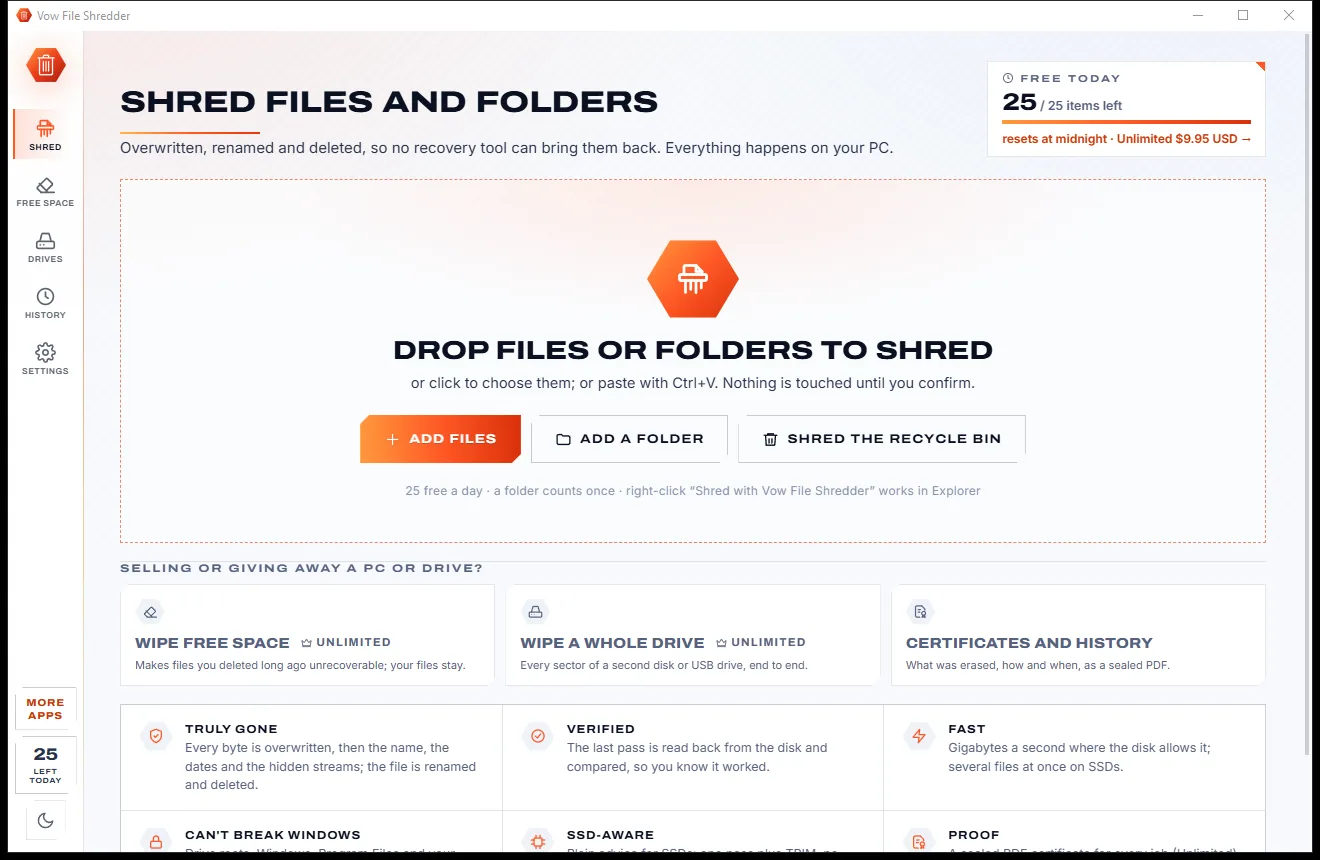
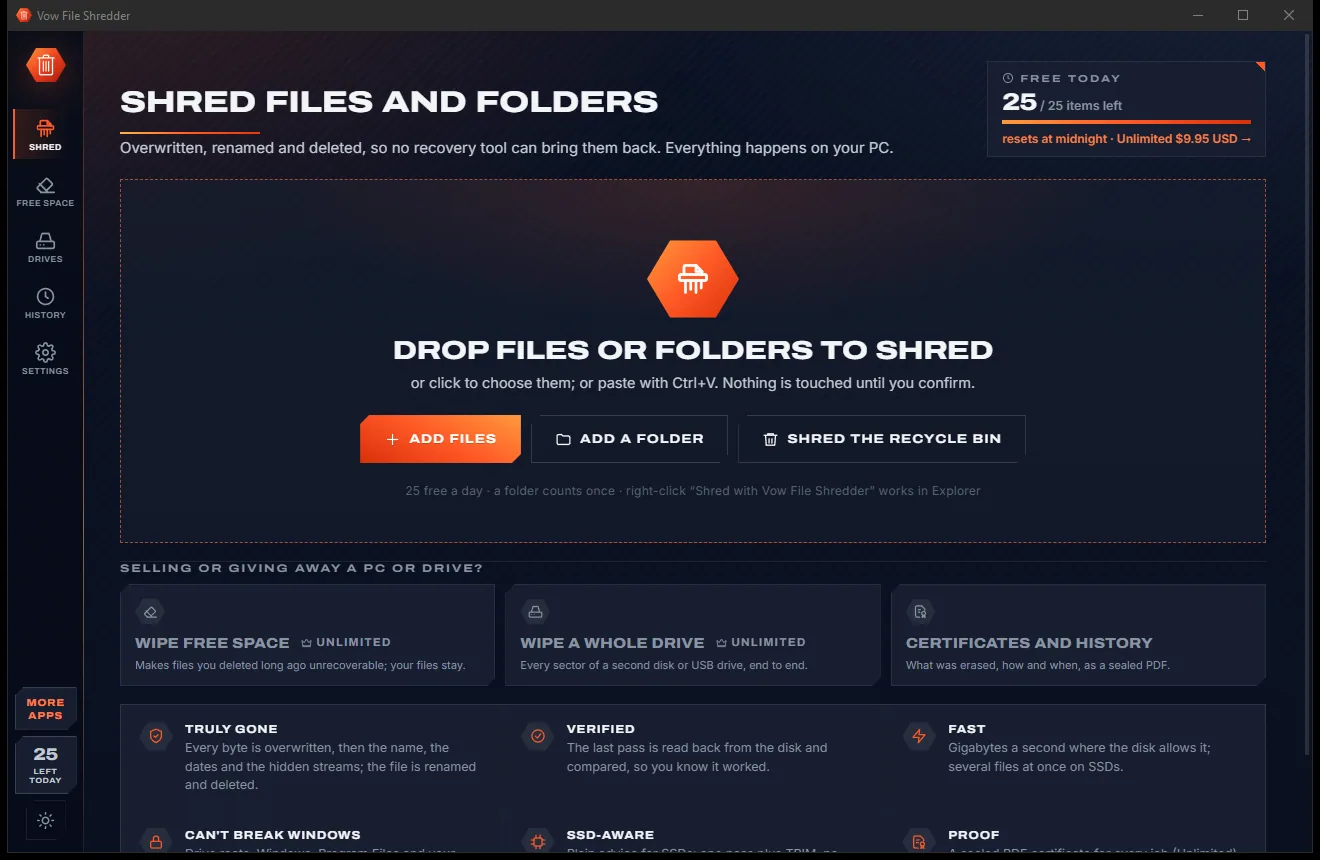
    Shred page with a large drop zone, buttons to add files, a folder or the Recycle Bin, and cards for free space and whole drives, light themeShred page with a large drop zone, buttons to add files, a folder or the Recycle Bin, and cards for free space and whole drives, dark theme
    Drop files or folders to shred, or paste with Ctrl+V.
  2. 02

    Keep the best method, or pick one

    One pass of random data, read back, is already chosen. Pick DoD 3-pass, DoD 7-pass, Gutmann or any of the 14 methods if you prefer.

    Wipe Free Space page with a list of drives, a method dropdown set to one pass of random data, and a wipe button, light themeWipe Free Space page with a list of drives, a method dropdown set to one pass of random data, and a wipe button, dark theme
    Pick a drive and a wipe method to clear deleted data.
  3. 03

    Confirm once, gone for good

    One confirmation shows how many files and how much data will go. Each file is overwritten, renamed, its dates scrubbed, then deleted.

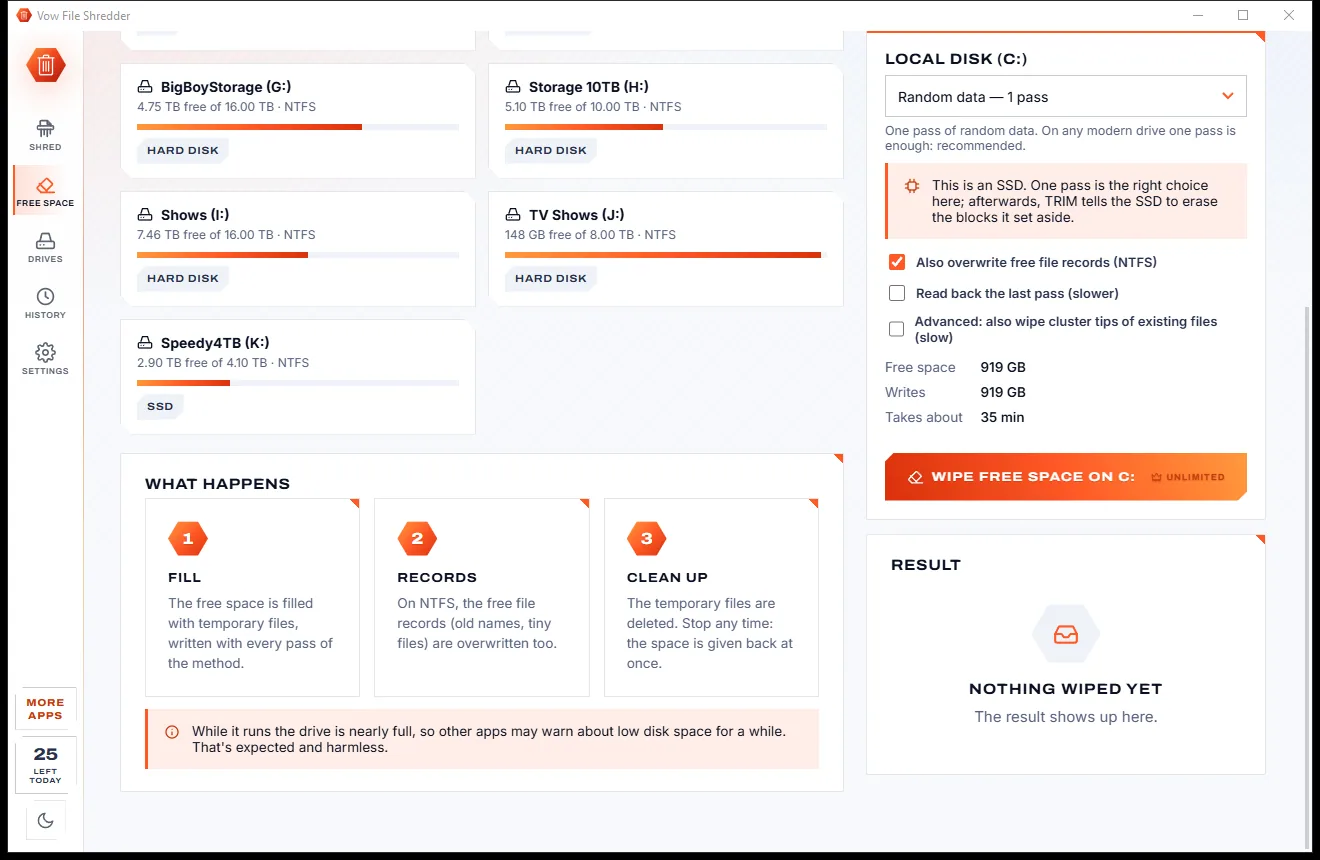
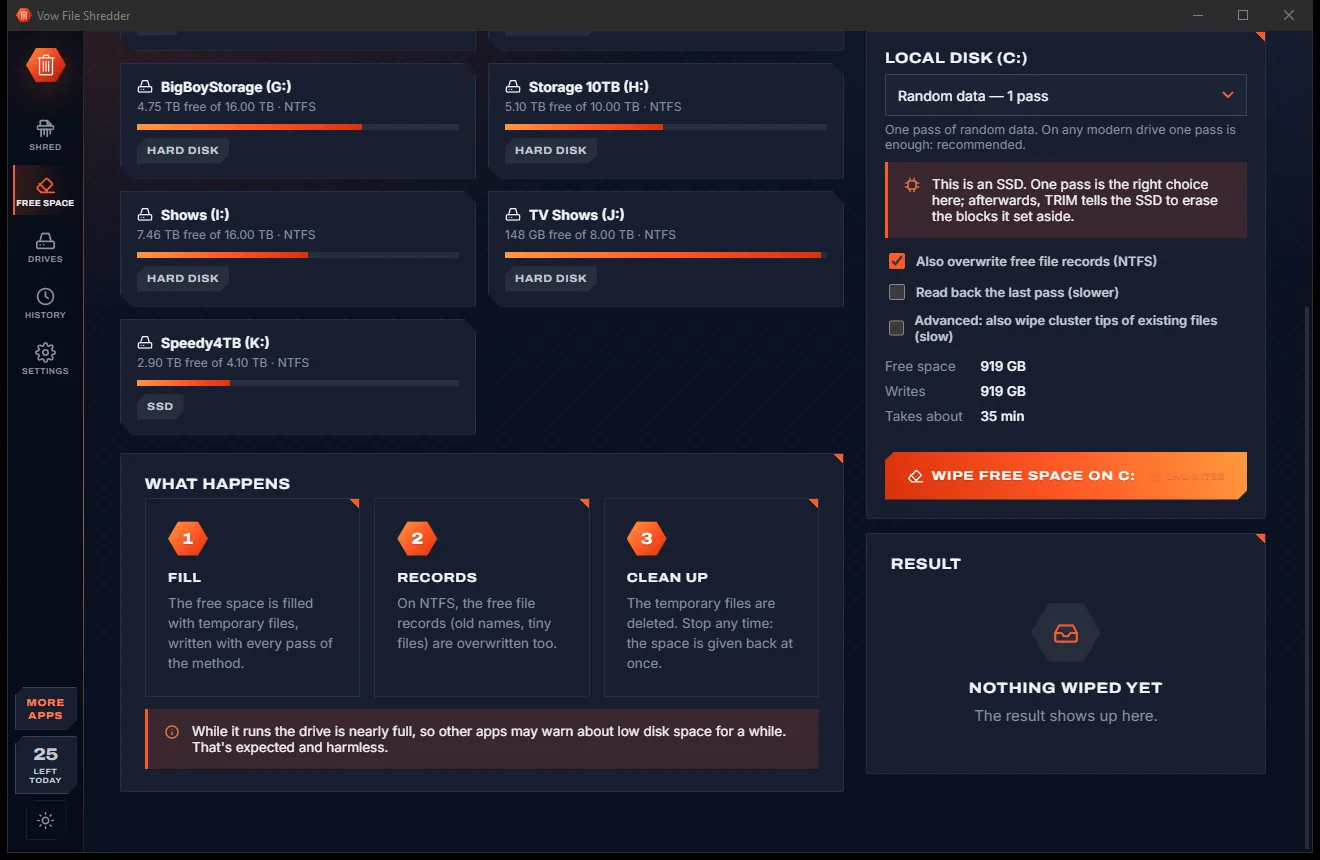
    Lower Wipe Free Space page with more drives, the wipe options and a What Happens panel explaining fill, records and clean up, light themeLower Wipe Free Space page with more drives, the wipe options and a What Happens panel explaining fill, records and clean up, dark theme
    ...and the steps the wipe goes through.

Features

Recognised erasure, honest about its limits

For anyone selling, donating or recycling a PC, a hard drive or a USB stick.

14 erasure methods

Random, Zeros, Australian ISM, GOST, HMG IS5, DoD 3-pass, AFSSI-5020, DoD ECE 7-pass, RCMP, VSITR, NATO, Schneier, Pfitzner, Gutmann and custom passes.

Read back to prove it

The last pass, or every pass, is read back from the disk and compared, so you know the overwrite really happened.

Nothing left in the corners

File slack to the end of the last cluster, NTFS alternate data streams, names and dates are wiped, and tiny MFT-resident files too.

Wipe free space

Overwrite a drive's empty space, free MFT records included, so files deleted long ago can't be recovered. Your files stay.

Wipe a whole drive

Every sector of a second disk or USB drive, end to end, with its volumes locked and read back. The Windows disk is refused.

Erasure certificates

Sealed PDF and HTML certificates with a SHA-256 fingerprint, your organisation and technician, and a check that detects any edit.

Honest about SSDs

SSDs are detected and get plain advice: one pass plus TRIM, and the maker's Secure Erase for a full purge.

Can't break Windows

Drive roots, Windows, Program Files and profile roots are refused; links and junctions are removed, never followed.

Names what's in the way

A locked file says "In use by WINWORD.EXE" instead of a vague error, so you know exactly what to close.

Recycle Bin and right-click

Shred the Recycle Bin on every drive in one click, or right-click any file and choose Shred with Vow File Shredder.

Light & dark theme

Easy on the eyes, day or night.

File Shredder comes with a crisp light theme and a calm dark theme. Switch with one click, or let it follow your Windows setting by itself. It remembers your choice.

  • LightClear and bright for daytime and busy offices
  • DarkGentle on tired eyes late at night
  • Follow WindowsChanges by itself when your PC does
Wipe Free Space page with a list of drives, a method dropdown set to one pass of random data, and a wipe button, light theme
Light
Wipe Free Space page with a list of drives, a method dropdown set to one pass of random data, and a wipe button, dark theme
Dark

Screenshots

See Vow File Shredder in action

Real screenshots of the real app, in both of its themes: 7 light, 7 dark. Click any picture to see it full size.

Who it's for

Before your files leave your hands

Selling or giving away a PC

Shred your files, wipe the free space, then let Windows' Clean data reset finish the job.

Retiring an old drive

Wipe every sector of a second disk before it is sold, donated or recycled.

Old tax papers and statements

Shred scanned IDs, payslips and statements once you no longer need to keep them.

Leaving a shared or work PC

Remove your personal files so the next person to use the PC can't recover them.

IT and refurbishers

An erasure certificate with your organisation and technician for every job you do.

Everyday privacy

Shred sensitive downloads and the Recycle Bin instead of simply deleting them.

Compare

Vow File Shredder vs the usual shredders

What typical file shredders and drive wipers leave out, side by side.

Feature Vow File Shredder Typical shredder & wiper apps
Price Free every day, or $4.95 once Yearly plans or enterprise pricing
Reads the disk back to verify Yes, last pass or every pass Rarely
Erasure certificates Included in Unlimited Usually enterprise-only
Plain advice for SSDs One pass + TRIM, Secure Erase for a purge Often "more passes" for every drive
Refuses Windows and system folders Always Not always
Never follows links or junctions Never followed Not always guaranteed
Names the program locking a file Yes A vague error
Ads and bundled extras None, ever Common on free downloads

"Typical" describes what we found across the most-downloaded alternatives when we built File Shredder. Your mileage with any one of them may vary; ours won't.

Pricing

Free every day. Just $4.95 once for the lot.

That is not a typo. Software this powerful usually means a monthly subscription; File Shredder is $4.95, once, for life: it's almost a giveaway. Use it free for as long as you like, and unlock Unlimited only if you need more.

Free
$0forever

25 items a day, all 14 erasure methods, read-back check.

  • 25 items a day (resets at midnight)
  • A folder counts once, however many files
  • All 14 erasure methods and custom passes
  • Read-back verification of every job
  • Recycle Bin shredding and the Explorer menu
  • No ads, no watermarks, no sign-up
Download free
Best valueUnlimited
$4.95USD, once. Yours for life.

Almost a giveaway. Less than a coffee for software this powerful: no subscription, no renewals, yours for life on 2 PCs.

Wipe free space and whole drives, erasure certificates, no limit.

  • No daily limit
  • Wipe the free space of any drive
  • Wipe whole drives before you sell them
  • Erasure certificates (PDF + HTML)
  • One payment, yours for life on 2 PCs
  • Every future update included
Get it, then unlock in the app

How unlocking works

  1. 1
    Use it free first Install Vow File Shredder and use it on your own files. No card, no account, no time limit.
  2. 2
    Click "Unlimited" in the app Pay $4.95 USD once by card, securely through Stripe in your browser.
  3. 3
    It unlocks itself Within seconds, for life, on up to 2 of your PCs. Your license key is emailed to you, and every future update is included.

Payments by Stripe: we never see or store your card. Questions? Ask a real person.

Clean software

Safe to install. Nothing else comes with it.

Most "free" Windows downloads pay for themselves with ads, bundled extras or your data. Vow File Shredder doesn't need to: it's paid for honestly, once, by the people who find it useful.

Download File Shredder free
  • No ads, toolbars or "offers"The installer installs one thing: Vow File Shredder. No pre-ticked boxes to watch out for.
  • No administrator rights neededIt installs just for you, in your own user folder, and leaves the rest of Windows alone.
  • Nothing running in the backgroundNo startup programs, no tray nags, no services. When you close it, it's closed.
  • Everything includedAll it needs is inside the installer, so you never have to fetch a "required component" from somewhere else.
  • Uninstalls cleanlyOne click in Windows Settings > Apps. Your own files are never touched.
  • A real company behind itMade, published and supported by XTO Pty Ltd, an Australian company, with real people answering every message.

Step-by-step guide

How to permanently delete files on Windows

Shred files and folders so no recovery tool can bring them back, in under a minute.

Step 1: get it free
  1. Install Vow File Shredder free

    Download it from this page and run the installer. It needs no administrator rights and no account. Tick the Explorer option to get "Shred with Vow File Shredder" on right-click.

  2. Add what you want gone

    Drop files or folders on the window, press Ctrl+O, or paste with Ctrl+V. Folders are counted in the background, and protected places are marked and skipped.

  3. Choose how to erase

    Leave Quick & Secure (one pass of random data, read back) or pick DoD 3-pass, DoD 7-pass, Gutmann or another method from the list.

  4. Press Shred and confirm

    Press the Shred button or Ctrl+Enter. One confirmation shows how many files and how much data will be overwritten; press Shred now.

  5. Check the result

    The Results card shows the method and the verification. With Unlimited, save an erasure certificate, or go on to wipe the drive's free space.

Technical details

File Shredder at a glance

Works on
Windows 10 (1809+) and Windows 11, 64-bit
Erasure methods
14 + custom passes, from 1-pass random to Gutmann 35
Verification
Read-back of the last pass or every pass
Shreds
Files, folders, Recycle Bin, free space, whole drives
Certificates
PDF + HTML, SHA-256 sealed (Unlimited)
Internet
Not needed: everything runs on your PC
Install
Per-user, no administrator rights, no account
Languages
English
Theme
Light, dark or follow Windows: one click to switch
Version
1.0.0, released 7 November 2026
Publisher
XTO Pty Ltd (Australia)

FAQ

Questions about File Shredder

Is Vow File Shredder free?

Yes. You can shred 25 files or folders a day for free, with all 14 erasure methods, read-back verification and Recycle Bin shredding. A folder counts once however many files it holds, and the count resets at midnight. Unlimited, a one-time $4.95 USD payment, removes the limit and adds free-space wiping, whole-drive wiping and erasure certificates.

Can shredded files be recovered?

Not with recovery tools on a hard disk. Each file is overwritten to the end of its last cluster, along with its alternate data streams, then renamed, its dates scrubbed and deleted, and the last pass is read back and compared. SSDs and USB flash work differently: see the next question.

Does shredding work on an SSD?

Only partly, and the app says so plainly. SSDs and USB flash remap writes (wear levelling), so no software overwrite can reach the blocks the drive set aside. For SSDs it recommends one pass plus TRIM, and the maker's Secure Erase for a full SSD purge.

Which erasure method should I use?

The default, one pass of random data with read-back, is enough on any modern drive. If a policy asks for a named standard, choose DoD 5220.22-M, DoD ECE 7-pass, Australian ISM, HMG IS5, GOST, AFSSI-5020, RCMP, VSITR, NATO, Schneier, Pfitzner or Gutmann's 35 passes.

I'm selling my PC. Can it wipe the Windows drive?

No: Windows can't wipe the disk it runs from, so that disk is locked. Shred your files, wipe the free space, then use Windows' Reset this PC with Clean data, or take the disk out and wipe it here from another PC.

Can it damage Windows by mistake?

It is built not to. Drive roots, Windows, Program Files, ProgramData, Users, profile and AppData roots are refused, links and junctions are removed rather than followed, and every job asks for one clear confirmation. Whole-drive wipes also need ERASE typed.

What is an erasure certificate?

A record of what was erased, how and when, saved as PDF and HTML with a SHA-256 fingerprint and optional organisation and technician names. Check a certificate in History detects any edit to a saved one. Certificates are part of Unlimited.

Is it safe to install?

Yes. It is made and published by XTO Pty Ltd, an Australian company. There are no ads and no bundled software, it installs per user without administrator rights, and it uninstalls cleanly from Windows Settings, taking its Explorer menu entries with it.

The Vow collection

More apps you'll never have to go looking for

Same design, same promises, a tiny one-time price. Learn one and you already know them all.

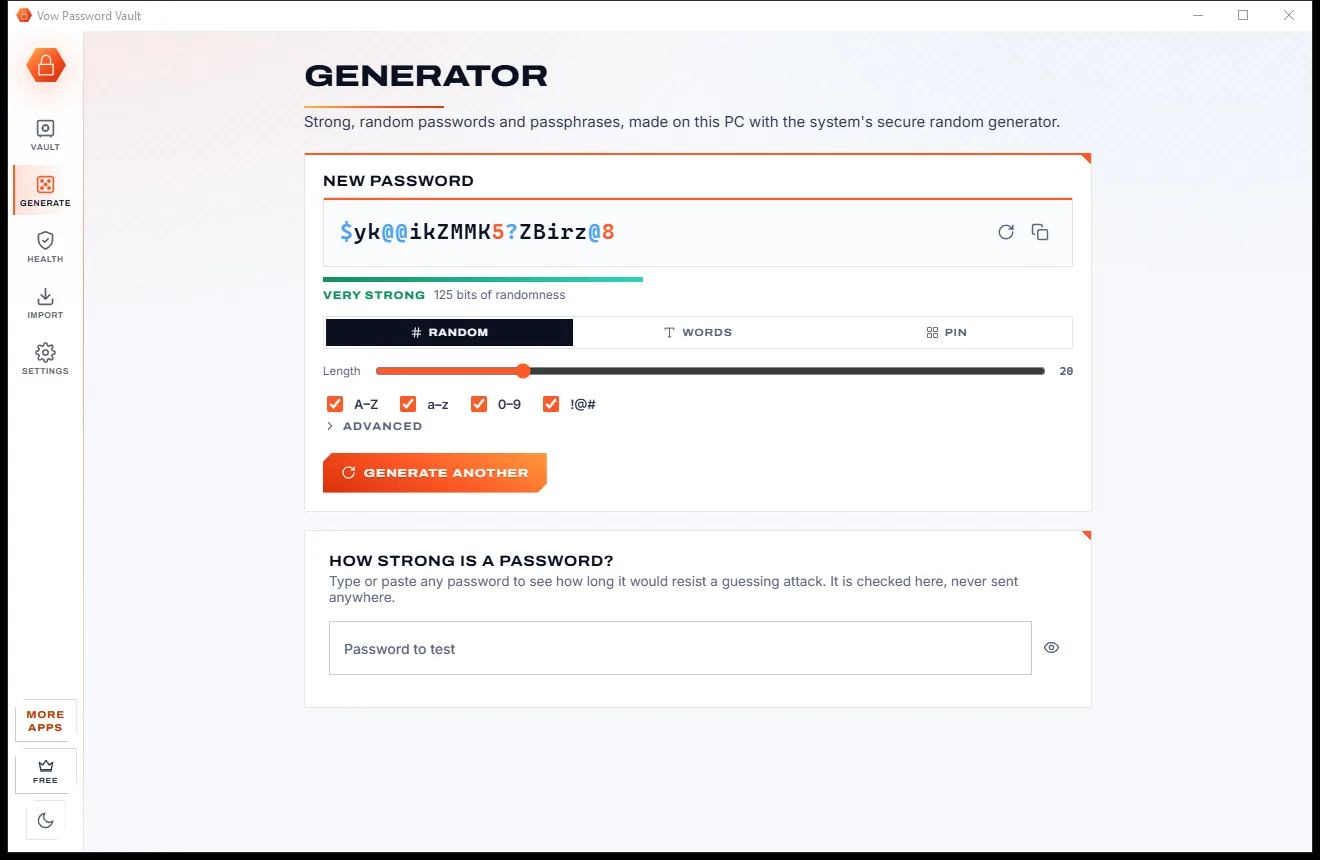
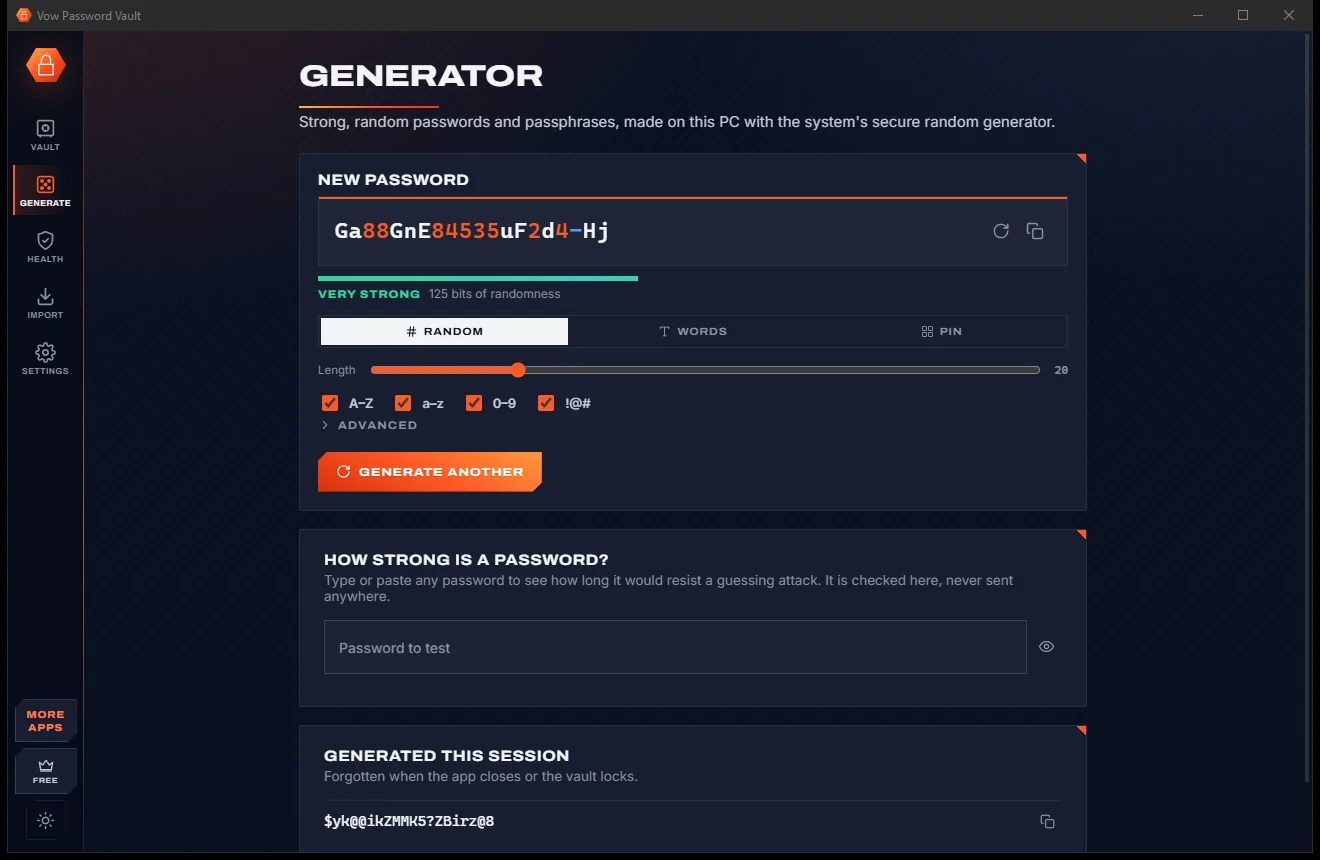
Your passwords in one encrypted file on your PC: no account, no cloud

  • Free: Up to 25 items, every security feature, 10 breach checks a day
  • $9.95 once: Unlimited items, auto-type, automatic encrypted backups, unlimited breach checks

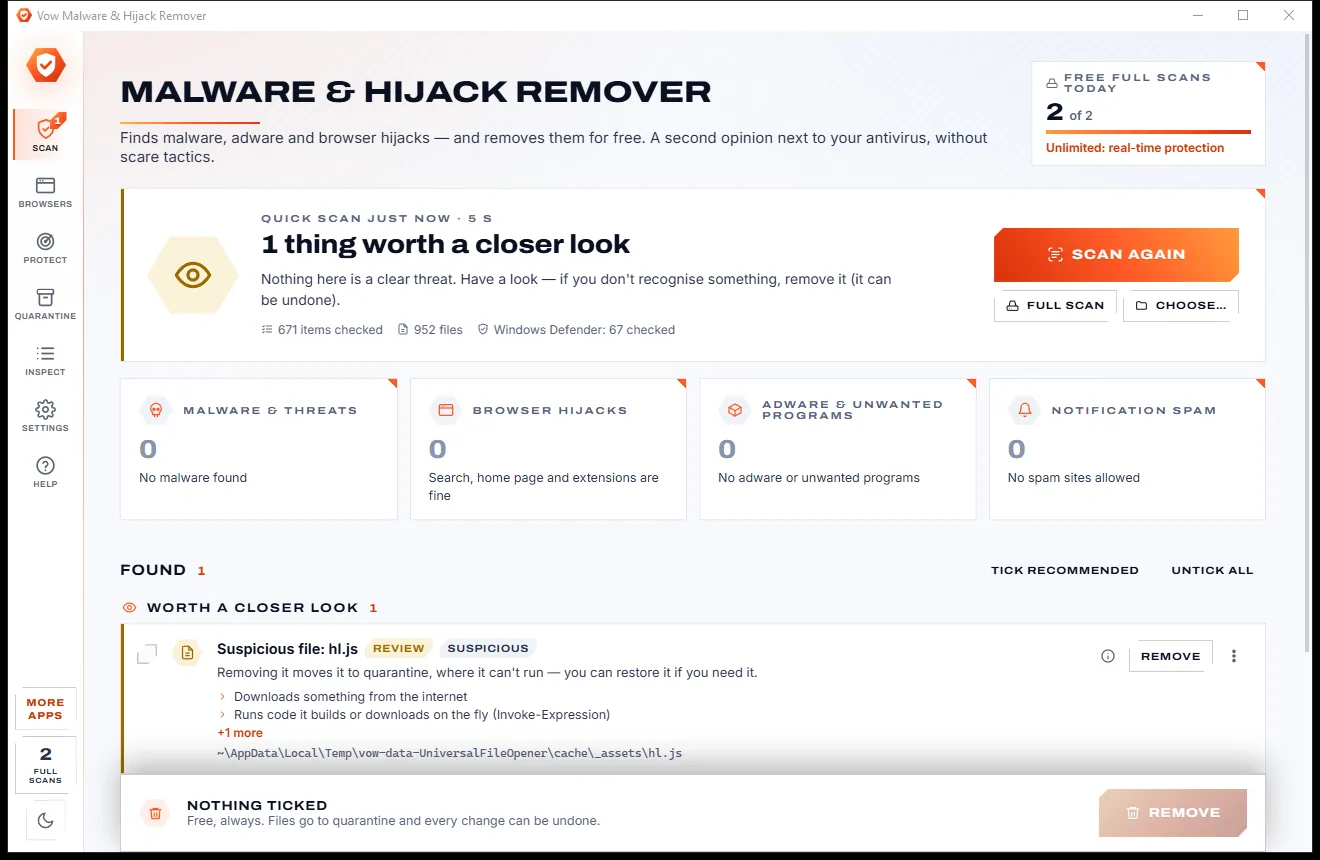
Find adware, malware and browser hijacks, and remove them free

  • Free: Unlimited quick scans and removals, 2 full scans a day
  • $9.95 once: Real-time hijack protection, scheduled scans, one-click browser reset

Password-protect a folder in two clicks, with a recovery key

  • Free: 1 folder locked and hidden, unlocking always free
  • $4.95 once: Any number of folders, AES-256 encryption, auto-lock, USB drives

Done searching. Get File Shredder.

Shred files so no recovery tool can bring them back. Free to use every day, $4.95 once if you ever want Unlimited.

  • No ads
  • No malware
  • No account
  • No subscription
File ShredderFree · Windows 10 & 11 Download